# How to add a mega menu (Collections)

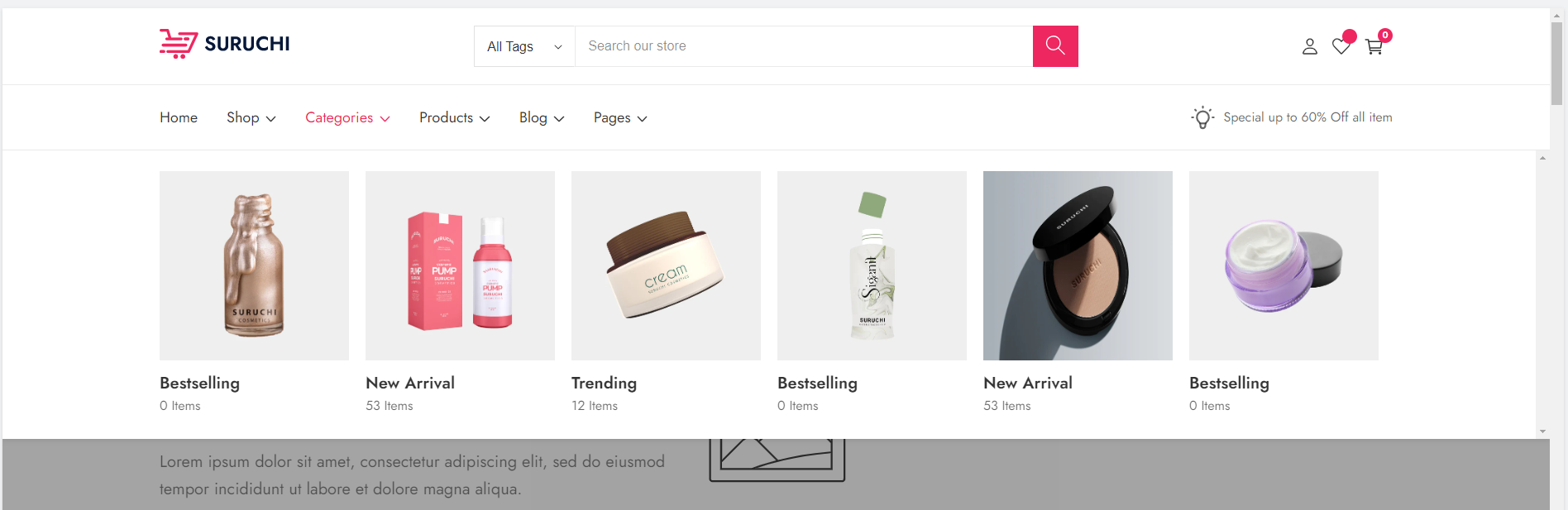
**The appearance of the mega menu** (<mark style="color:blue;">**Collections**</mark>)

<figure><img src="https://content.gitbook.com/content/7Hg8cYZOt66iWZS4tTz7/blobs/mnmXEwOmsThI1klQX6zL/collection_mega_menu.png" alt=""><figcaption></figcaption></figure>

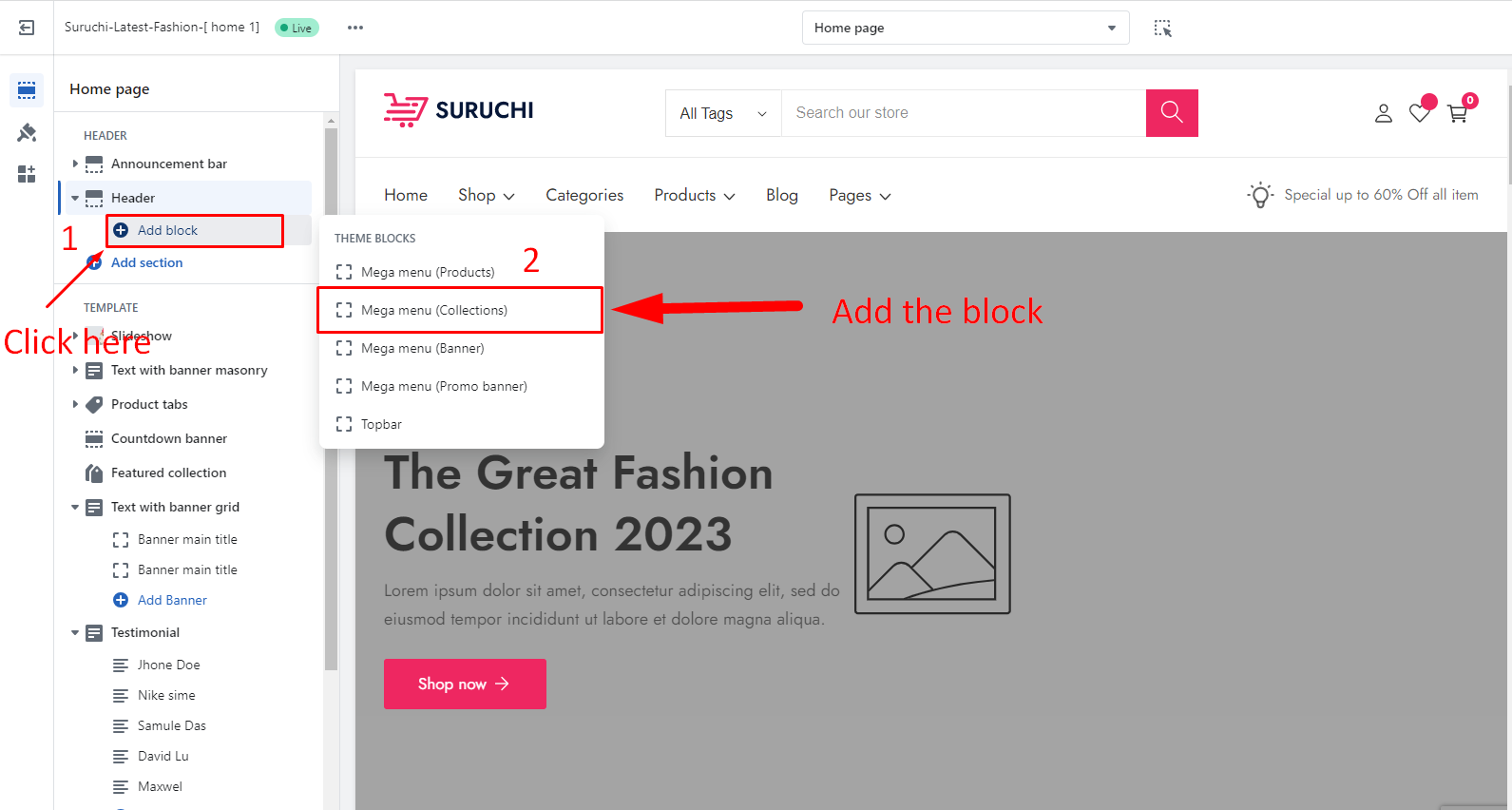
* **Go to the Customizer**
* Click on the **Add block** inside the Header
* Add the "**Mega menu (Collections)**" block

<figure><img src="https://content.gitbook.com/content/7Hg8cYZOt66iWZS4tTz7/blobs/3fVjCTKi76X2zuCxk46p/collections_add_block.png" alt=""><figcaption></figcaption></figure>

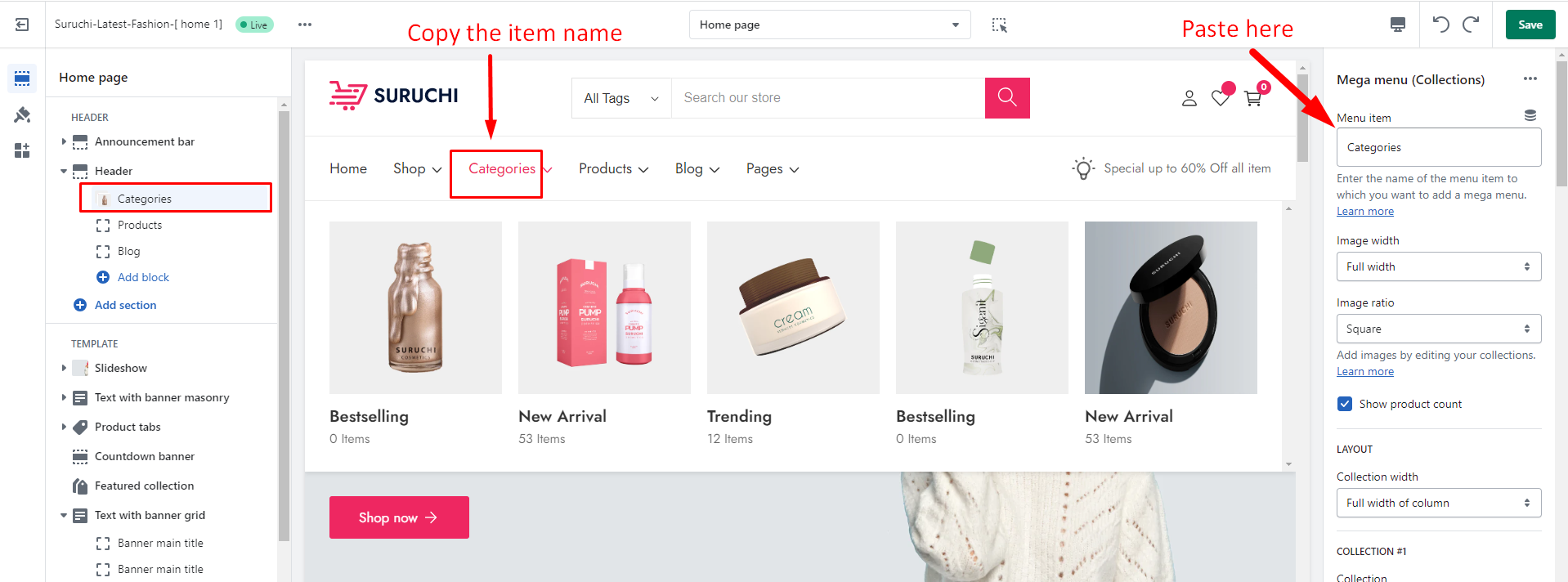
* Copy the name of the **menu item** to which you want to add a mega menu.

<figure><img src="https://content.gitbook.com/content/7Hg8cYZOt66iWZS4tTz7/blobs/8weT9NehQIQ5SgCMvmsN/collection_copy_name.png" alt=""><figcaption></figcaption></figure>

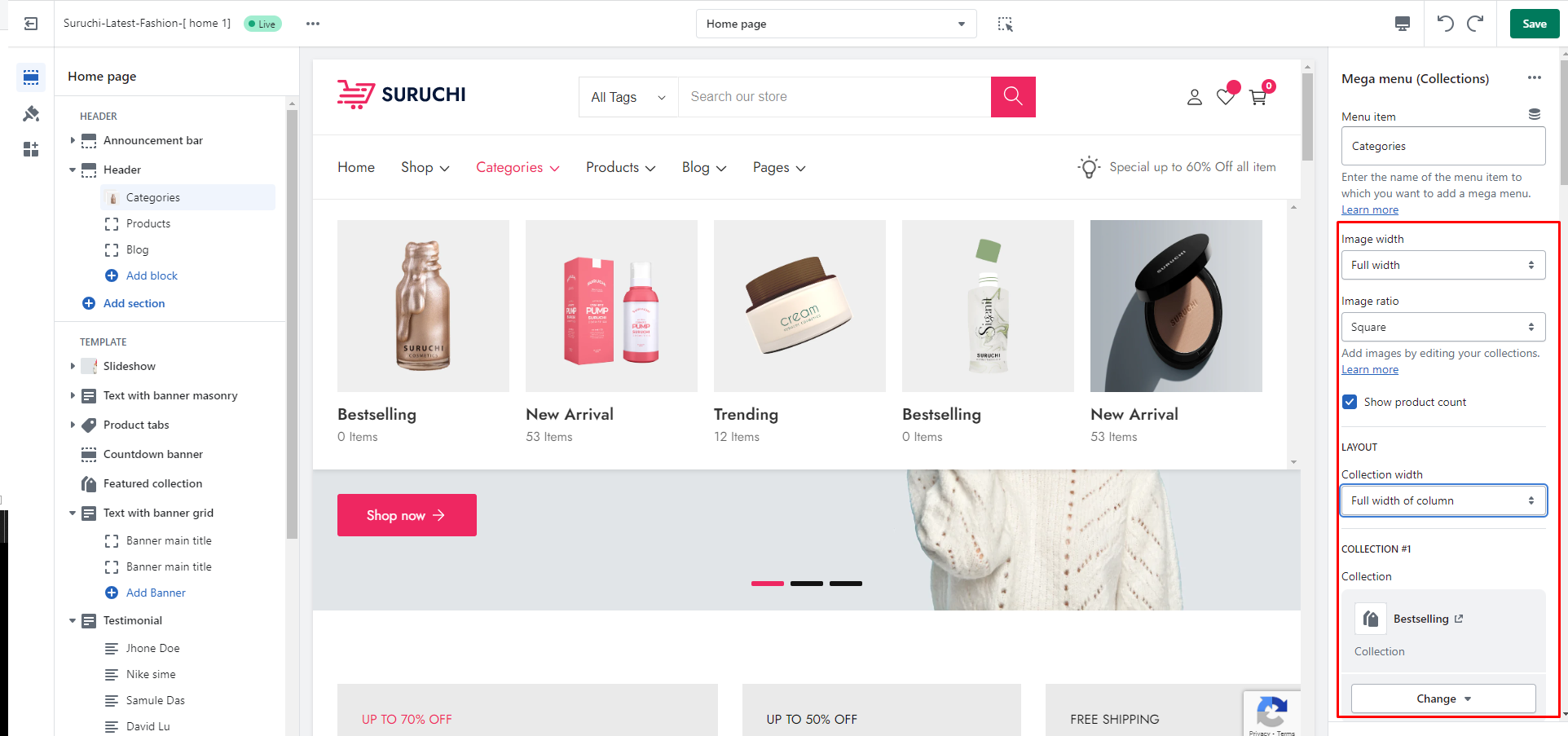
### Block settings

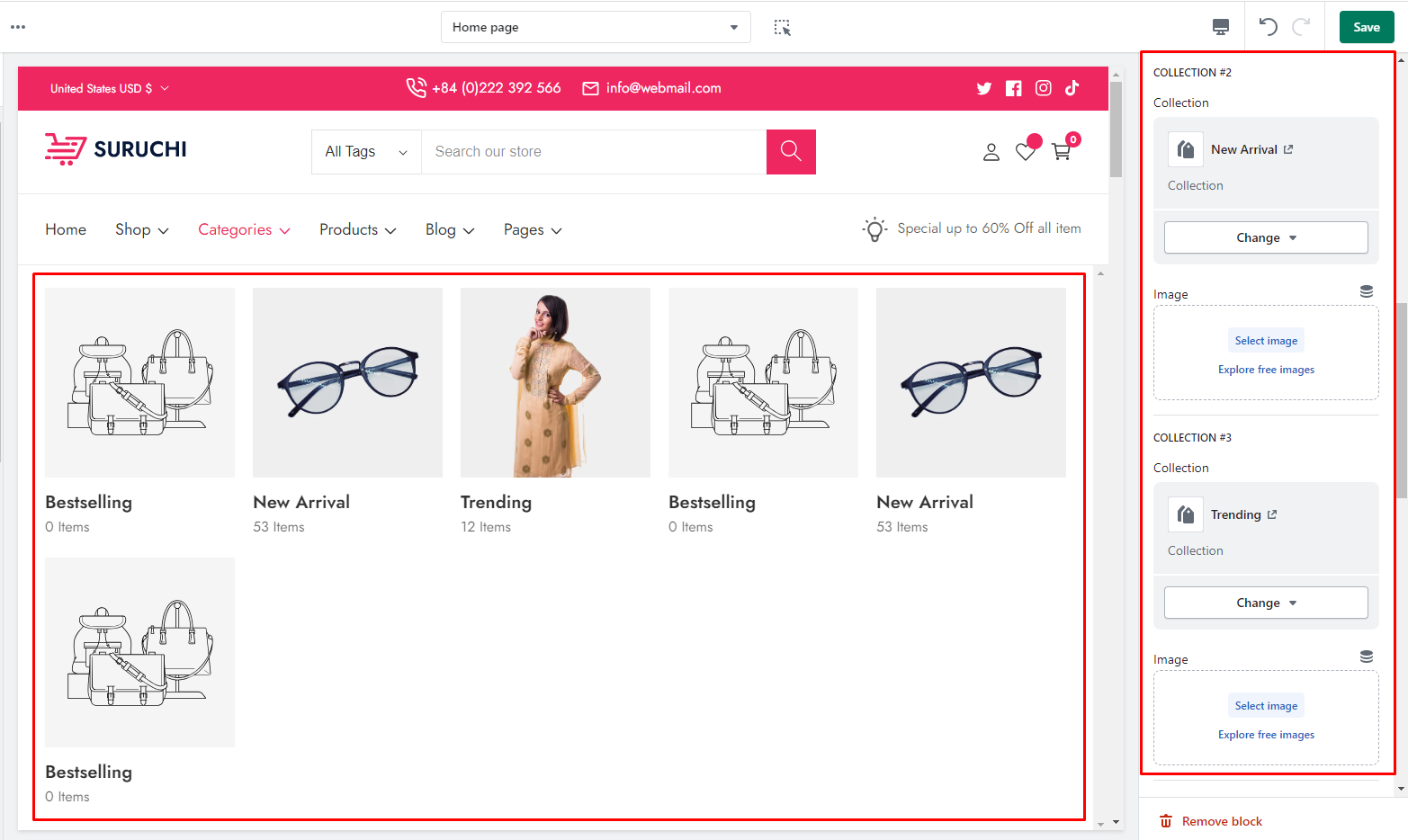
<div><figure><img src="https://content.gitbook.com/content/7Hg8cYZOt66iWZS4tTz7/blobs/L2ThzLDykOHJ41YvCYAE/collectin_menu_block.png" alt=""><figcaption></figcaption></figure> <figure><img src="https://content.gitbook.com/content/7Hg8cYZOt66iWZS4tTz7/blobs/cnzgUkPEoLzTAKMiw1VE/collection_blcok_settings.png" alt=""><figcaption></figcaption></figure></div>