# Mobile navigation bar

## What is a Mobile navigation bar?

To access key pages, you can add quick links. This will enable you to show customers relevant links and boost sales. Because a lot of customers use mobile devices. Therefore, this feature will be a crucial aid in your cell growth.

## The footer appearance

<figure><img src="https://2658914724-files.gitbook.io/~/files/v0/b/gitbook-x-prod.appspot.com/o/spaces%2FTsBtmFQxtPZrKf7veaAQ%2Fuploads%2FqT20ScHA2yfuJP8w8xGj%2FScreenshot_59.png?alt=media&#x26;token=284b44ad-3073-4a60-8898-15bf4e047ab8" alt=""><figcaption></figcaption></figure>

### Section settings

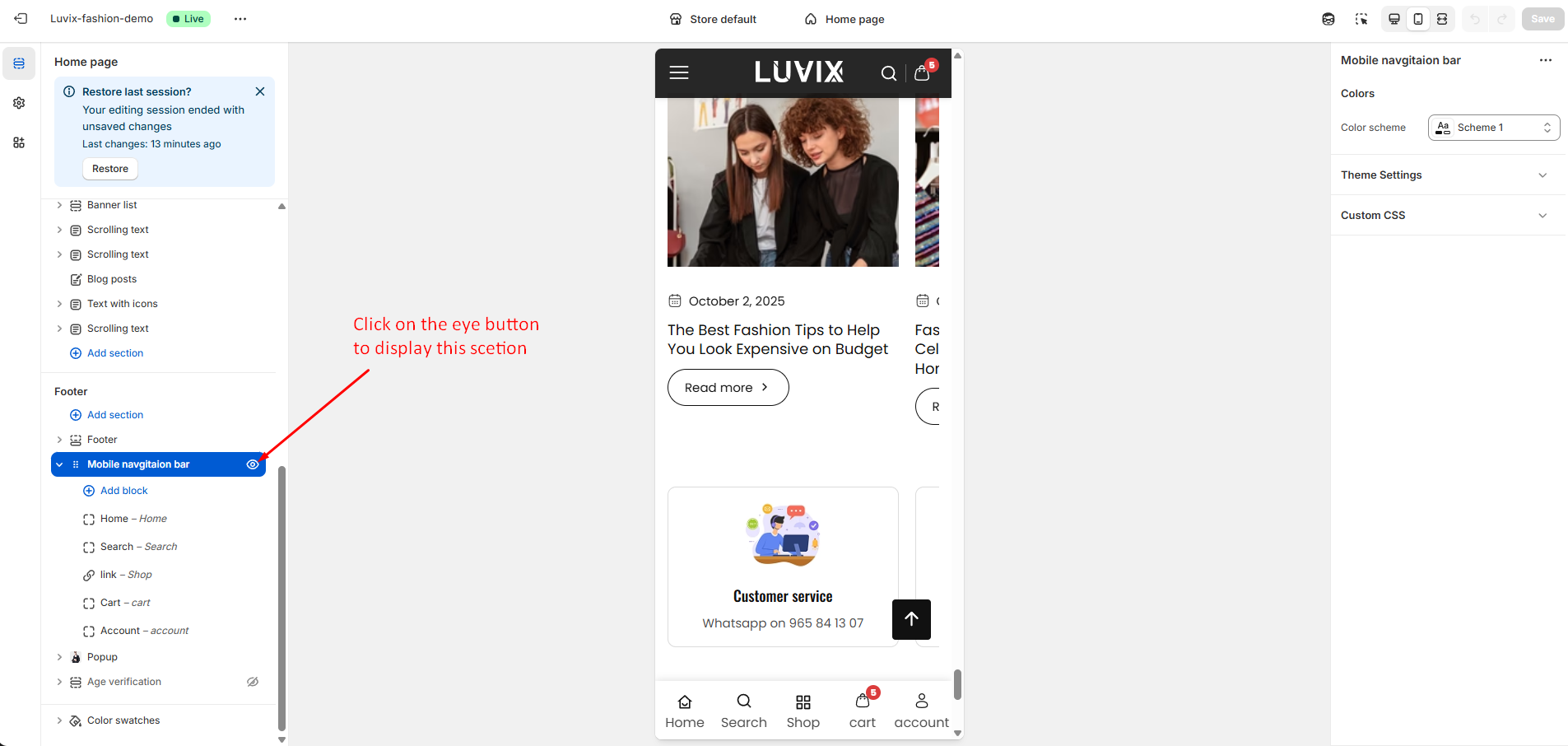
* **If you want to disable this navigation bar, you can easily disable it follow the below screenshot** -

<figure><img src="https://2658914724-files.gitbook.io/~/files/v0/b/gitbook-x-prod.appspot.com/o/spaces%2FTsBtmFQxtPZrKf7veaAQ%2Fuploads%2FvzRkzbjXncgli7mInEFk%2FScreenshot_60.png?alt=media&#x26;token=52949e70-8f17-4056-8290-7e1f8c78f44d" alt=""><figcaption></figcaption></figure>

| Settings     | Description                             |
| ------------ | --------------------------------------- |
| Color scheme | You can change color the navigation bar |

## Section blocks

{% hint style="success" %}
**Take the following steps to customize the bocks:**

1. **You can add maximum 5 links**&#x20;
2. You can add/remove any block from 5 quick links
3. You can add a label for the specific  block
4. You can add a link for the specific block
   {% endhint %}

<figure><img src="https://2658914724-files.gitbook.io/~/files/v0/b/gitbook-x-prod.appspot.com/o/spaces%2FTsBtmFQxtPZrKf7veaAQ%2Fuploads%2FlcWKpdPDpEVZd4rTFKJx%2FScreenshot_61.png?alt=media&#x26;token=c4a6f4fb-f2b9-405f-85c7-2302dc48fea9" alt=""><figcaption></figcaption></figure>