# How to add Complementary products

{% hint style="success" %}
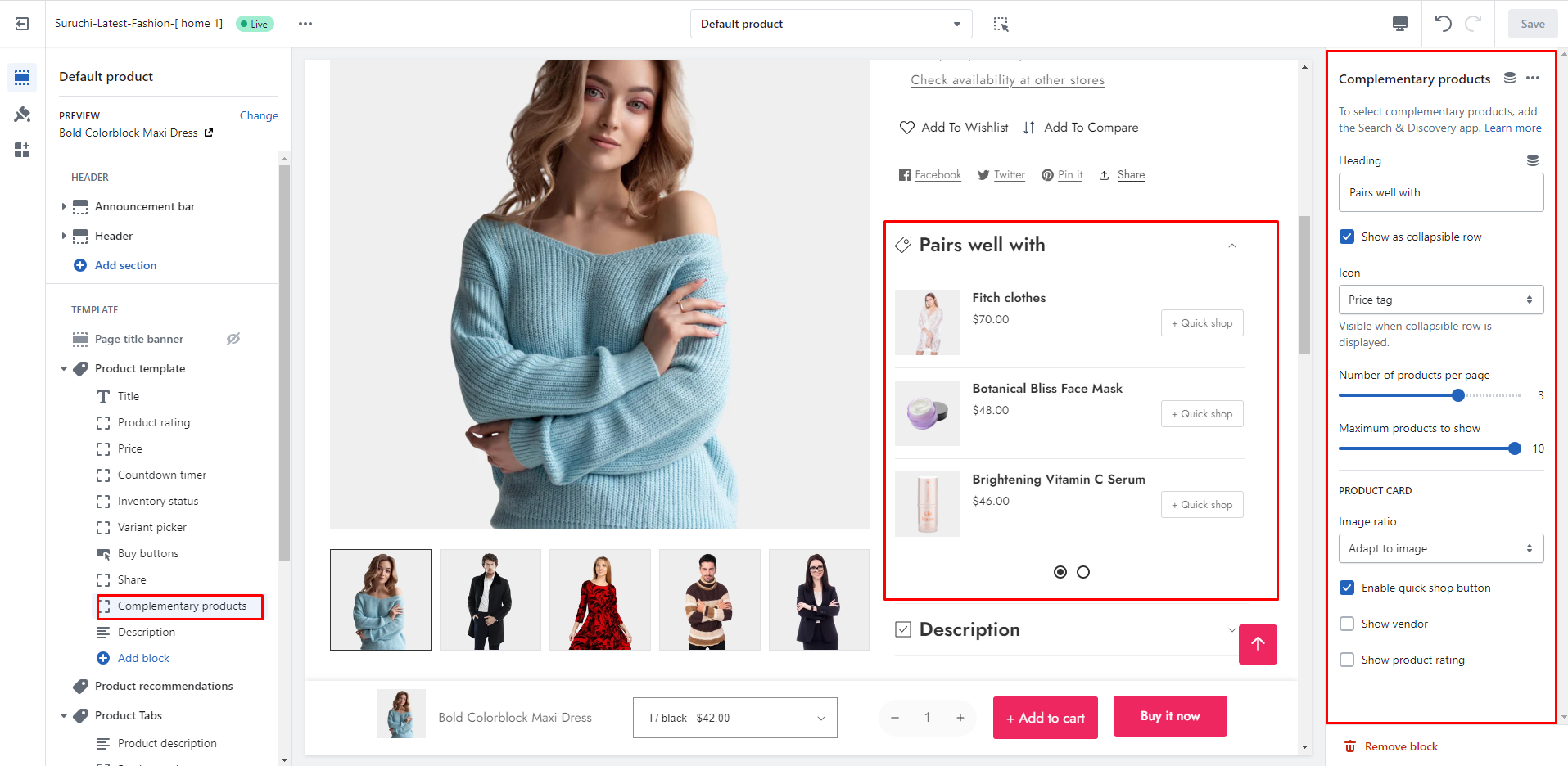
**Take the following steps:**

* In the theme editor (**Customize**), click on the **page selector**
* Go to the **Products**
* Then you can go to the specific **Product template**
* Add **"Complementary products"** block
  {% endhint %}

<figure><img src="https://content.gitbook.com/content/TsBtmFQxtPZrKf7veaAQ/blobs/GuIVvLkR3jsR8bP20aI0/complementary.png" alt=""><figcaption></figcaption></figure>

## Steup Complementary Products

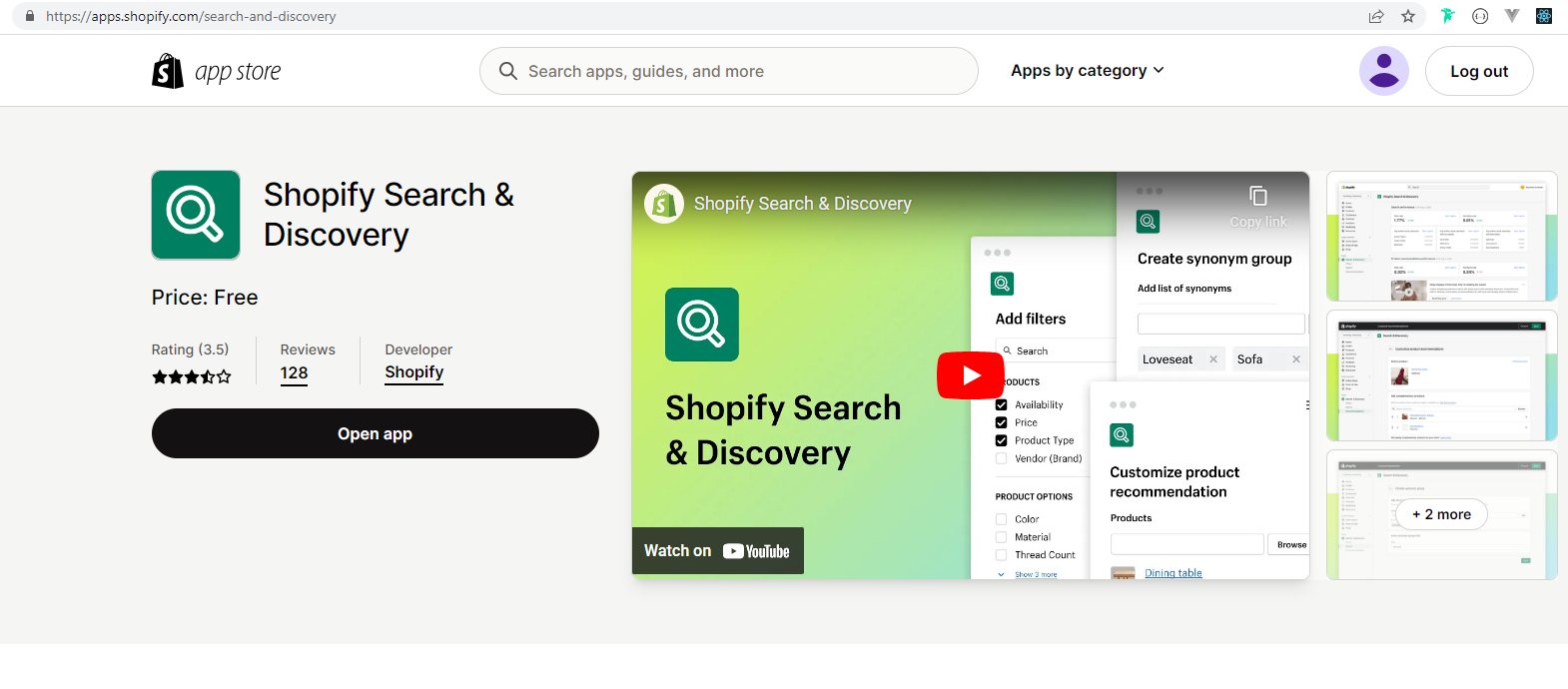
### Install Shopify Search & Discovery app

1. Go to this app - <https://apps.shopify.com/search-and-discovery>

<figure><img src="https://content.gitbook.com/content/TsBtmFQxtPZrKf7veaAQ/blobs/o35KnhnjjYOr8aOwgbAm/app.png" alt=""><figcaption></figcaption></figure>

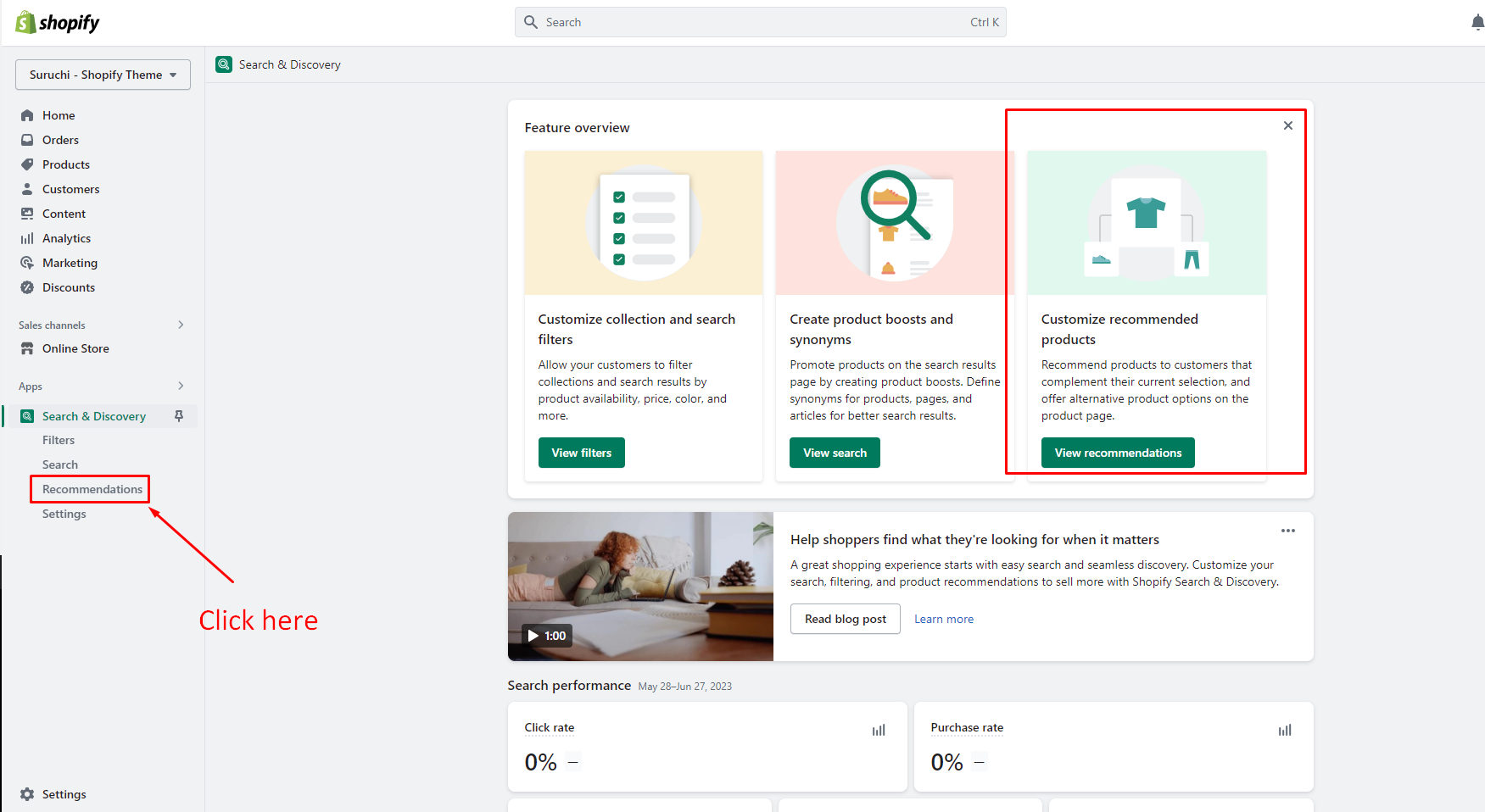
## Open the app

<figure><img src="https://content.gitbook.com/content/TsBtmFQxtPZrKf7veaAQ/blobs/kcOZaRfPh5Aifni3Qcd5/discovery-app-details.png" alt=""><figcaption></figcaption></figure>

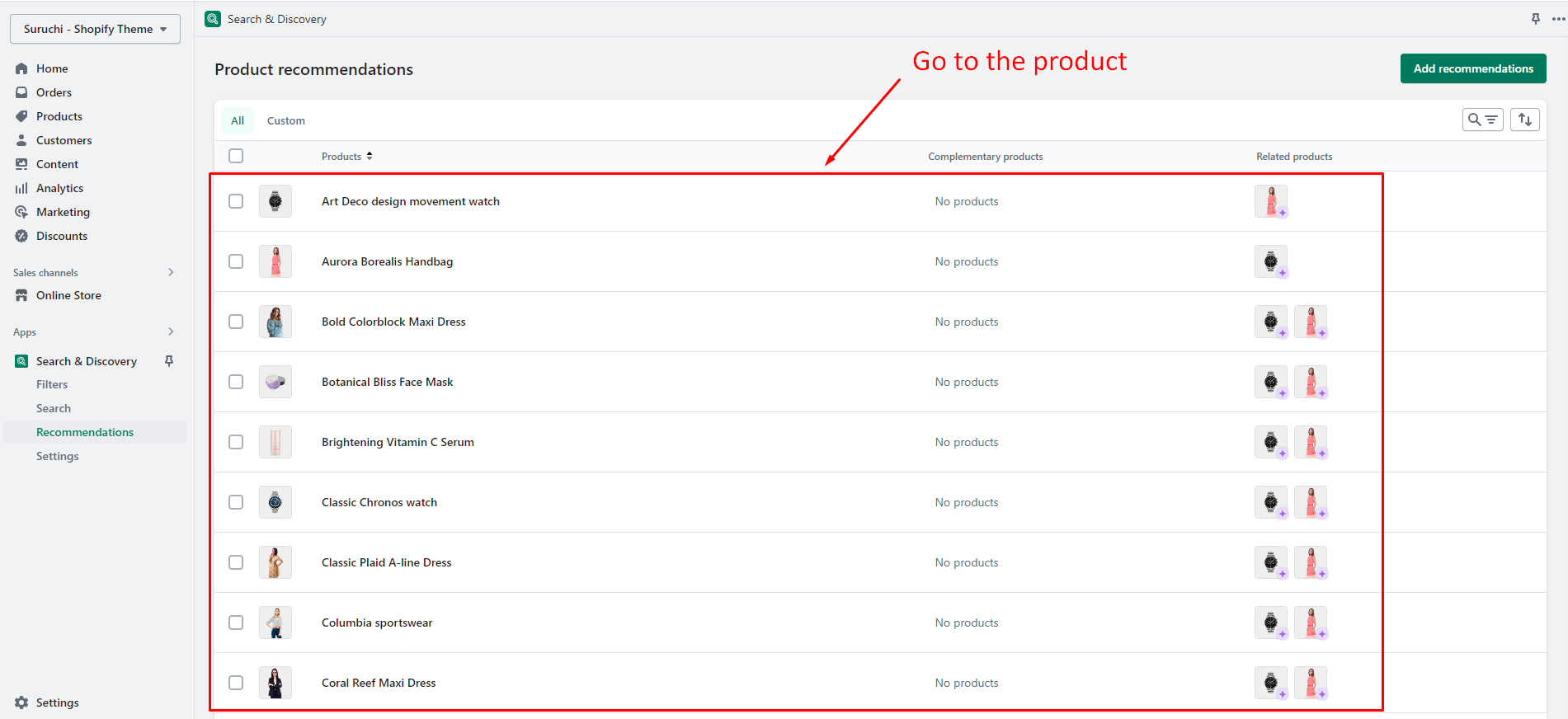
### Go to the specific product

<figure><img src="https://content.gitbook.com/content/TsBtmFQxtPZrKf7veaAQ/blobs/BIleeHRCy0fWHVAhxCF8/recommended-product.png" alt=""><figcaption></figcaption></figure>

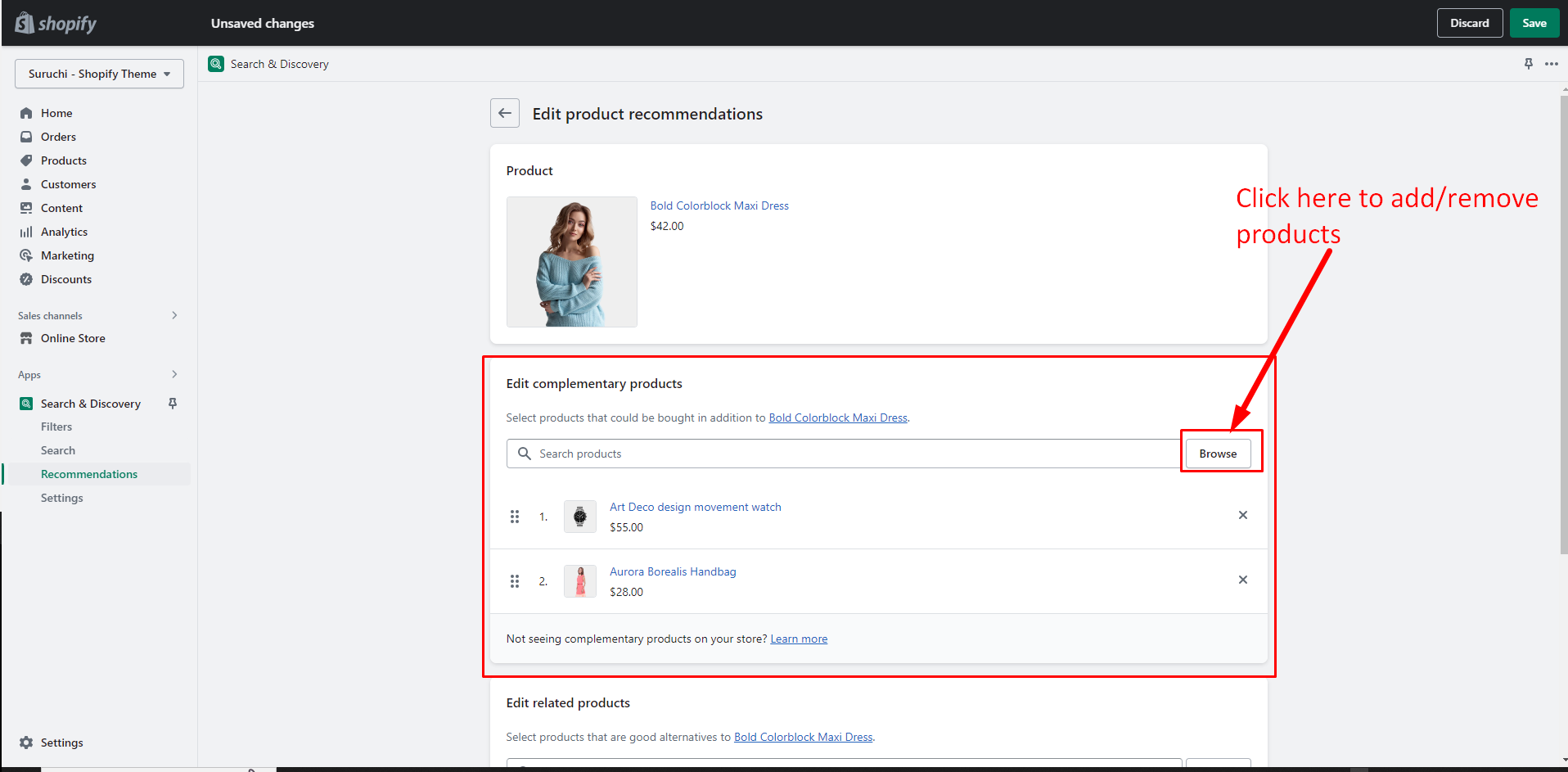
### Select products

<figure><img src="https://content.gitbook.com/content/TsBtmFQxtPZrKf7veaAQ/blobs/Xi7qGsXRb2wymP4oRCJc/complement-prdouct-list.png" alt=""><figcaption></figcaption></figure>