# How to enable a customer account?
{% hint style="success" %}
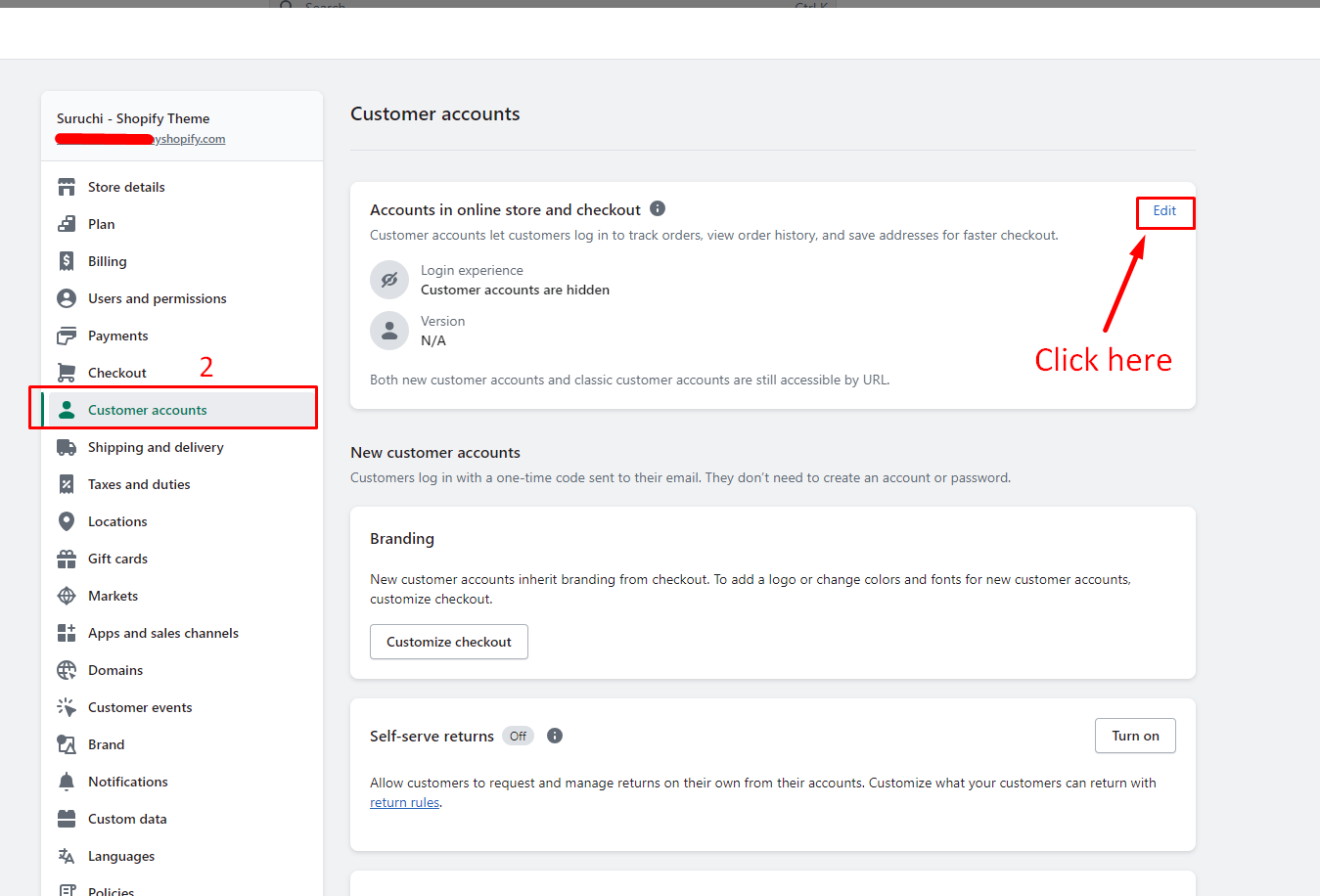
1. From your Shopify admin, go to **Settings** > [**Customer accounts**](https://www.shopify.com/admin/settings/customer_accounts).
2. In the **Accounts in the online store and checkout** section, click **Edit**.
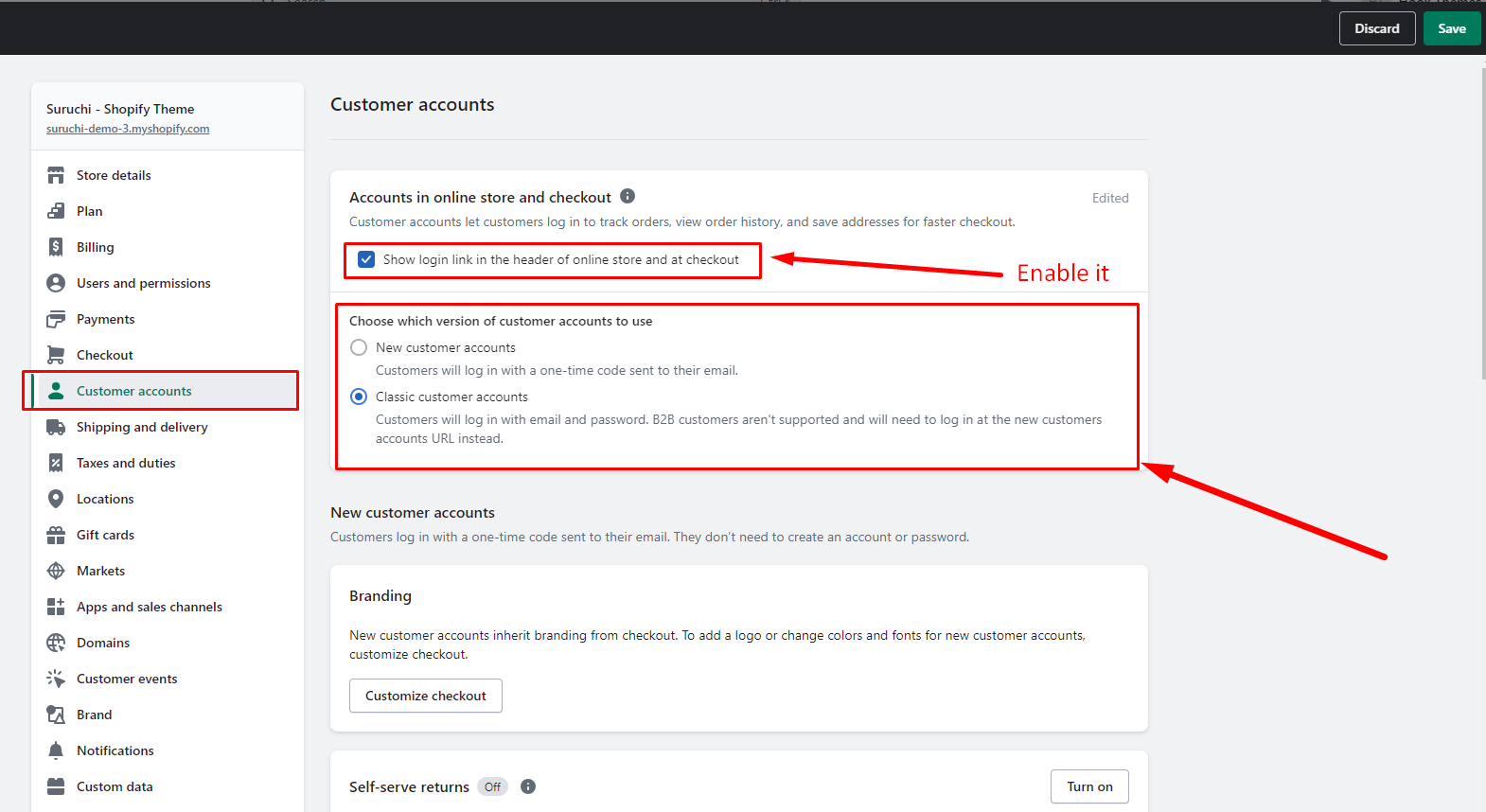
3. In the **Login Experience** section, select one or both of the following options:
* **Show login link in the header of the online store and at checkout**: If you select this option, then a login link is displayed in your online store. The link is usually located in the store's header, but the placement might vary depending on your theme. A login link is also displayed on the checkout page.
4. In the **Choose which version of customer accounts to use** section, select **New customer accounts**.
5. Click **Save**.
{% endhint %}
## Step 1
## Step 2
## Step 3