# How to install Luvix Theme?

Thank you for purchasing **Luvix** 🥳

**How to install the theme on your Shopify store is shown here.**

## Obtain the theme package

**Take the following steps:**

1. Access your Envato account, navigate to the Download page, and click the "[Download](https://themeforest.net/downloads)" button beside the **Luvix**  theme in your item list. The theme package will be provided in a zip format.
2. &#x20;**First of all, unzip the downloaded file from ThemeForest.**
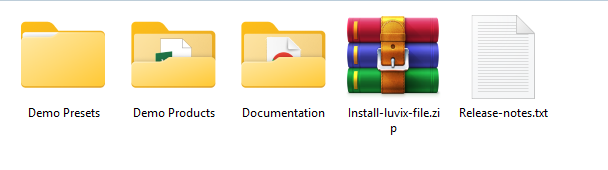
3. You need to upload the "**Install-me-luvix-vx-x-x.zip**" file to your Shopify store.

#### Files Included

<figure><img src="https://2658914724-files.gitbook.io/~/files/v0/b/gitbook-x-prod.appspot.com/o/spaces%2FTsBtmFQxtPZrKf7veaAQ%2Fuploads%2FolhpFm9eqjUgKDZCGezr%2FScreenshot_4.png?alt=media&#x26;token=0ab42762-c793-41be-b7e4-fc6ee16bac54" alt=""><figcaption></figcaption></figure>

### Upload theme <a href="#upload-a-theme-file-from-your-computer" id="upload-a-theme-file-from-your-computer"></a>

After obtaining the theme file, you can proceed to upload it to your Shopify store. **Take the following steps:**

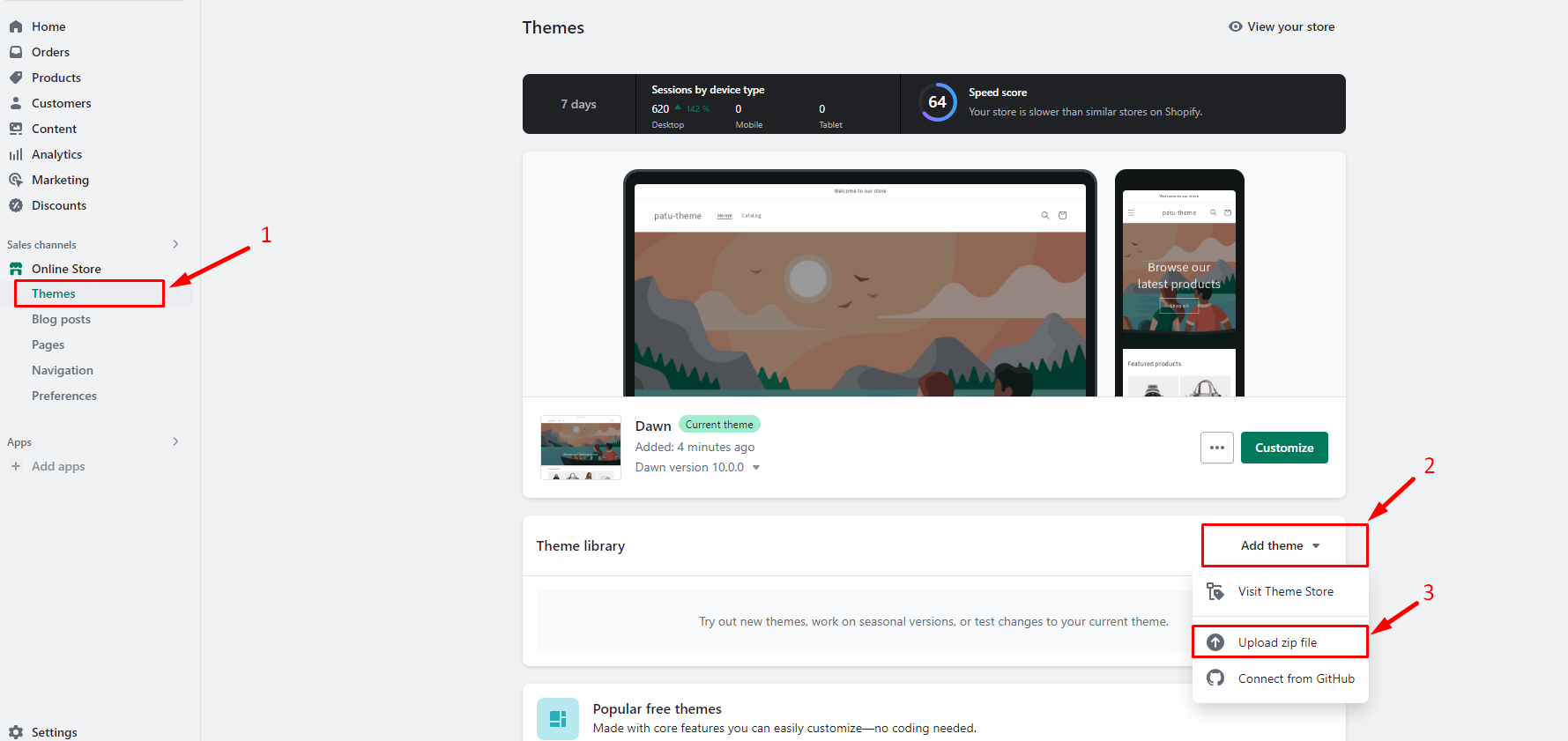
1\.   First login to the **Shopify dashboard** and go to the "**Online Store**"

2\.  In the **Theme library**, select **Add theme** > **Upload zip file.**

<figure><img src="https://content.gitbook.com/content/TsBtmFQxtPZrKf7veaAQ/blobs/3bKTR5V8Bkof2dUwa6NP/add-theme.png" alt=""><figcaption></figcaption></figure>

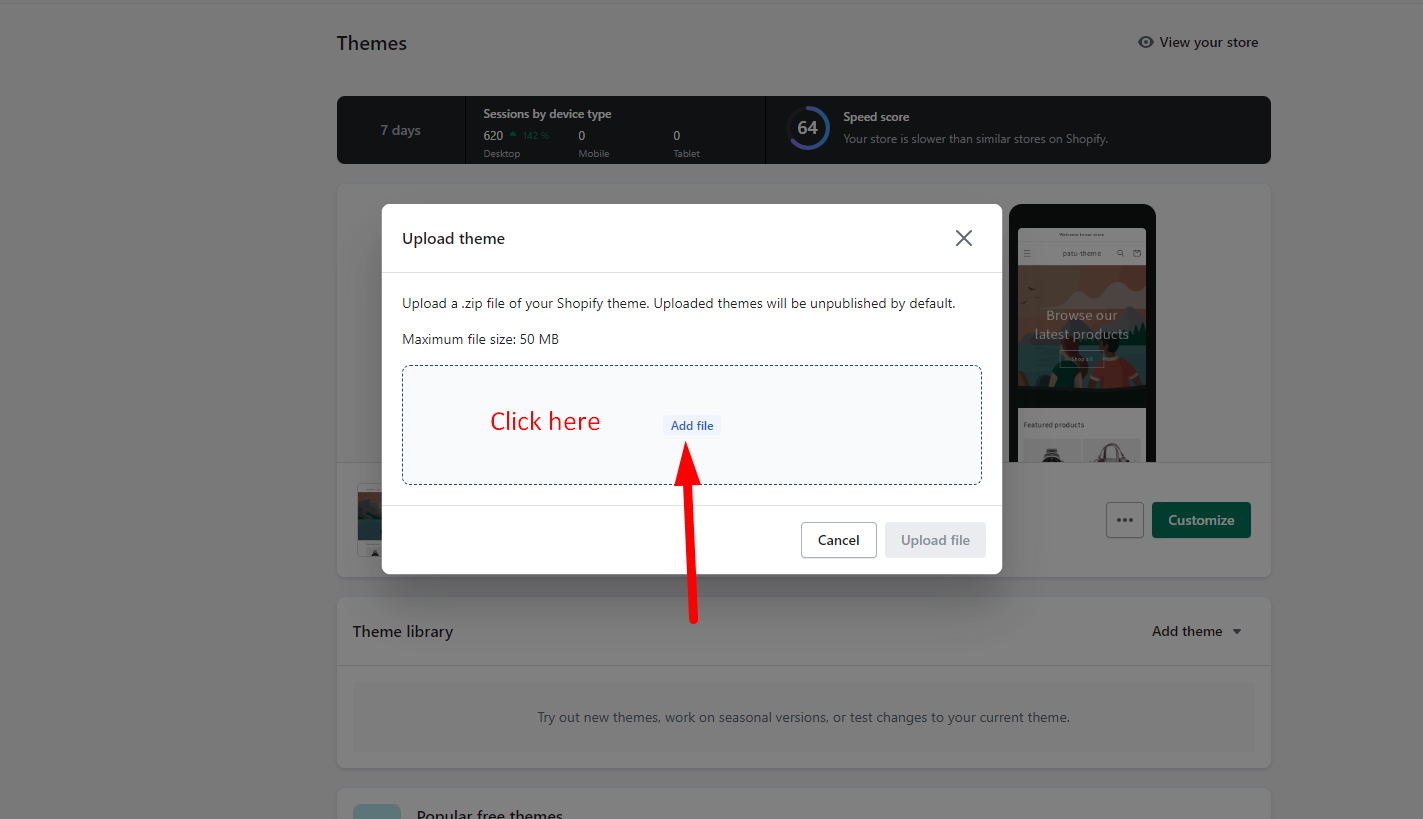
3\.  Within the "**Upload theme**" modal, click on the "**Add file**" button and choose the desired file for uploading.

<figure><img src="https://content.gitbook.com/content/TsBtmFQxtPZrKf7veaAQ/blobs/gnrgxWgVuw96fWgMvcp9/file_modal.png" alt=""><figcaption></figcaption></figure>

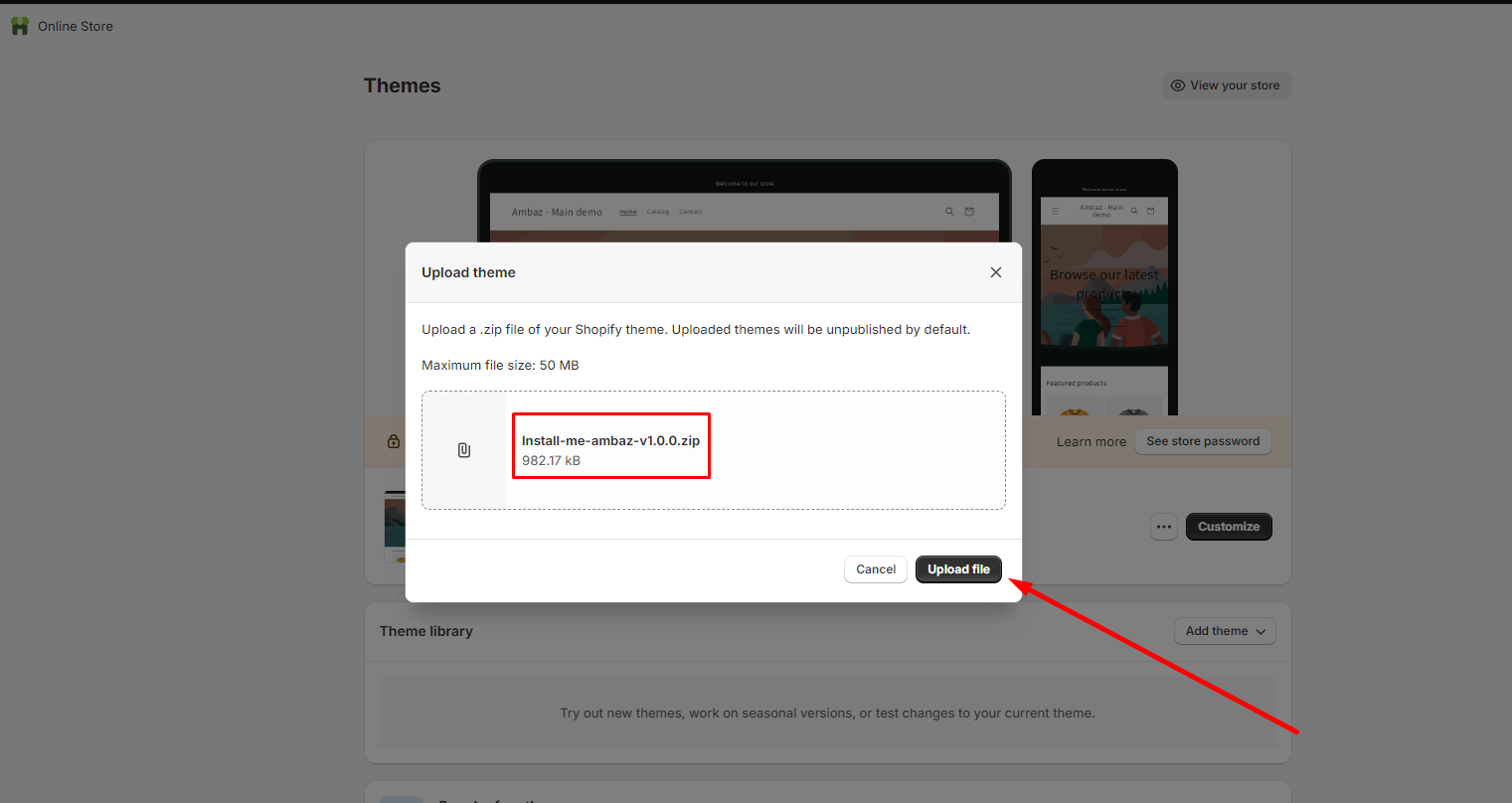
4\.  Click **Upload file**.

<figure><img src="https://content.gitbook.com/content/TsBtmFQxtPZrKf7veaAQ/blobs/xl8yNjDhwoDdgY8bdo5A/upload-1.png" alt=""><figcaption></figcaption></figure>

### Publish theme

<figure><img src="https://2658914724-files.gitbook.io/~/files/v0/b/gitbook-x-prod.appspot.com/o/spaces%2FTsBtmFQxtPZrKf7veaAQ%2Fuploads%2FDotv8sI4Hmi2U4KFJUu6%2FScreenshot_5.png?alt=media&#x26;token=7f391cb2-ee45-43ff-8157-96b090051644" alt=""><figcaption></figcaption></figure>

### Video Tutorial

{% embed url="<https://www.youtube.com/watch?index=1&list=PLWCiWoEvn91jNQMp4Ts9ECrHUw6JWiqWs&v=tdzXikJulmY>" %}