# How to edit default theme content

{% hint style="success" %}
If you only use one language for your store, you can edit the default content by following the instructions.
{% endhint %}

{% hint style="success" %}

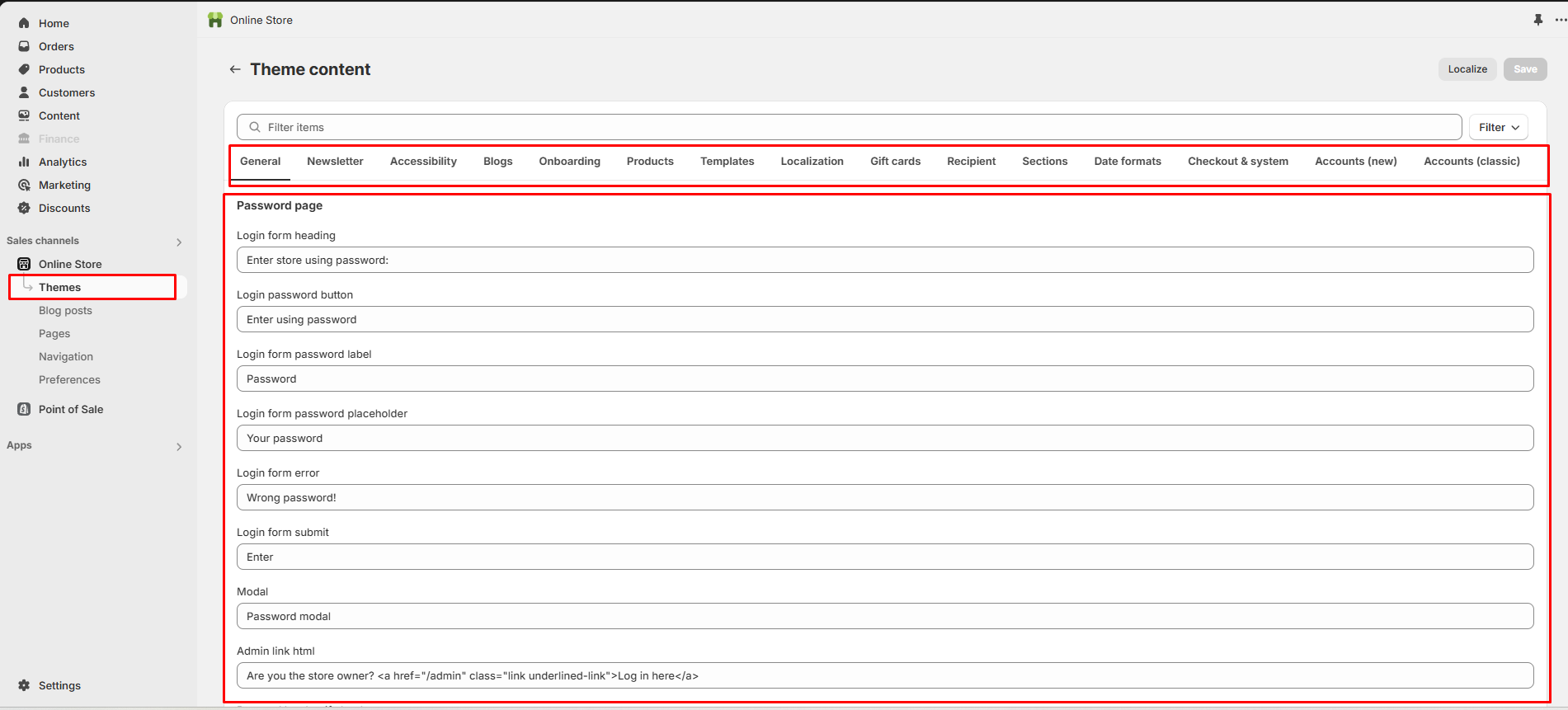
1. Go to the **Online store > Themes**
2. Click on the **3 dots**
3. **Edit default theme content**
4. Translate **theme content**
   {% endhint %}

## Step 1

<figure><img src="https://2658914724-files.gitbook.io/~/files/v0/b/gitbook-x-prod.appspot.com/o/spaces%2FTsBtmFQxtPZrKf7veaAQ%2Fuploads%2F00xUx0oo4XQeqLIBzE5C%2FScreenshot_93.png?alt=media&#x26;token=17edcbc9-9f26-45db-8793-08fcc8fed6ac" alt=""><figcaption></figcaption></figure>

## Step 2

<figure><img src="https://content.gitbook.com/content/TsBtmFQxtPZrKf7veaAQ/blobs/ZjdTpPzzvycXc8XILpG4/theme-setting2.png" alt=""><figcaption></figcaption></figure>