# How to enable LANGUAGE of your store?

<figure><img src="https://2658914724-files.gitbook.io/~/files/v0/b/gitbook-x-prod.appspot.com/o/spaces%2FTsBtmFQxtPZrKf7veaAQ%2Fuploads%2FBRzTM1nYZn8TtvXoXeII%2FScreenshot_92.png?alt=media&#x26;token=336254af-970c-4d48-9c2c-43a9fe88958b" alt=""><figcaption></figcaption></figure>

{% hint style="success" %}

* Enable country/region selector
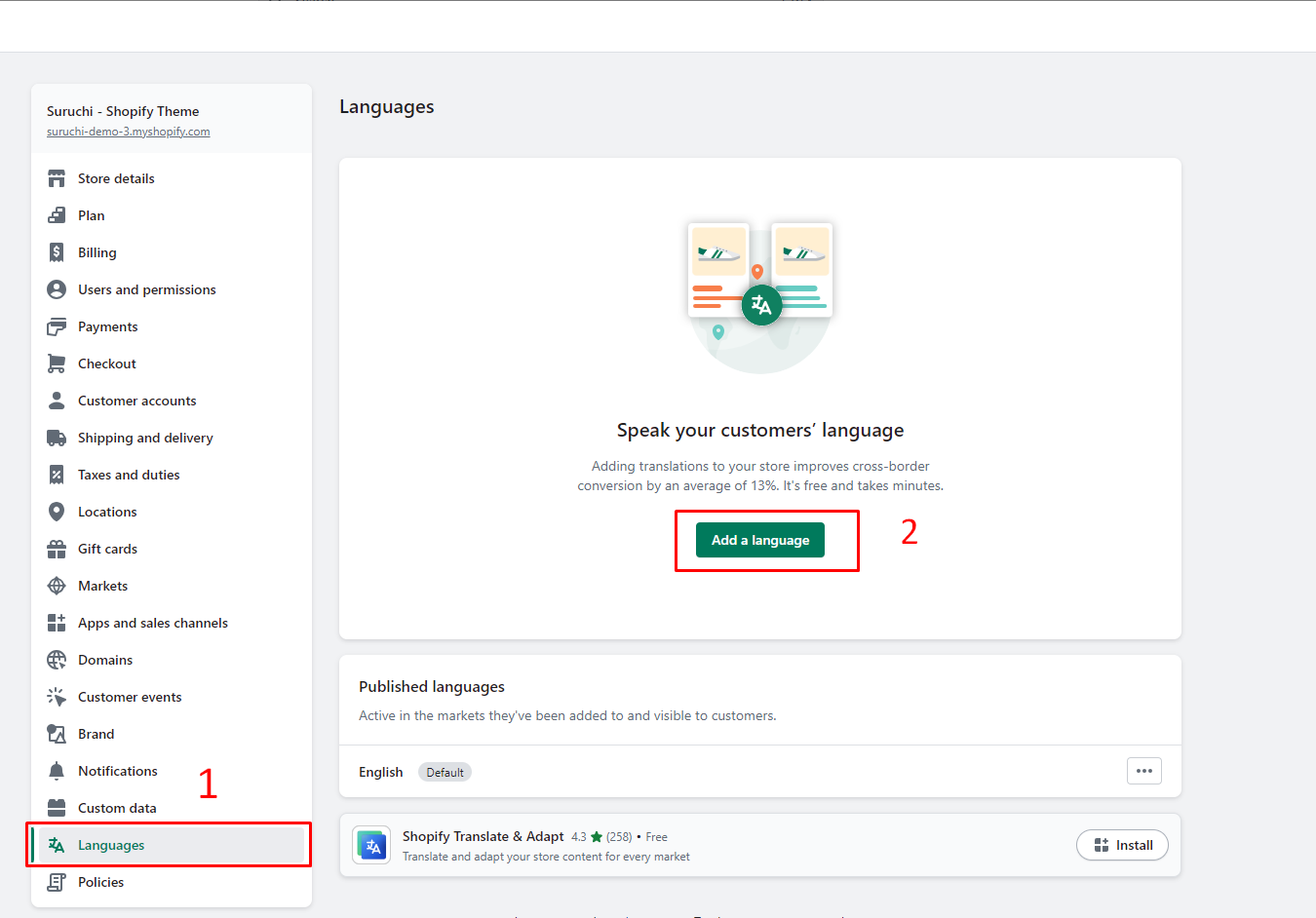
* To Add Languages, go to **Settings** > [**Languages**](https://www.shopify.com/admin/settings/languages)
* **Add a language**
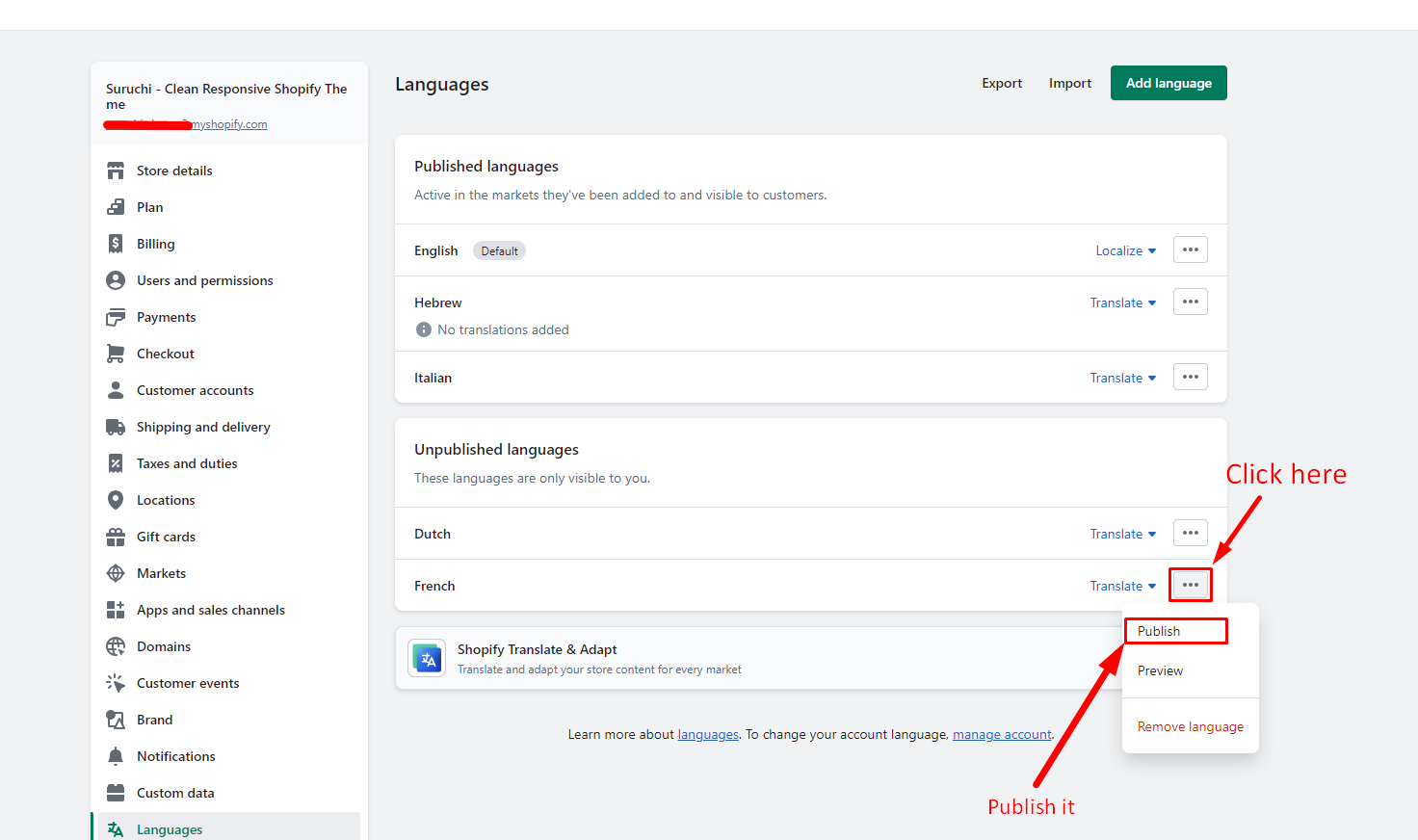
* **Publish** language
* **Save**
  {% endhint %}

## Step 1

<figure><img src="https://2658914724-files.gitbook.io/~/files/v0/b/gitbook-x-prod.appspot.com/o/spaces%2FTsBtmFQxtPZrKf7veaAQ%2Fuploads%2FD7feMSmMKiqznvUnKH2R%2FScreenshot_2.png?alt=media&#x26;token=93b6ced4-b8c6-4e12-ae5b-935502eb1a9d" alt=""><figcaption></figcaption></figure>

## Step 2

<figure><img src="https://content.gitbook.com/content/TsBtmFQxtPZrKf7veaAQ/blobs/RTJ5xsrFW3vREFFaTHNK/add_language.png" alt=""><figcaption></figcaption></figure>

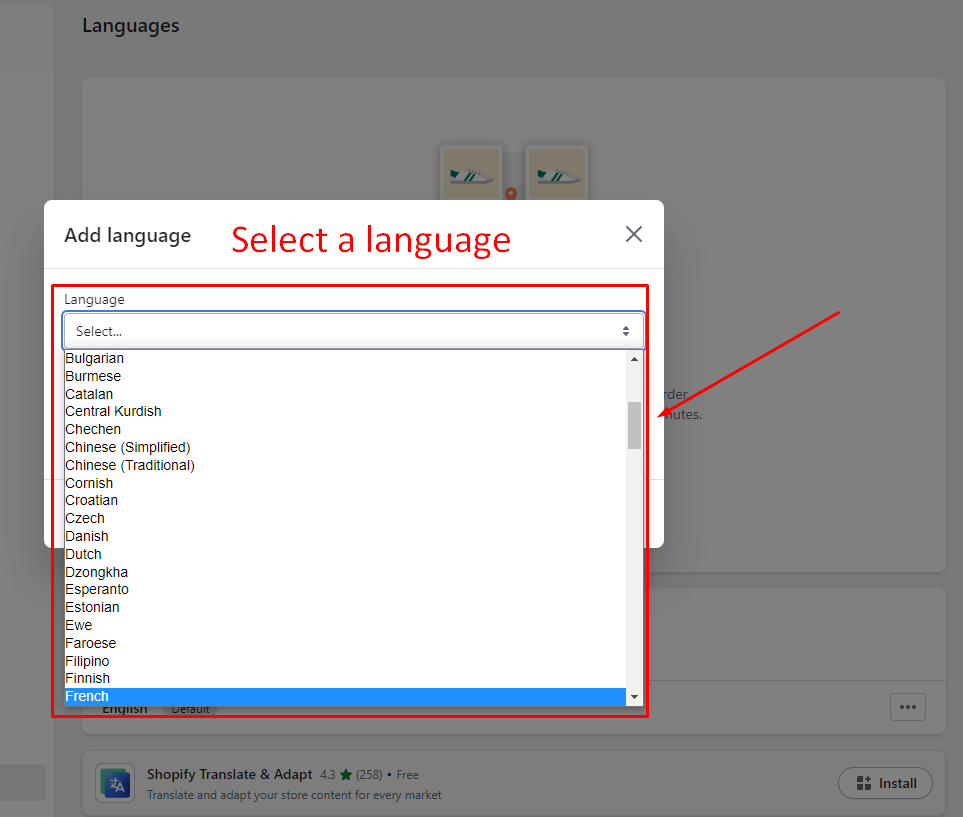
## Step 3 - Select Language

<figure><img src="https://content.gitbook.com/content/TsBtmFQxtPZrKf7veaAQ/blobs/WzGDvz4NJCELoILuPkxz/languag_select.png" alt=""><figcaption></figcaption></figure>

## Step 4 - Publish language

<figure><img src="https://content.gitbook.com/content/TsBtmFQxtPZrKf7veaAQ/blobs/Pvv9TkczQJHtyEmNMCJo/Publish_lanugage.png" alt=""><figcaption></figcaption></figure>

{% hint style="info" %}
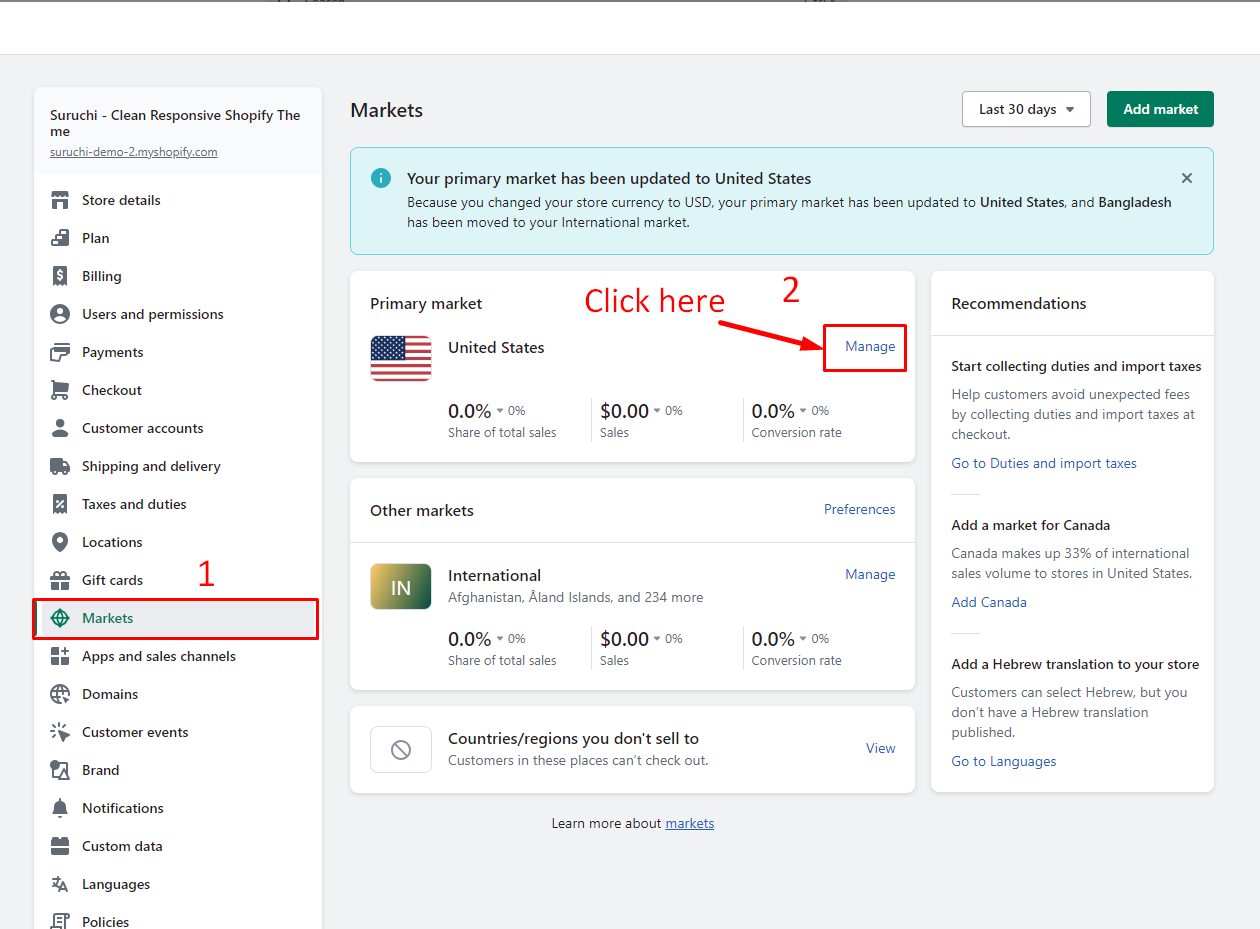
Following the completion of language setup, follow these steps to manage how customers experience your store for a single market only.
{% endhint %}

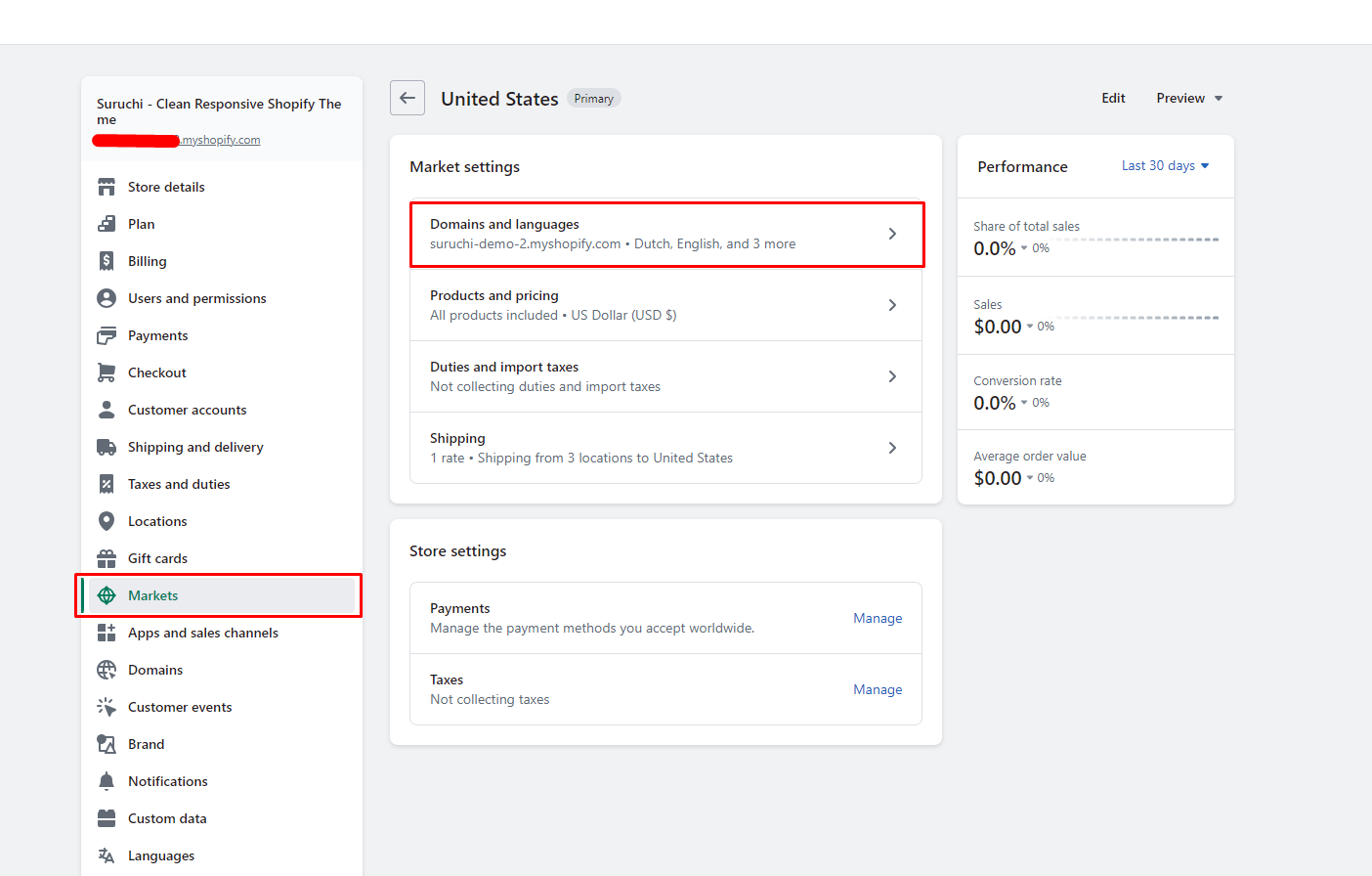
## Step 5 - Markets

<figure><img src="https://content.gitbook.com/content/TsBtmFQxtPZrKf7veaAQ/blobs/jiTacdC2QNdwRHsvdsdc/manage_language_2.png" alt=""><figcaption></figcaption></figure>

## Step 6 - Markets

<figure><img src="https://content.gitbook.com/content/TsBtmFQxtPZrKf7veaAQ/blobs/jR2OJyP5rbuLX62BMqpe/market_domain_language.png" alt=""><figcaption></figcaption></figure>

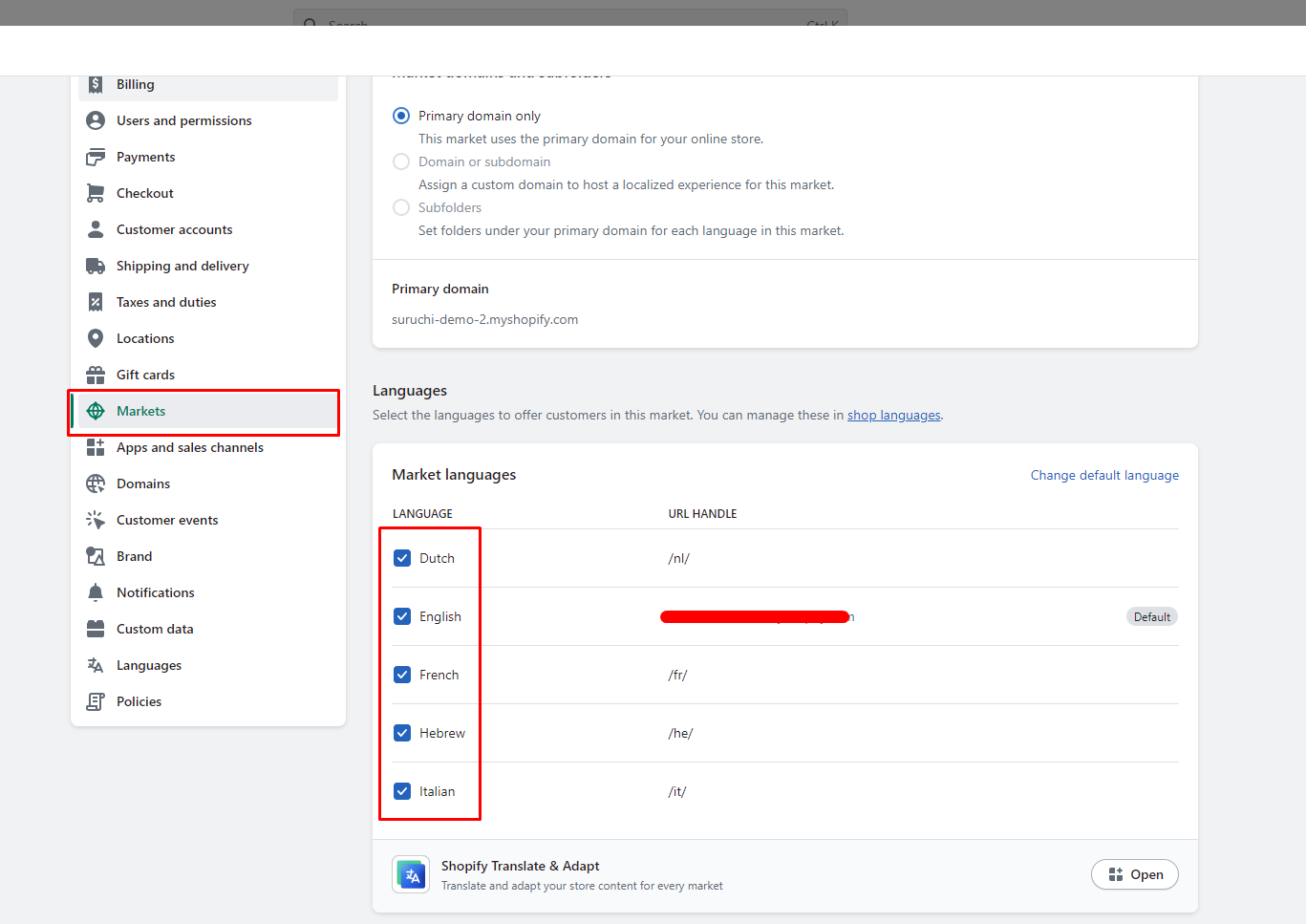
## Step 7 - Markets

{% hint style="info" %}
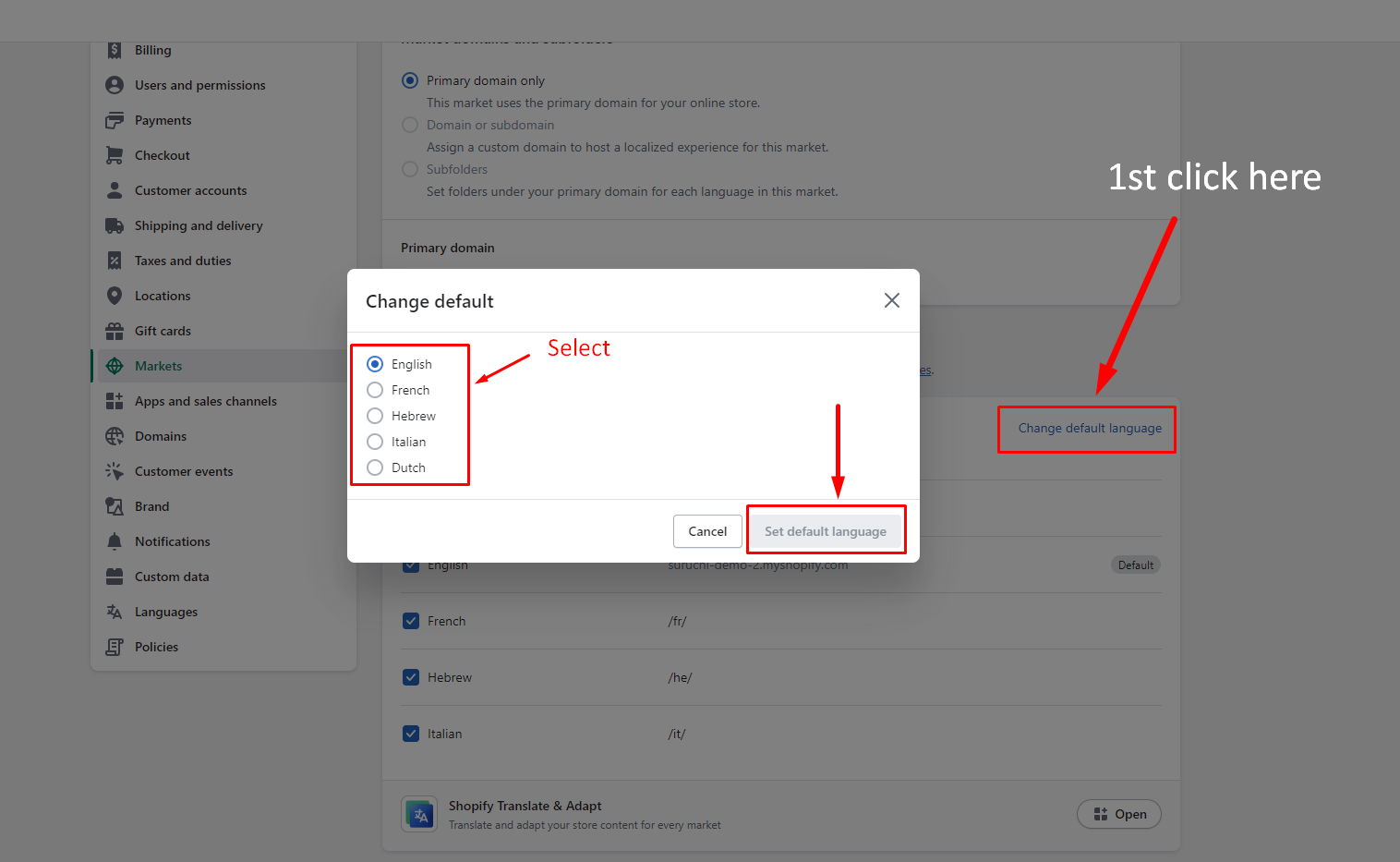
Select the languages you want to be displayed by choosing them from the language dropdown menu on your store to enable multilingualism. Additionally, you can modify the default language.
{% endhint %}

<figure><img src="https://content.gitbook.com/content/TsBtmFQxtPZrKf7veaAQ/blobs/TGIm5I7DuV0HPldkRZ4X/multi-language.png" alt=""><figcaption></figcaption></figure>

## Step 7 - Change the default language

<figure><img src="https://content.gitbook.com/content/TsBtmFQxtPZrKf7veaAQ/blobs/MBrYsf6OUmoX0inIbPYm/default_language.png" alt=""><figcaption></figcaption></figure>