# How to enable the COUNTRY/REGION of your store?

<figure><img src="https://2658914724-files.gitbook.io/~/files/v0/b/gitbook-x-prod.appspot.com/o/spaces%2FTsBtmFQxtPZrKf7veaAQ%2Fuploads%2Fz3Y73LmXf88Ti229c0c2%2FScreenshot_91.png?alt=media&#x26;token=5a644f61-29dc-426b-b5c3-42ac1da7aa4a" alt=""><figcaption></figcaption></figure>

{% hint style="success" %}

* Enable country/region selector
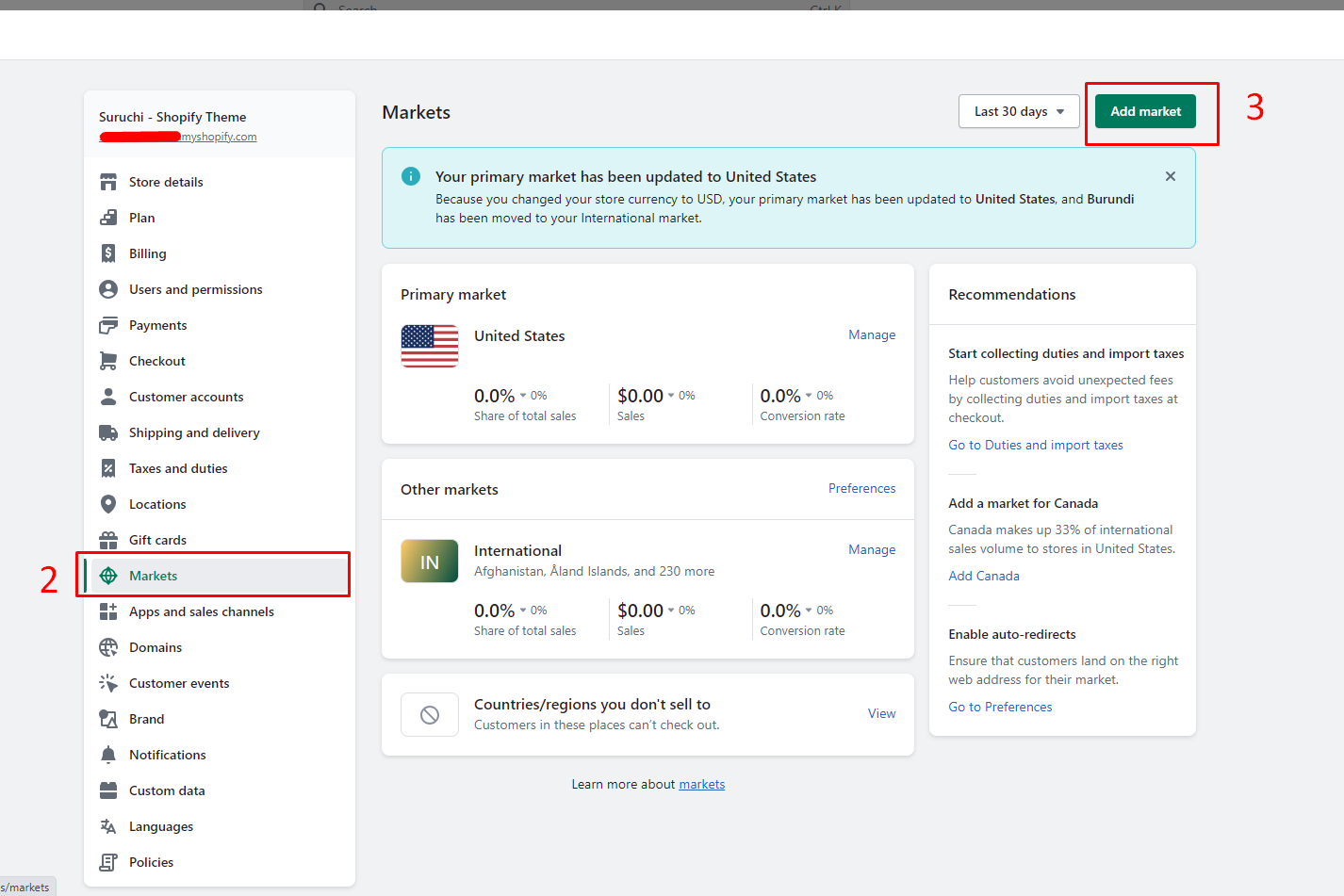
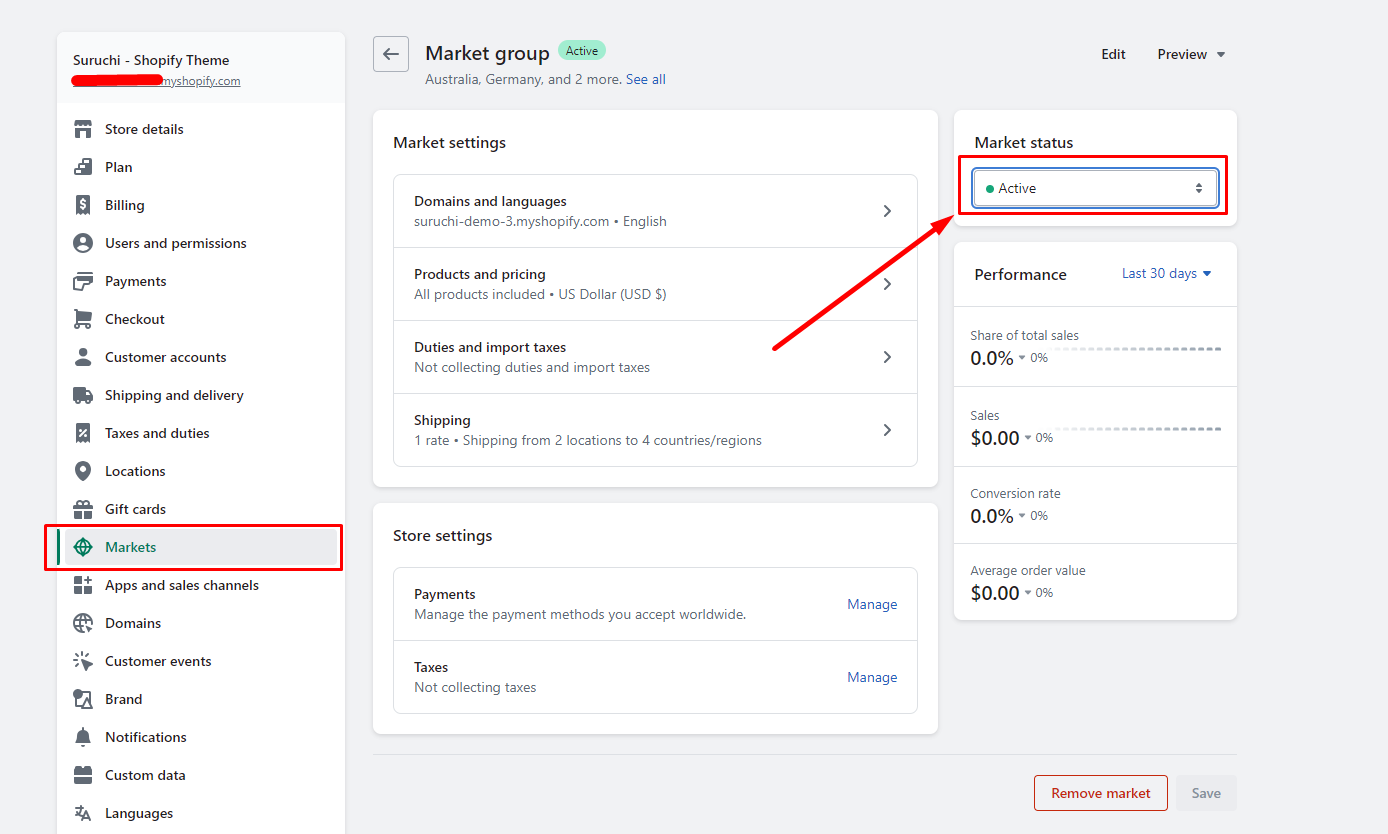
* To **configure the country/region**, go to **Settings** > [**Markets**](https://www.shopify.com/admin/settings/markets)
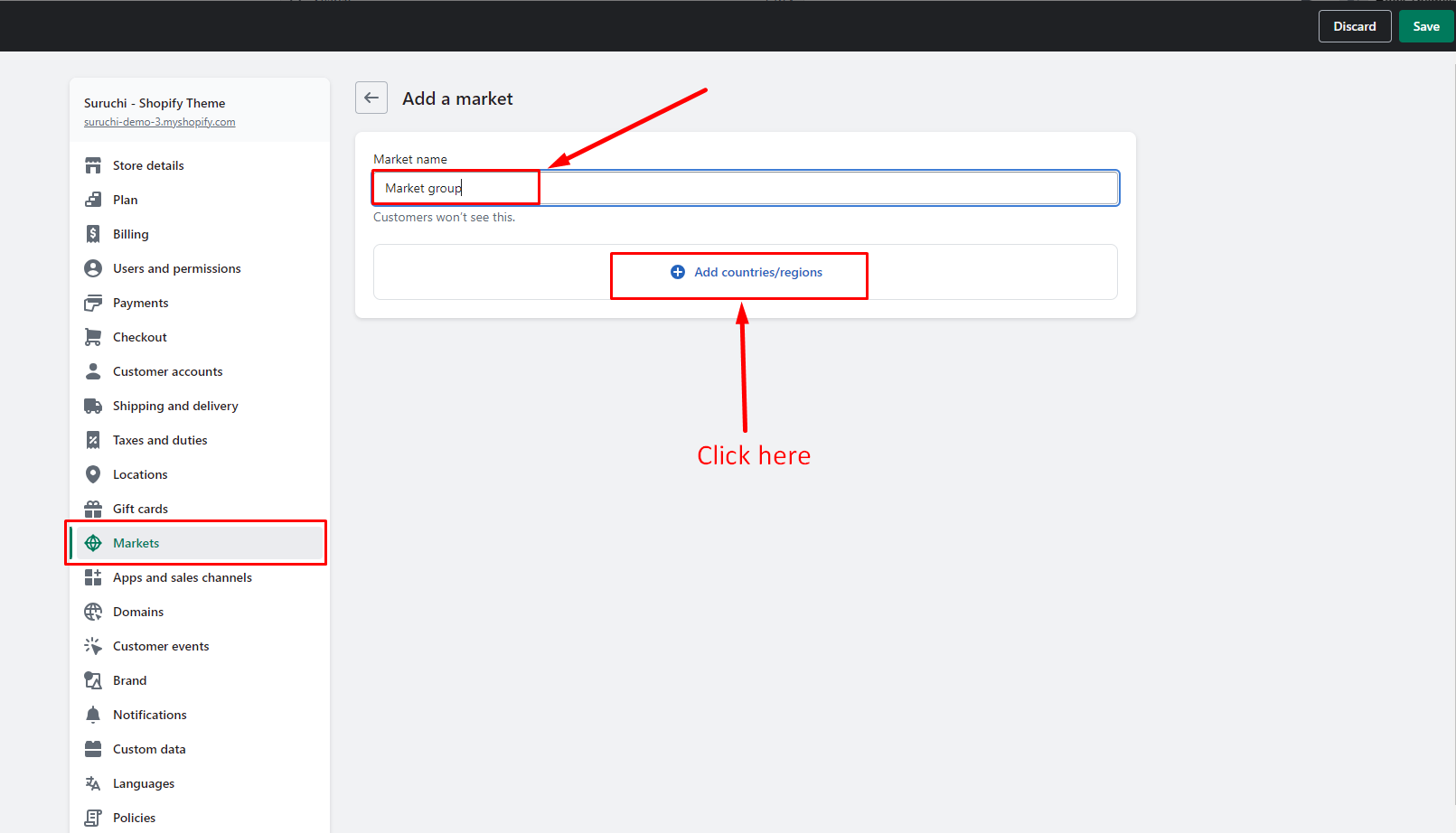
* **Add a market**
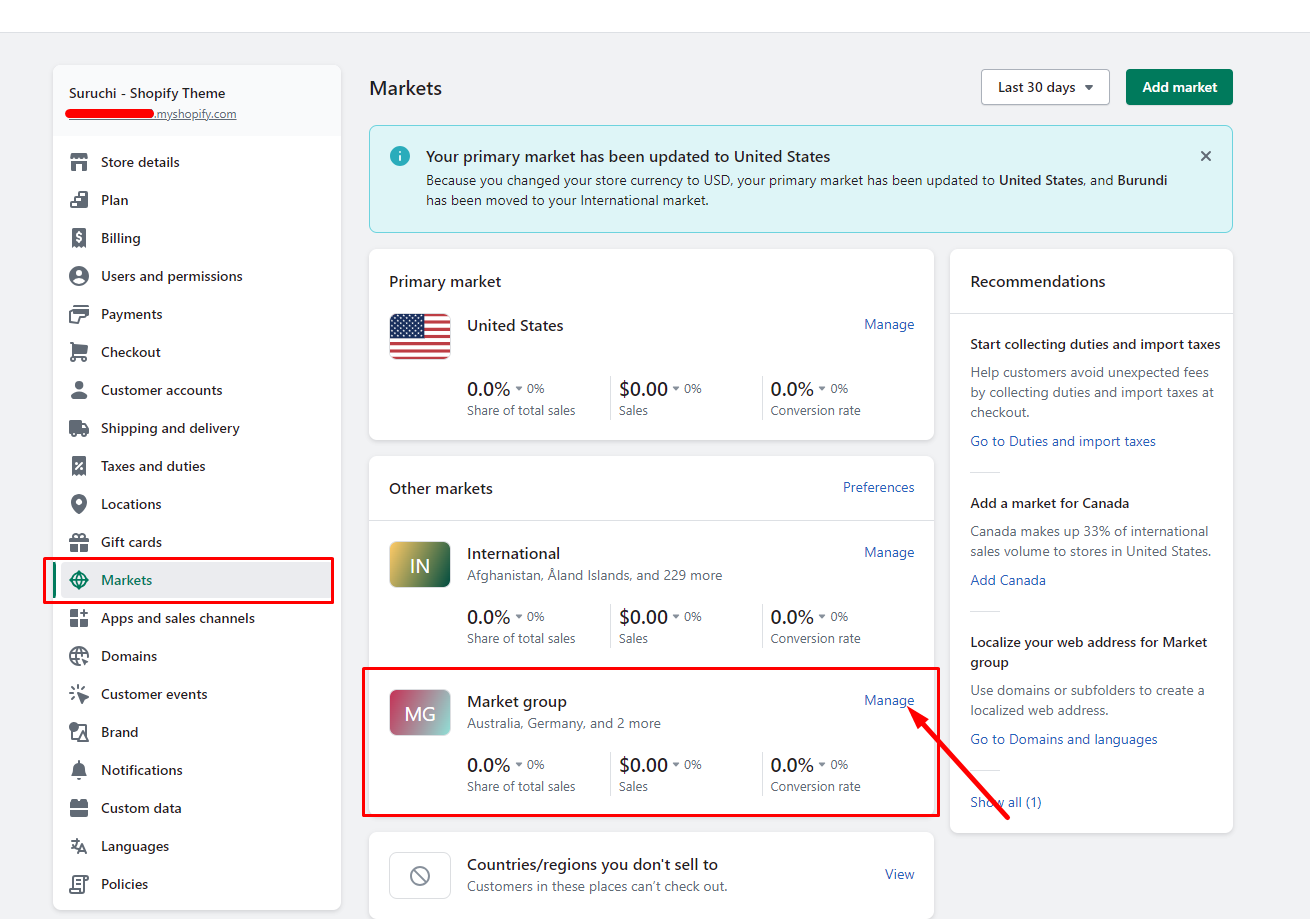
* **Active** Market Status
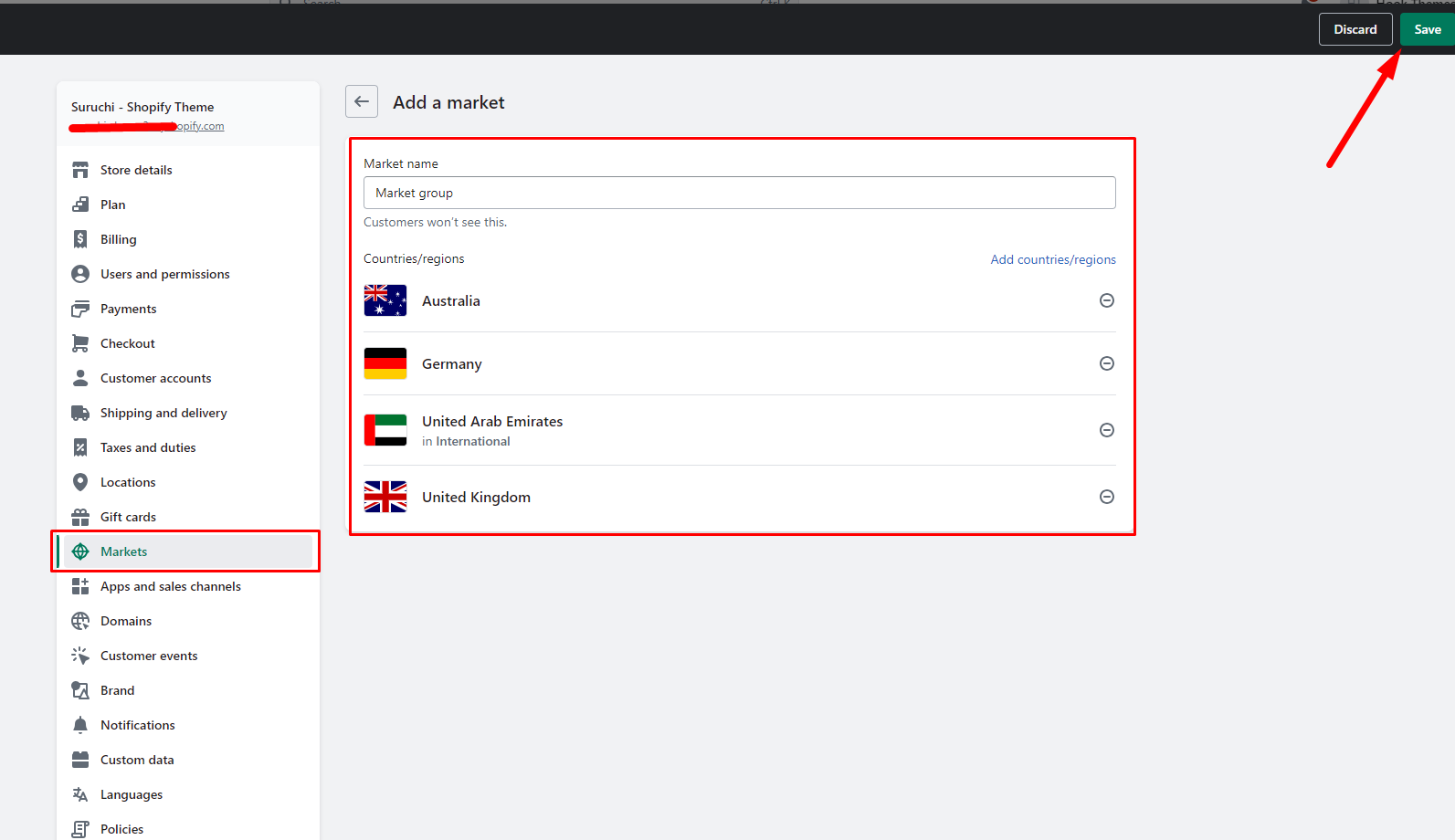
* **Save**
  {% endhint %}

## Step 1

<figure><img src="https://2658914724-files.gitbook.io/~/files/v0/b/gitbook-x-prod.appspot.com/o/spaces%2FTsBtmFQxtPZrKf7veaAQ%2Fuploads%2FD7feMSmMKiqznvUnKH2R%2FScreenshot_2.png?alt=media&#x26;token=93b6ced4-b8c6-4e12-ae5b-935502eb1a9d" alt=""><figcaption></figcaption></figure>

## Step 2

<figure><img src="https://content.gitbook.com/content/TsBtmFQxtPZrKf7veaAQ/blobs/dTTfQjqxTw1HRKzXHayb/markets.png" alt=""><figcaption></figcaption></figure>

## Step 3

<figure><img src="https://content.gitbook.com/content/TsBtmFQxtPZrKf7veaAQ/blobs/vzW8ENSvMA3mjyEWini0/market-name.png" alt=""><figcaption></figcaption></figure>

## Step 4

<figure><img src="https://content.gitbook.com/content/TsBtmFQxtPZrKf7veaAQ/blobs/ukrbTAti8s09Q3Vht1IN/marekT_select-.png" alt=""><figcaption></figcaption></figure>

## Step 5

<figure><img src="https://content.gitbook.com/content/TsBtmFQxtPZrKf7veaAQ/blobs/1CFDhATxHW7XSEoJsvSP/market-manage.png" alt=""><figcaption></figcaption></figure>

## Step 6

<figure><img src="https://content.gitbook.com/content/TsBtmFQxtPZrKf7veaAQ/blobs/L2WiluKtMoabjpmm9hi6/marekts-active.png" alt=""><figcaption></figcaption></figure>