# Password page
## What is a password page?
The password page in a Shopify theme is a page that is only accessible to visitors who know the password. This can be used to protect certain areas of your store, such as a members-only area or a preview of a new product.
## Password page create
To create a password page in Shopify, you first need to enable password protection in your store's preferences. You can do this by going to **Online Store** > **Preferences** > **Password Protection** and checking the box next to **Restrict access to visitors with the password**.
## Password page customizer
{% hint style="success" %}
**Take the following steps:**
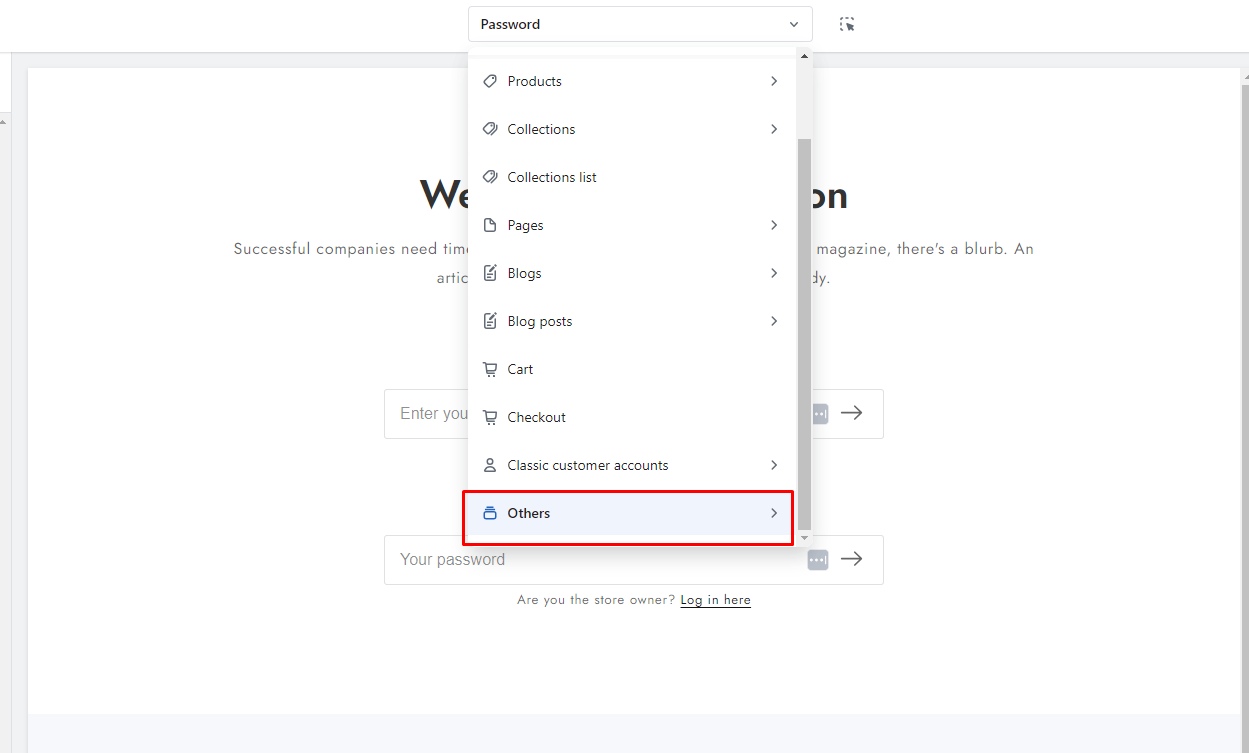
* In the theme editor (**Customize**), click on the **page selector**
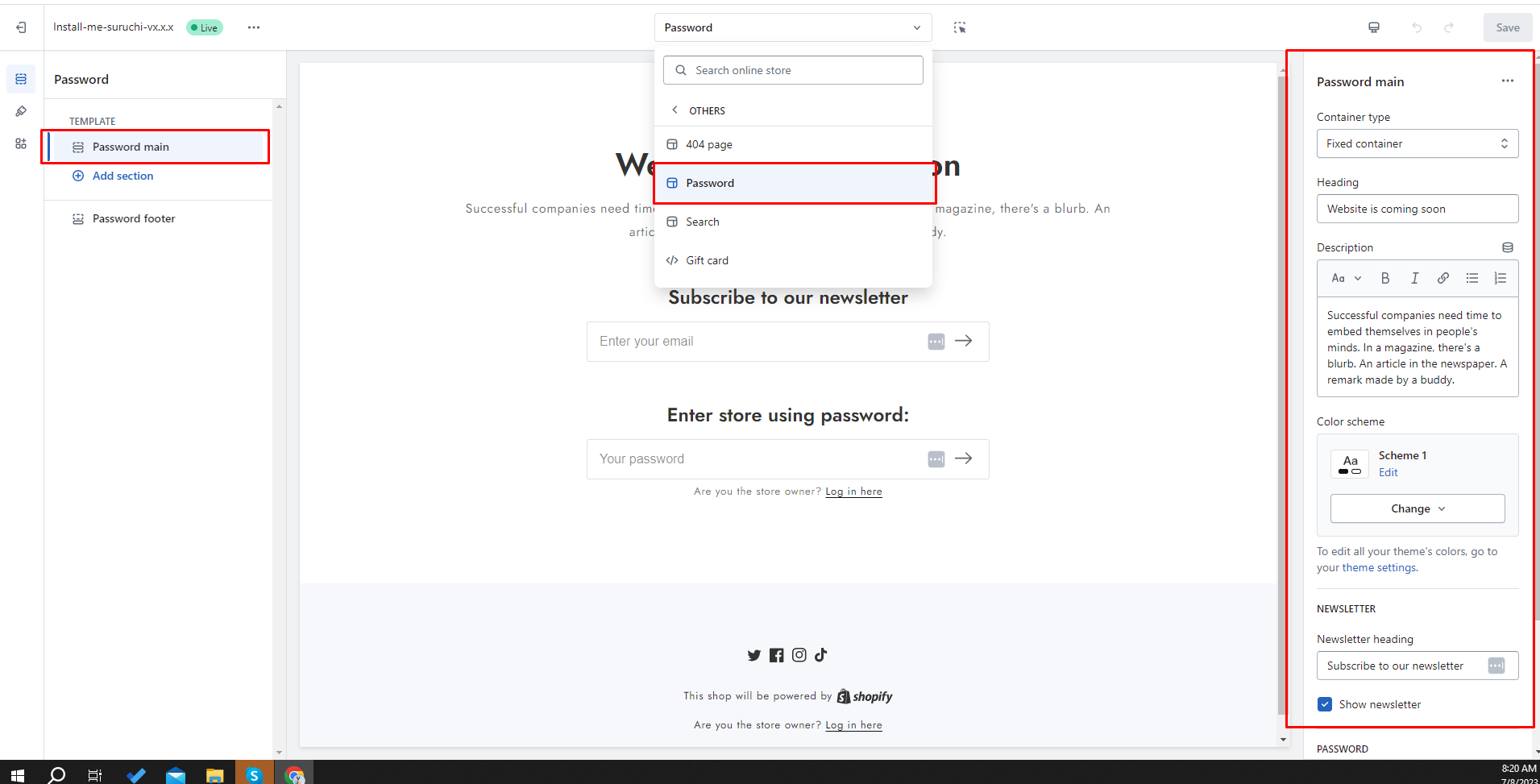
* Go to the **Others > password**
{% endhint %}
### Step 1
### Step 2
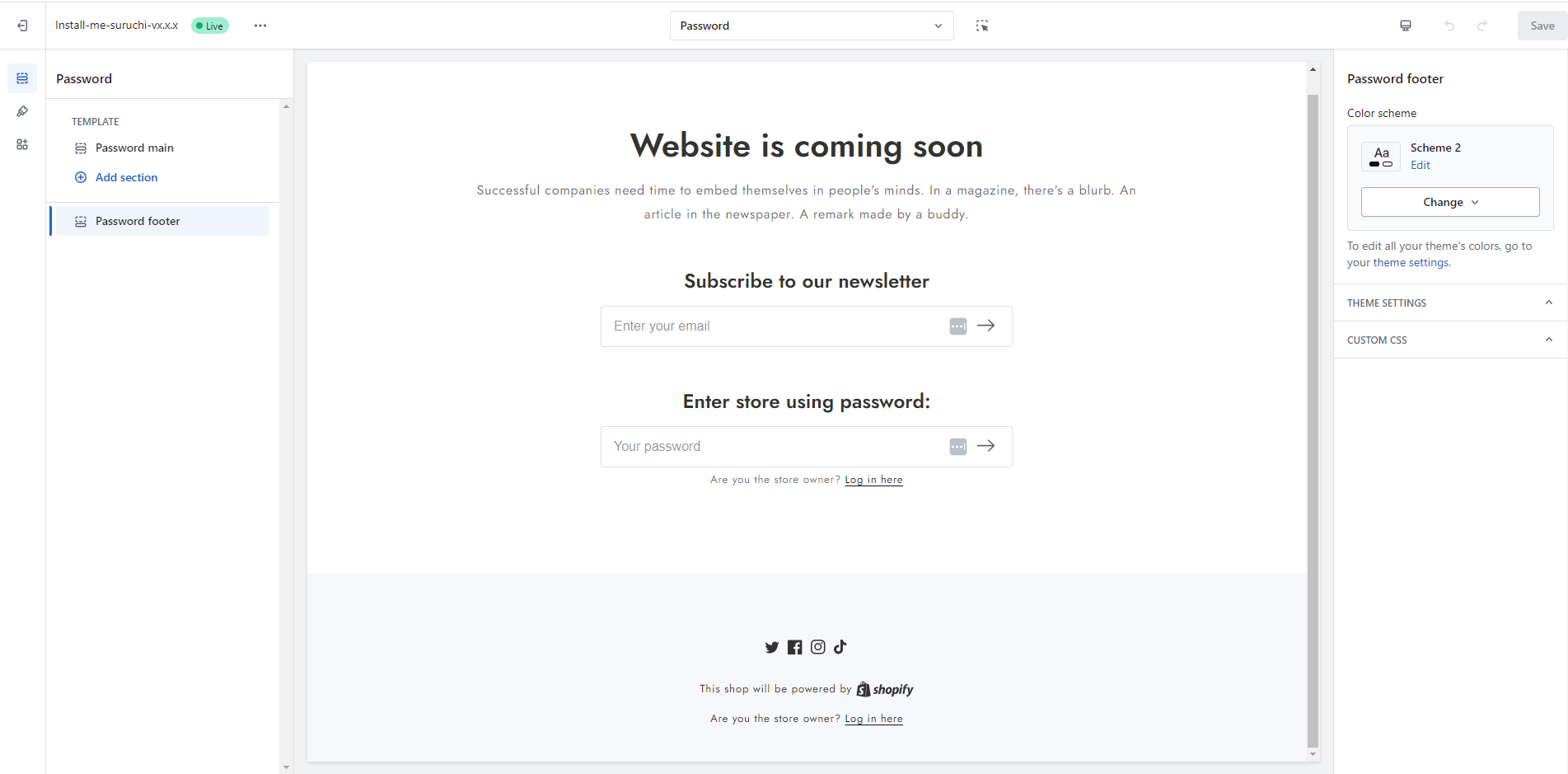
### Step 3