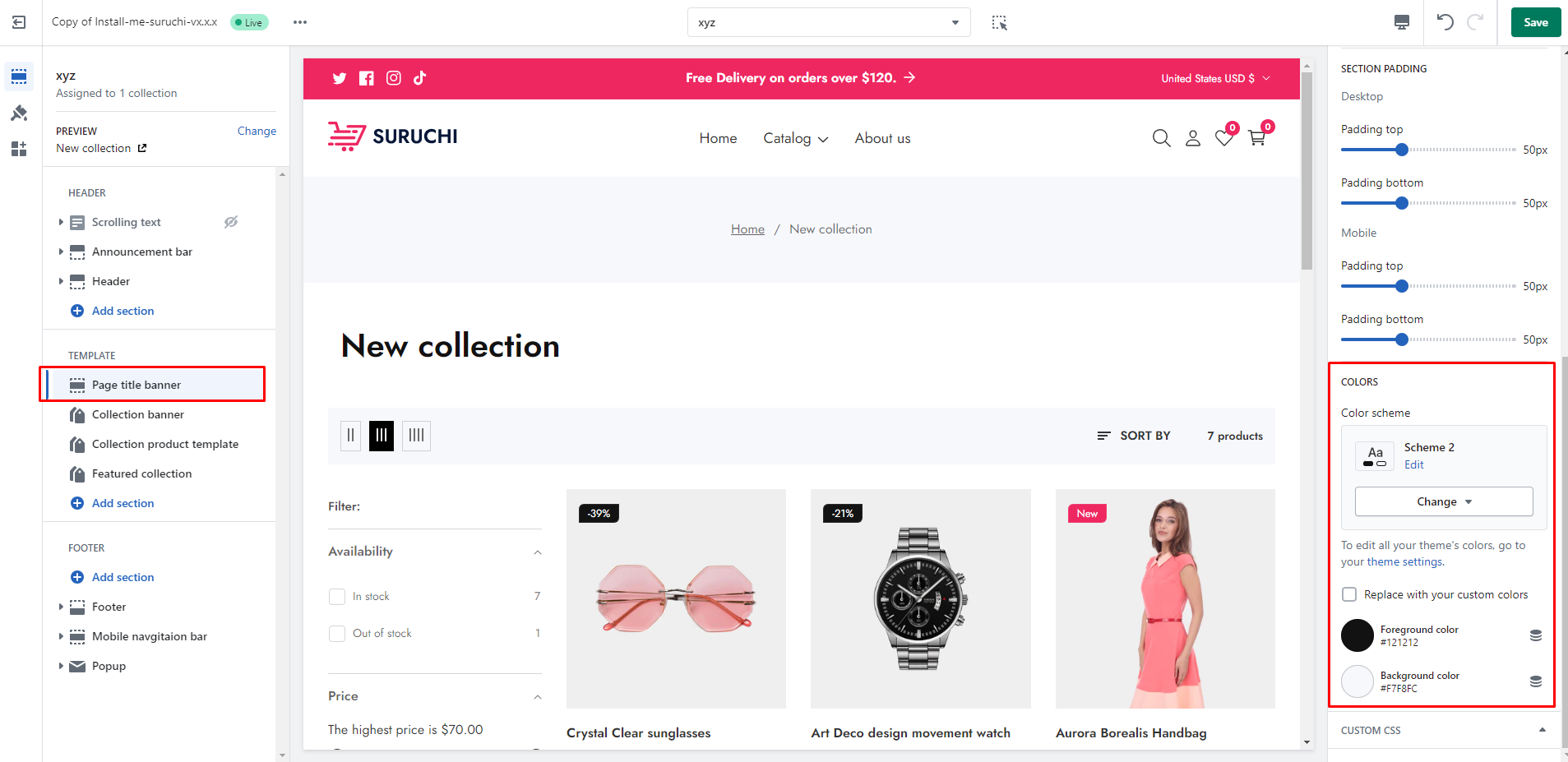
# Page title banner

<figure><img src="https://502474181-files.gitbook.io/~/files/v0/b/gitbook-x-prod.appspot.com/o/spaces%2FiCZ4jNa471odH4EhZvrK%2Fuploads%2FKUMM5ykcVvzzzPvf9UCS%2Fcollection_page_title.png?alt=media&#x26;token=1c11c303-4da8-47ea-a67c-8dd2e0466778" alt=""><figcaption></figcaption></figure>

| Settings                  | Description                                                                                                                                                                                                                                                                                                                                                                                                                        |
| ------------------------- | ---------------------------------------------------------------------------------------------------------------------------------------------------------------------------------------------------------------------------------------------------------------------------------------------------------------------------------------------------------------------------------------------------------------------------------- |
| **Page width**            | <ul><li><strong>Boxed</strong>: With boxed width, page content can be displayed within the maximum width. <strong>The page width can be changed in Theme Settings > Layout.</strong></li><li><strong>Full width:</strong> With the "Full width" option, page content can be displayed in its entirety full-width. <strong>When you show content at full width, you can add padding to the left and right sides.</strong></li></ul> |
| **Background image**      | You can add a background image                                                                                                                                                                                                                                                                                                                                                                                                     |
| **Image overlay opacity** | You can add an overlay on the background image. There is an option to change the opacity of the overlay. The range is 0 to 100%                                                                                                                                                                                                                                                                                                    |

#### SECTION HEADER

| Settings                       | Description                                                                                 |
| ------------------------------ | ------------------------------------------------------------------------------------------- |
| **Show page heading**          | You can show/hide page title                                                                |
| **Heading size**               | You can change the heading font size following the options **Large**, **Medium**, **Small** |
| **Show Breadcrumb Navigation** | You can show/hide breadcrumb navigation                                                     |
| **Text Align**                 | There is an option to change the text-align                                                 |

## Section padding

| Settings                    | Description                                                                                                                          |
| --------------------------- | ------------------------------------------------------------------------------------------------------------------------------------ |
| **Desktop**: Padding top    | The section’s top inner space height is determined. From 0 to 150 px, will be incremented by 5px. **It will affect the desktop.**    |
| **Desktop**: Padding bottom | The section’s bottom inner space height is determined. From 0 to 150 px, will be incremented by 5px. **It will affect the desktop.** |
| **Mobile**: Padding top     | The section’s top inner space height is determined. From 0 to 150 px, will be incremented by 5px. **It will affect the mobile.**     |
| **Mobile**: Padding bottom  | The section’s top inner space height is determined. From 0 to 150 px, will be incremented by 5px. **It will affect the mobile.**     |

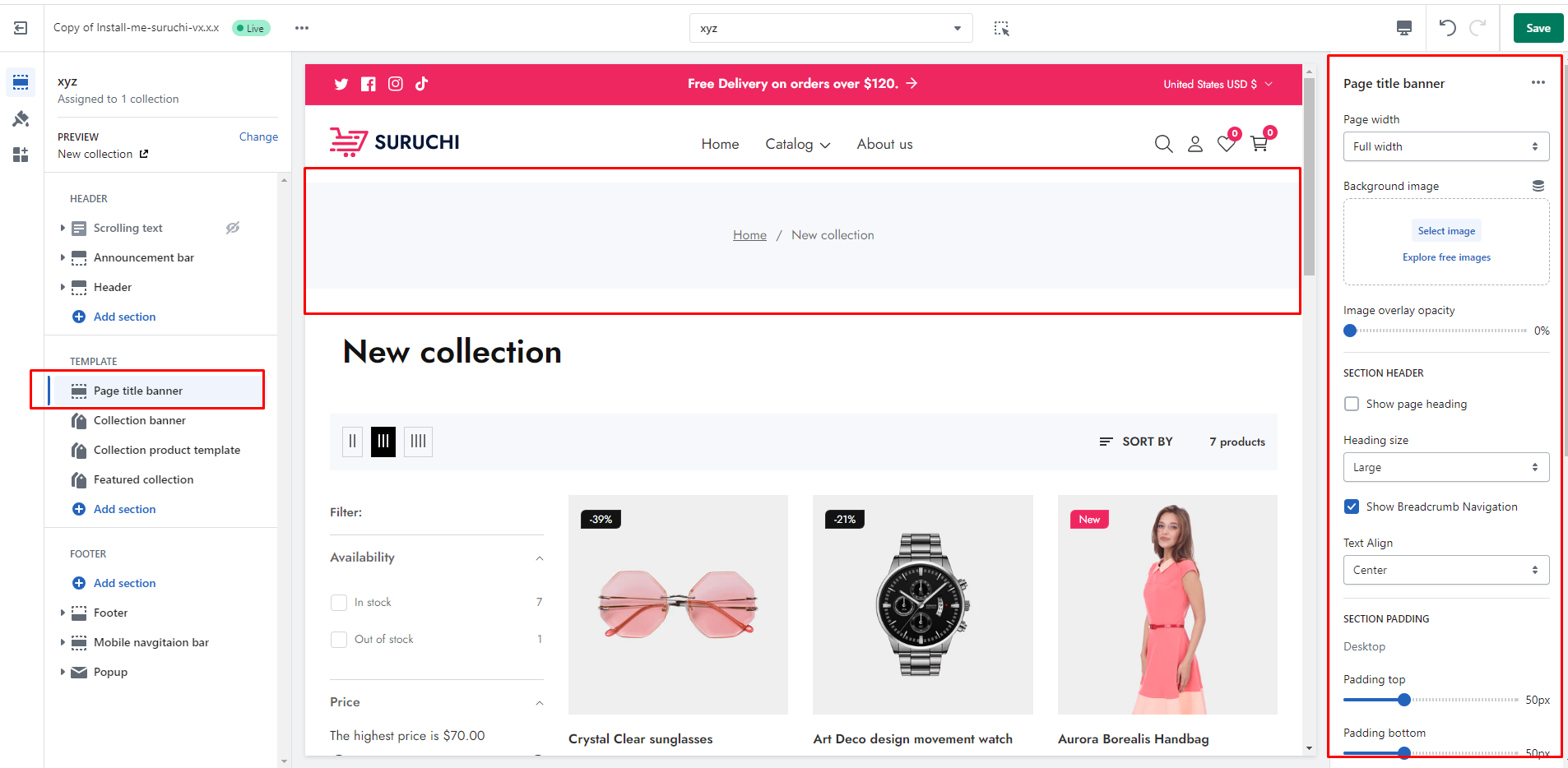
## COLORS
<figure><img src="https://502474181-files.gitbook.io/~/files/v0/b/gitbook-x-prod.appspot.com/o/spaces%2FiCZ4jNa471odH4EhZvrK%2Fuploads%2FymLzhgpdinoNl51yPIyy%2Fpage-Titl-colors.png?alt=media&#x26;token=83baf5eb-4497-4997-a230-cb5ef4ce20df" alt=""><figcaption></figcaption></figure>