# How to set up your store as a Suruchi demo?
Suruchi offers over 50+ demos, providing exceptional foundations for crafting your unique website that effortlessly distinguishes itself from others. Upon trying or uploading the theme file, you will be greeted with the captivating default preset, which is one of the 50+ demo styles available.
**If you desire to import and configure your store to replicate any of the other demos, please follow the steps provided below.**
## Get the sample demo presets
**Steps:**
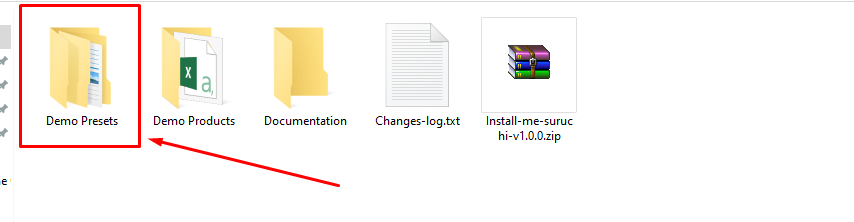
1\. Inside the theme package received from Envato, locate and open the file named "**demo presets**"
2\. Choose the specific demo file that you wish to utilize for your store.
3\. Each sample data folder contains the following files:
{% hint style="info" %}
**Within the demo-presets folder, you will discover categorized folders that facilitate the quick location of specific art demos.**
{% endhint %}
{% hint style="info" %}
Within each categorized preset folder, you will encounter distinct art demos tailored to specific themes or styles.
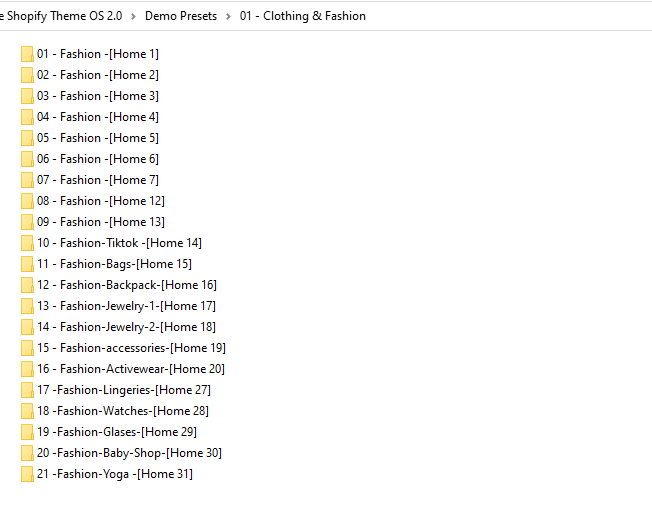
1. **As an example**, if you navigate to the folder named "**01 - Clothing & Fashion**"
2. Inside the "**01 - Clothing & Fashion**" folder, you will discover a dedicated folder containing **demo presets** for the **specific industries** within that category.
{% endhint %}
{% hint style="success" %}
You will see 3 files in each preset folder:
1. **Templates/index.json.txt**
2. **Config/settings\_data.json.txt**
3. **Sections/header-group.json.txt** & **Sections/footer-group.json.txt**
{% endhint %}
## **Import the demo presets to your theme**
{% hint style="success" %}
**Take the following steps:**
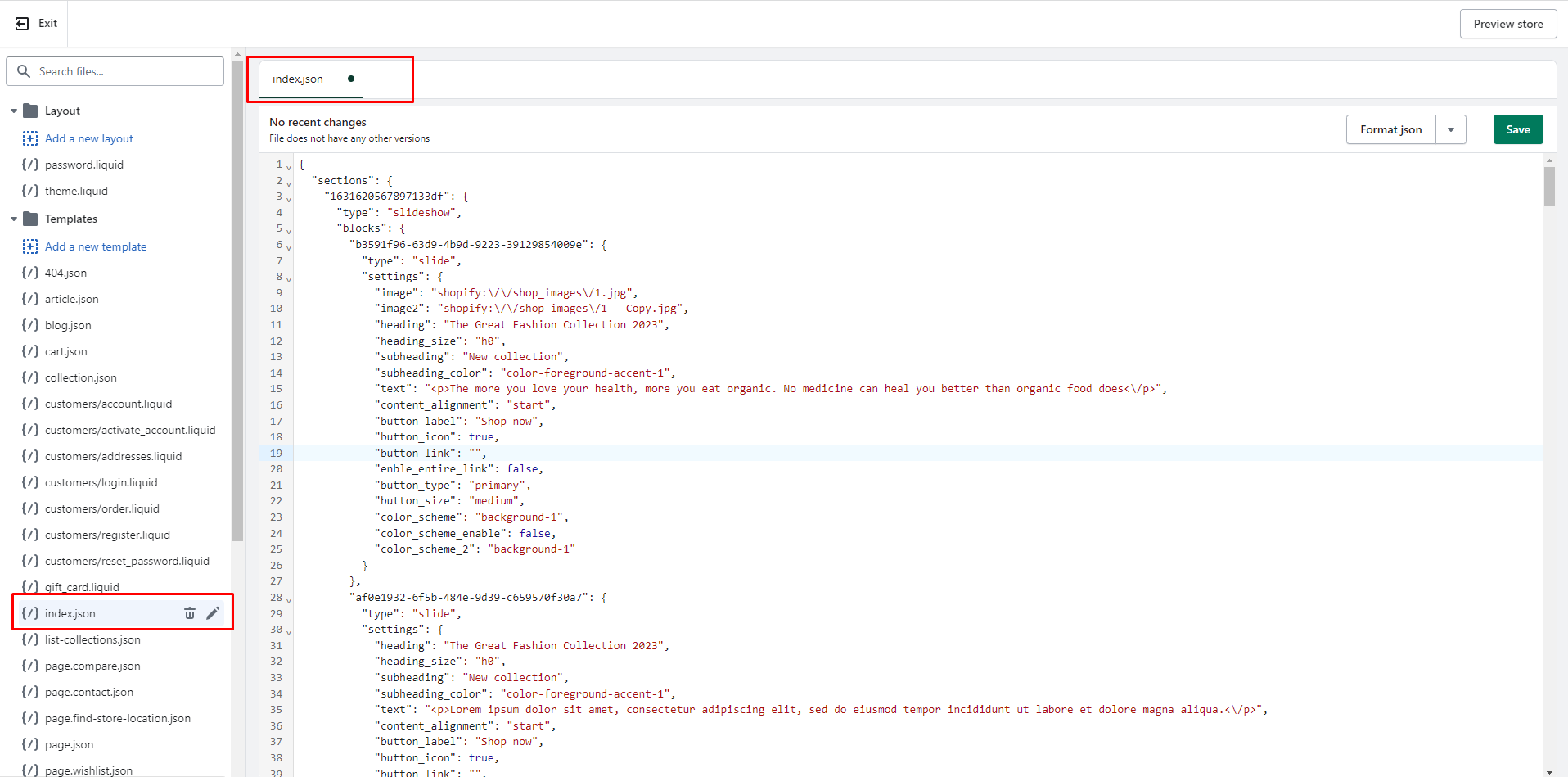
1. From your Shopify dashboard, go to **Online Store** > **Actions** > **Edit code**
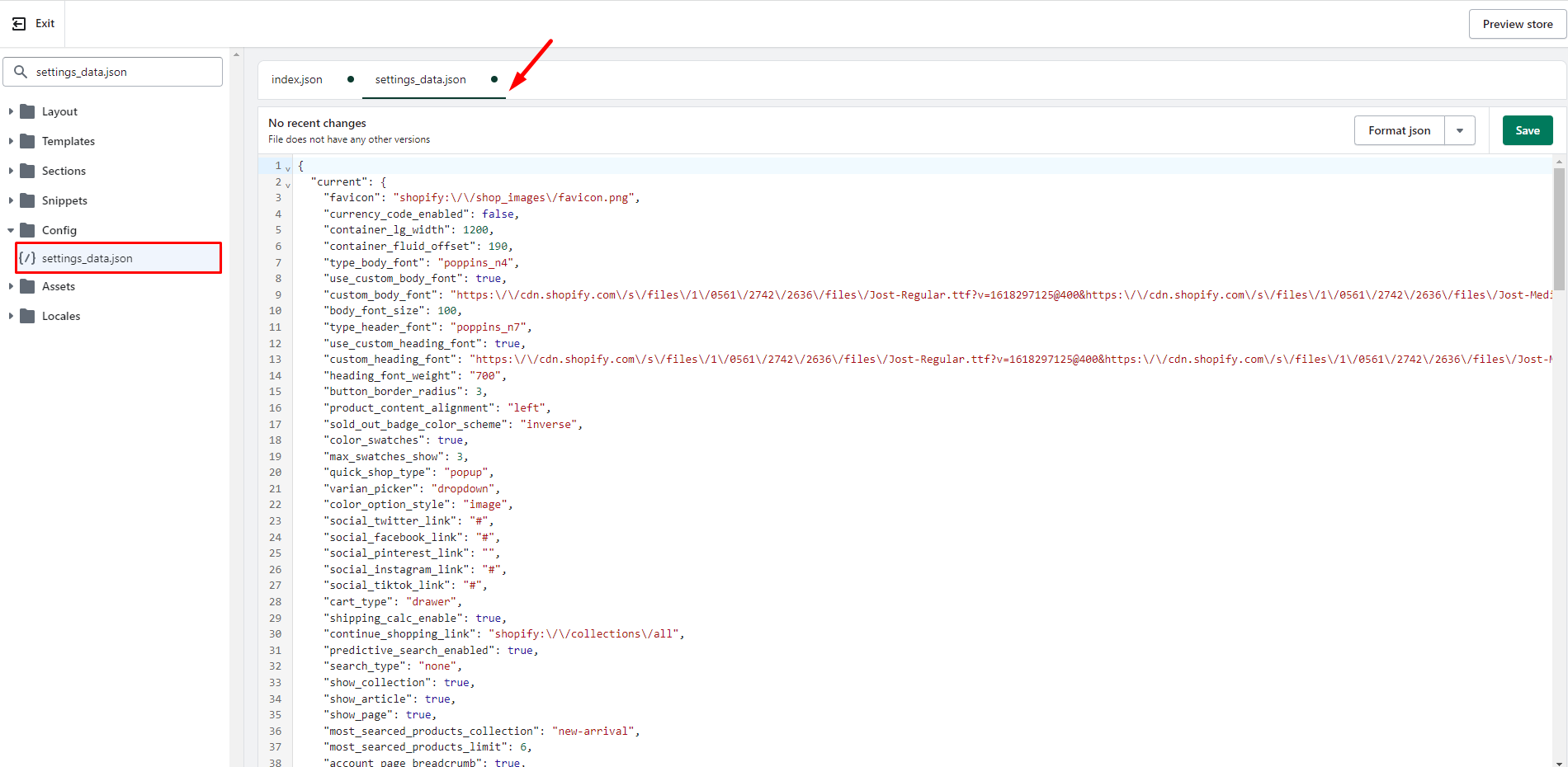
2. Access the theme code files and proceed to replace their content with the corresponding files found in the sample data folder:
**- Templates/index.json:** copy and replace the content of the file **Templates/index.json.text**
**- Config/settings\_data.json**: copy and replace the content of the file **config/settings\_data.json.txt**\
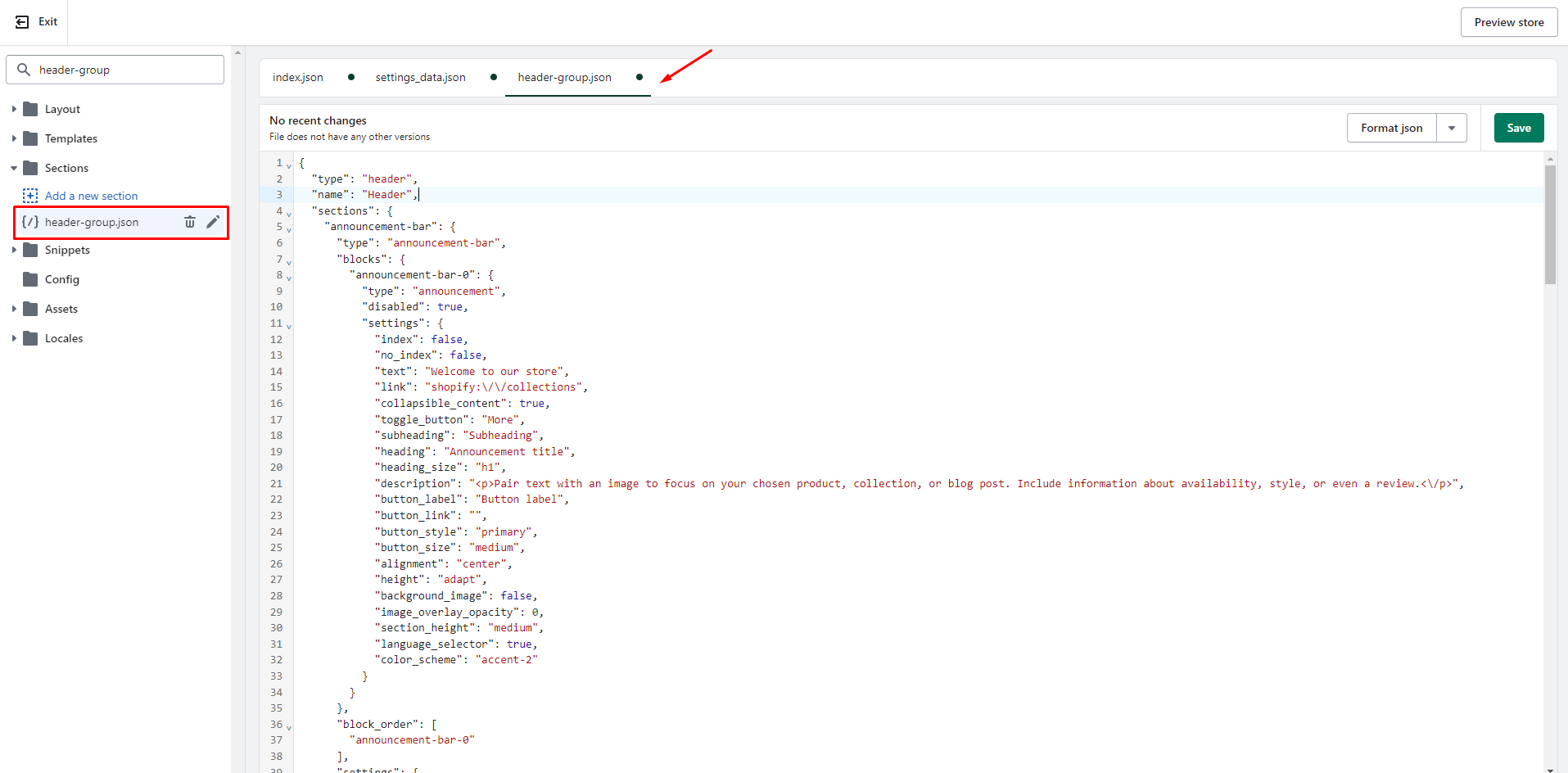
**- Sections/header-group.json:** copy and replace the content of the file **Sections/header-group.json.txt**\
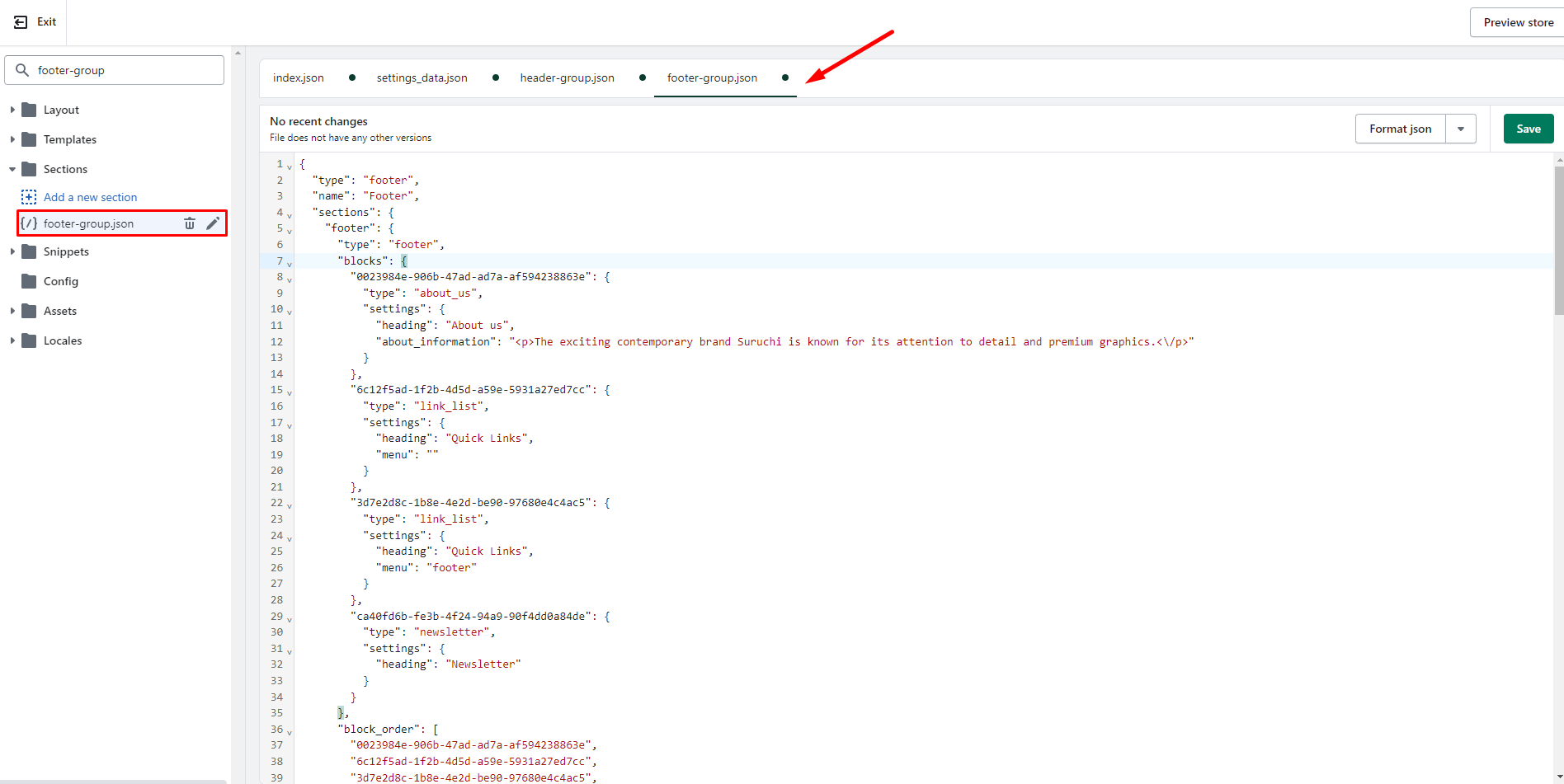
\&#xNAN;**- Sections/footer-group.json:** copy and replace the content of the file **Sections/footer-group.json.txt**
3. **Save** all the changes.
{% endhint %}
**Templates/index.json:**
**Config/settings\_data.json:**
**Sections/header-group.json:**
**Sections/footer-group.json:**
## Video tutorials
{% embed url="" %}