> For the complete documentation index, see [llms.txt](https://themihub.gitbook.io/isotech-shopify-theme/llms.txt). Markdown versions of documentation pages are available by appending `.md` to page URLs; this page is available as [Markdown](https://themihub.gitbook.io/isotech-shopify-theme/collections-and-products/product-page/create-a-product-template.md).
# Create a product template
A complete guide to create a product template
## Create a template
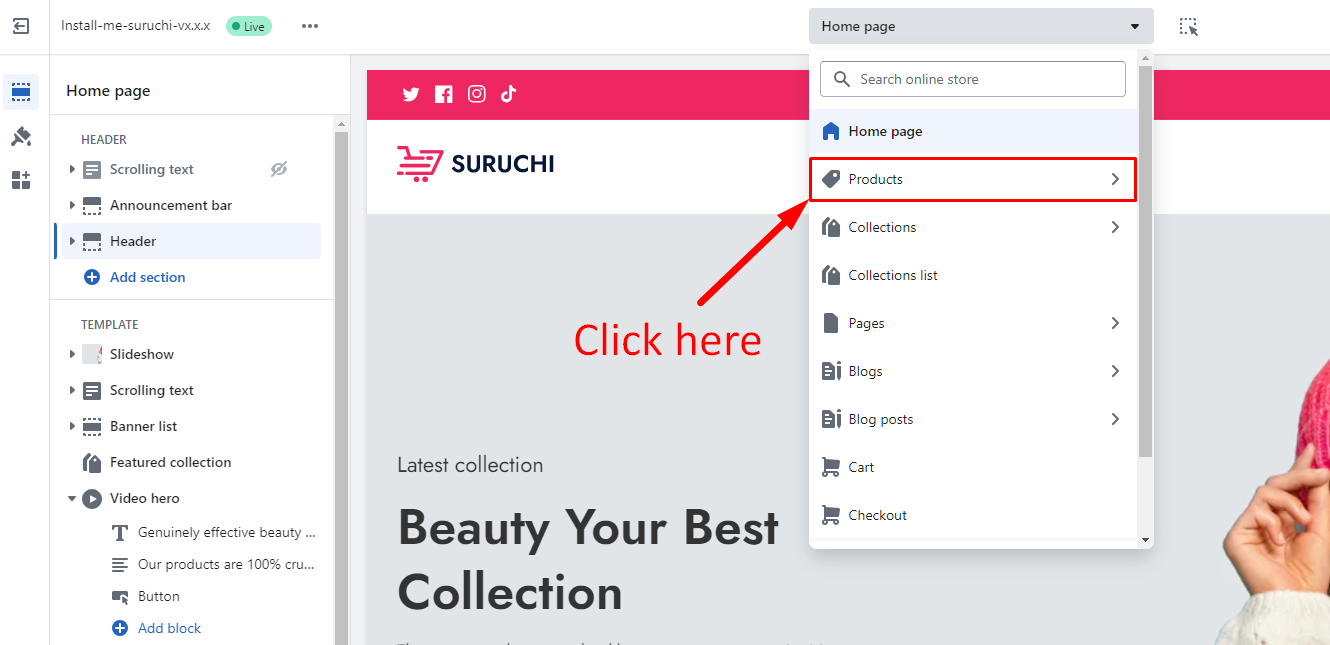
1. Go to the **Customizer**
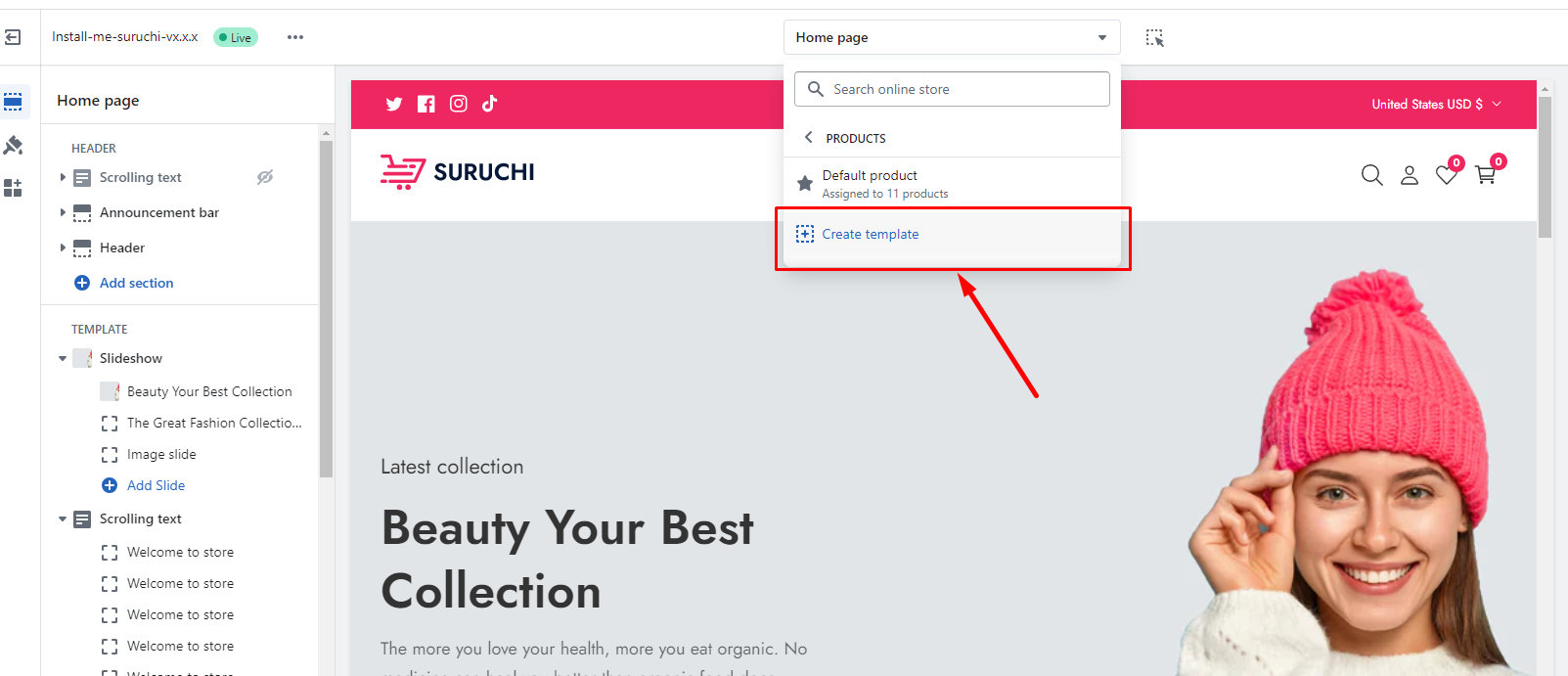
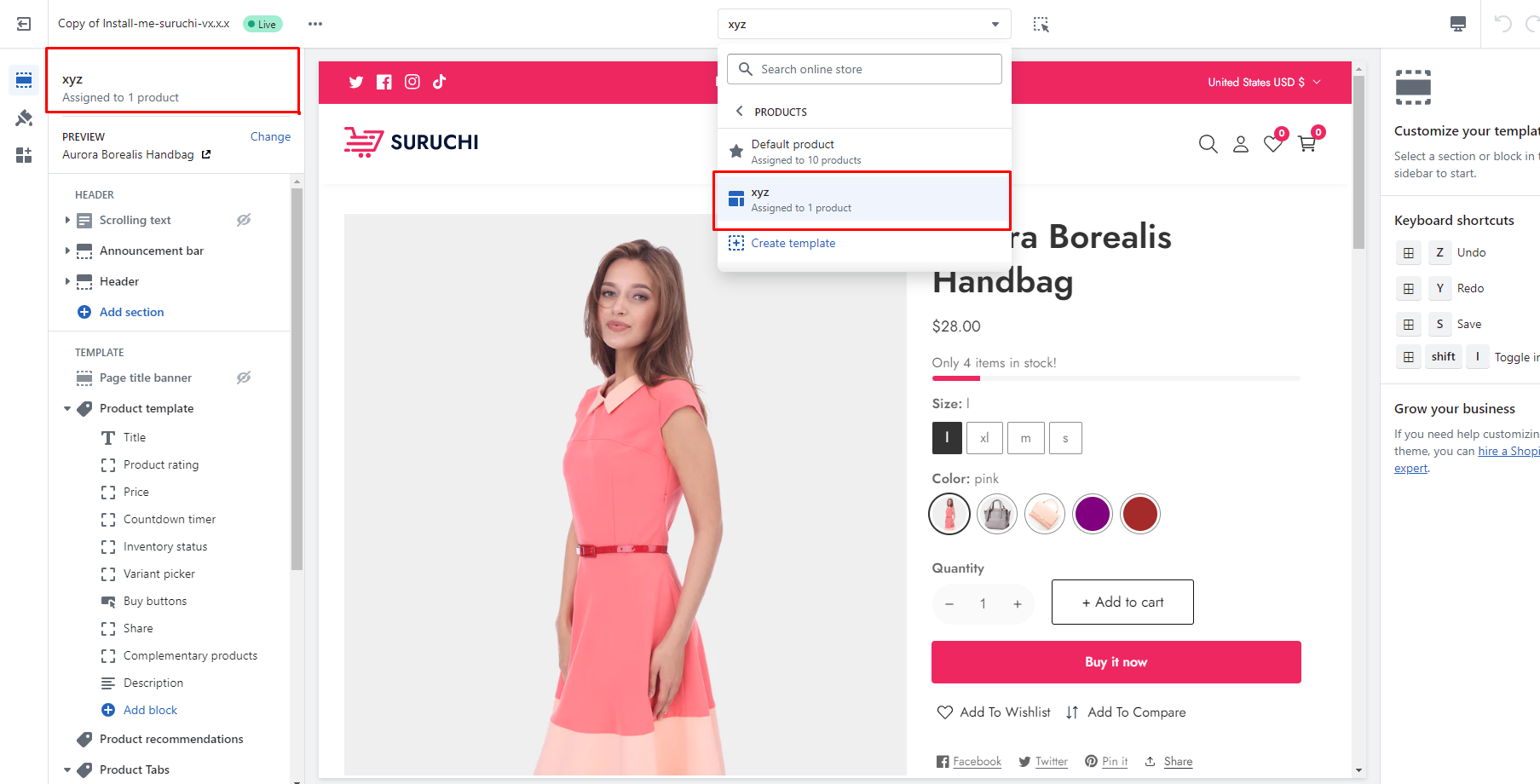
2. Go to the **Products > Create template**.
3. Follow the given **screenshots -**
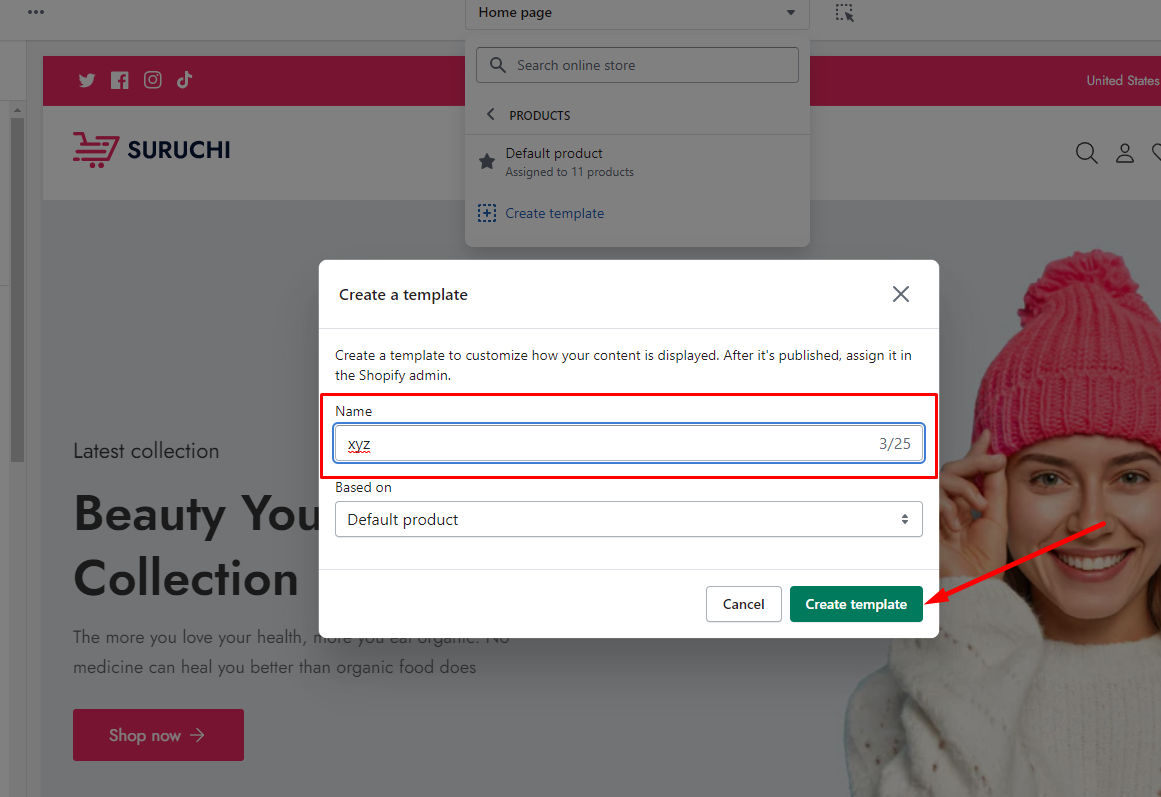
### Add a name
For the new template, enter the Name in the field provided. **For example, the product name is: xyz**
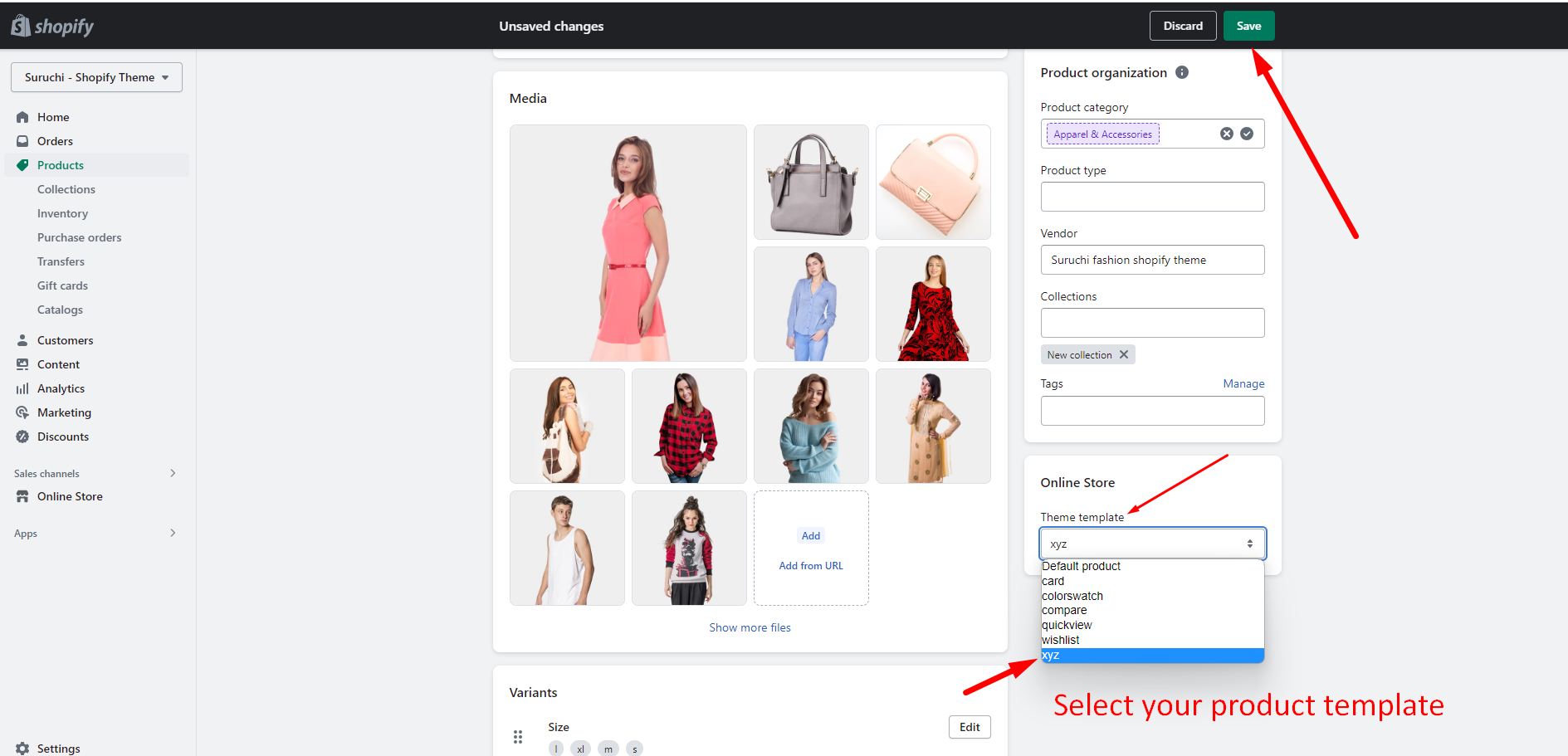
### Select a template for your product
{% hint style="success" %}
You have the flexibility to choose a product template that suits your specific product, enabling you to design unique layouts for each **individual product item.**
{% endhint %}
### Customize the new product template