> For the complete documentation index, see [llms.txt](https://themihub.gitbook.io/isotech-shopify-theme/llms.txt). Markdown versions of documentation pages are available by appending `.md` to page URLs; this page is available as [Markdown](https://themihub.gitbook.io/isotech-shopify-theme/theme-settings/layout.md).
# Layout
A guide to adjusting the width of page content
{% hint style="success" %}
**Take the following steps:**
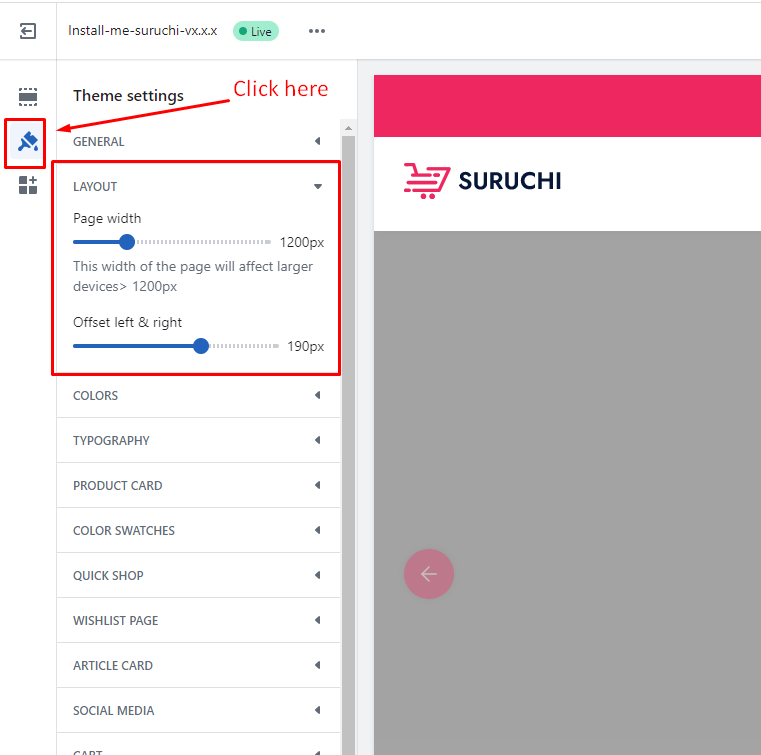
1. In the theme editor (**Customize**), click **Theme settings**
2. Locate **Layout settings**
3. Make the necessary adjustments.
4. **Save**
{% endhint %}
## Layout settings
| Setting | Description |
| ----------------------- | ------------------------------------------------------------------------------------------------------------------------------------------------------------------------------------------------------------------------------------------------------------------------------------------------------------------------------------------------------------------------------------------------------------------------------------------------------ |
| **Page width** |
With page width, page content can be displayed within the maximum width. You can change it to 1000 to 1800 pixels.
This width of the page will affect larger devices> 1200px
When you will go to customize a section, you will see there is an option to set the page width. The name is: Page width > Boxed
|
| **Offset left & right** |
When you will go to customize a section, you will see there is an option to set the page width.
There are 2 options -
Boxed
Full width
When you select content at full width, you can add padding to the left and right sides. You can change it to 0 to 300 pixels.