> For the complete documentation index, see [llms.txt](https://themihub.gitbook.io/isotech-shopify-theme/llms.txt). Markdown versions of documentation pages are available by appending `.md` to page URLs; this page is available as [Markdown](https://themihub.gitbook.io/isotech-shopify-theme/general-topics-faq/how-to-add-complementary-products.md).

# How to add Complementary products

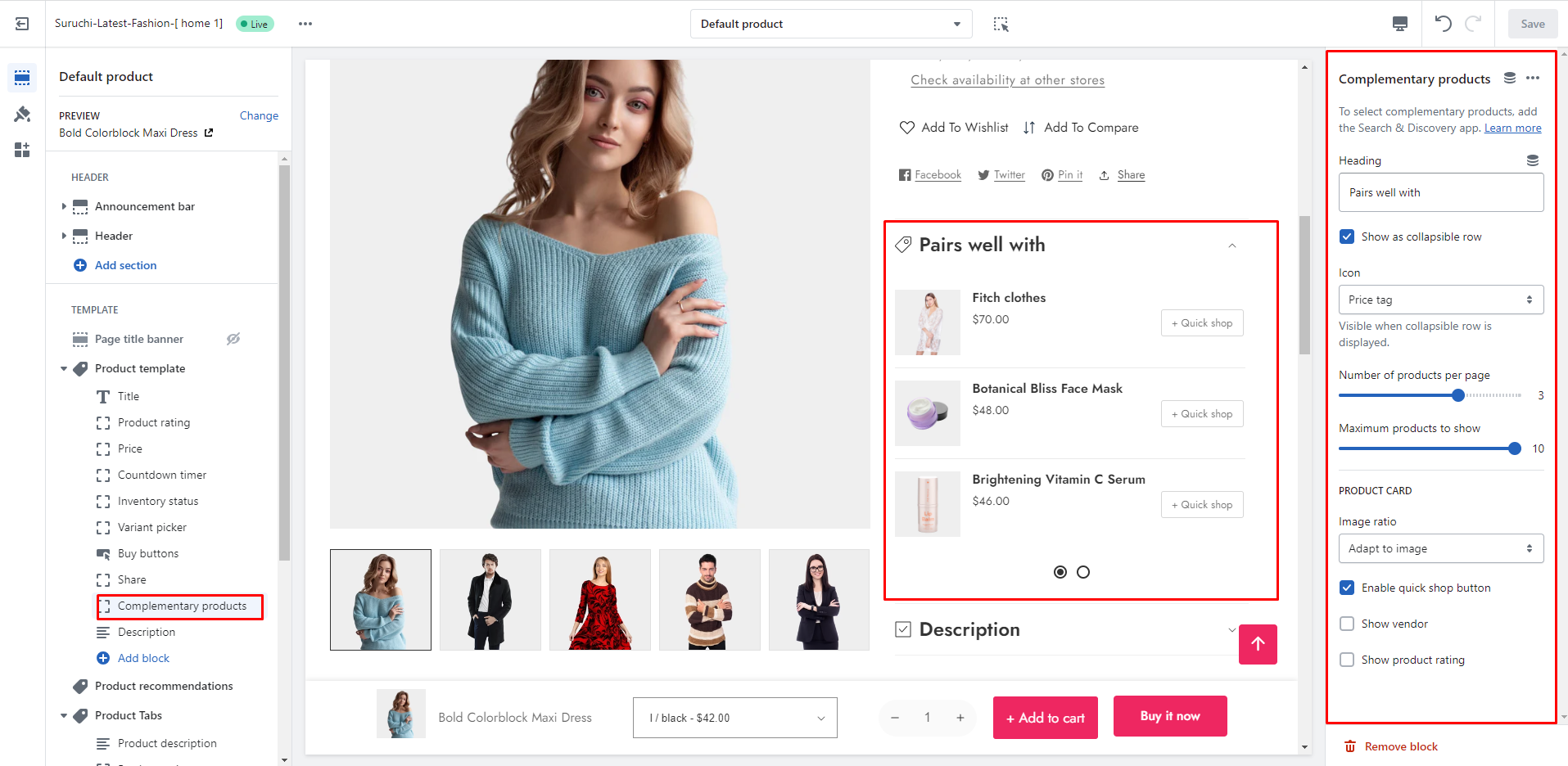
A complete guide to show complementary products on the product page

{% hint style="success" %}
**Take the following steps:**

* In the theme editor (**Customize**), click on the **page selector**
* Go to the **Products**
* Then you can go to the specific **Product template**
* Add **"Complementary products"** block
  {% endhint %}

<figure><img src="https://content.gitbook.com/content/7Hg8cYZOt66iWZS4tTz7/blobs/IcEKZNuQPPDgHJWcWJ1o/complementary.png" alt=""><figcaption></figcaption></figure>

## Steup Complementary Products

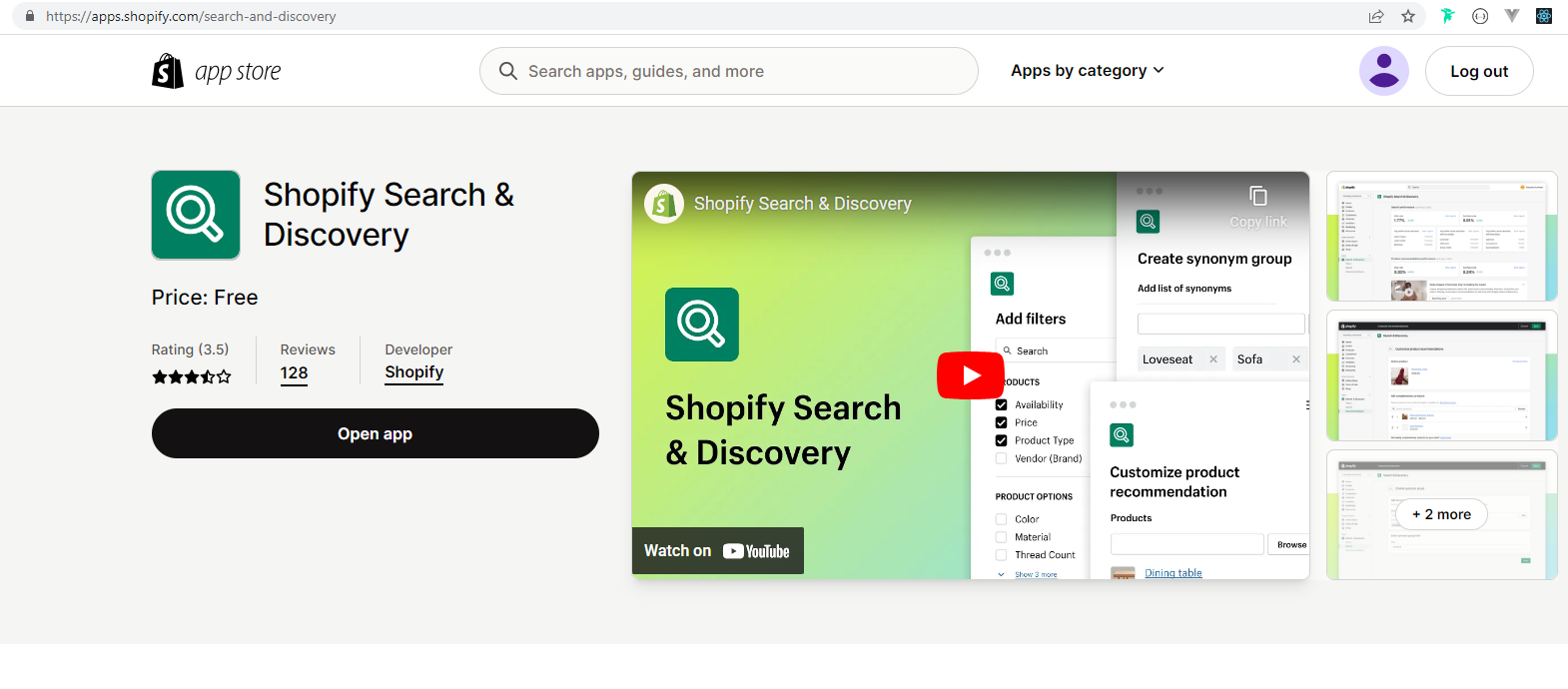
### Install Shopify Search & Discovery app

1. Go to this app - <https://apps.shopify.com/search-and-discovery>

<figure><img src="https://content.gitbook.com/content/7Hg8cYZOt66iWZS4tTz7/blobs/ZhMrUB4oBB9ei3qsGoLG/app.png" alt=""><figcaption></figcaption></figure>

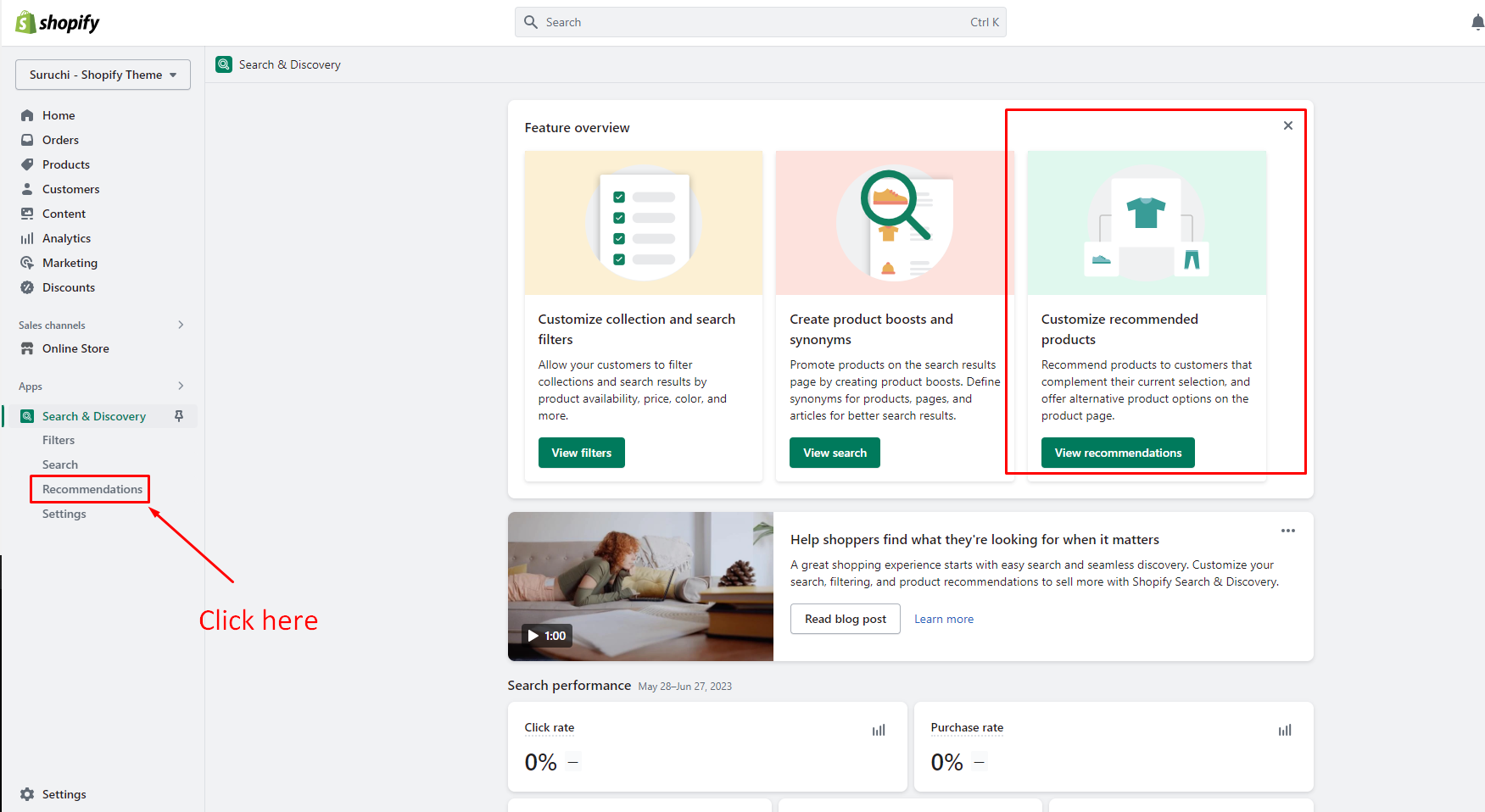
## Open the app

<figure><img src="https://content.gitbook.com/content/7Hg8cYZOt66iWZS4tTz7/blobs/ndO7Xt0dzPmSKomofm9U/discovery-app-details.png" alt=""><figcaption></figcaption></figure>

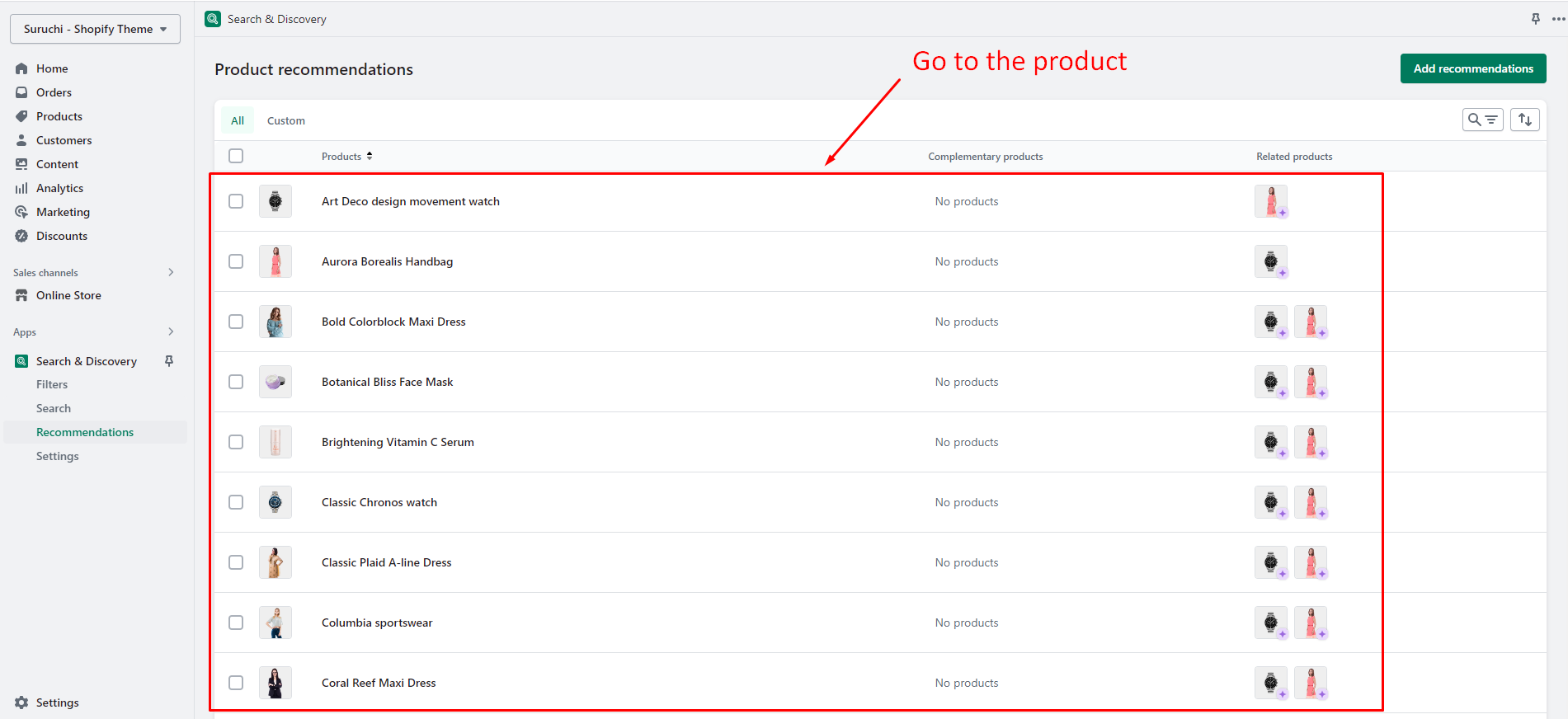
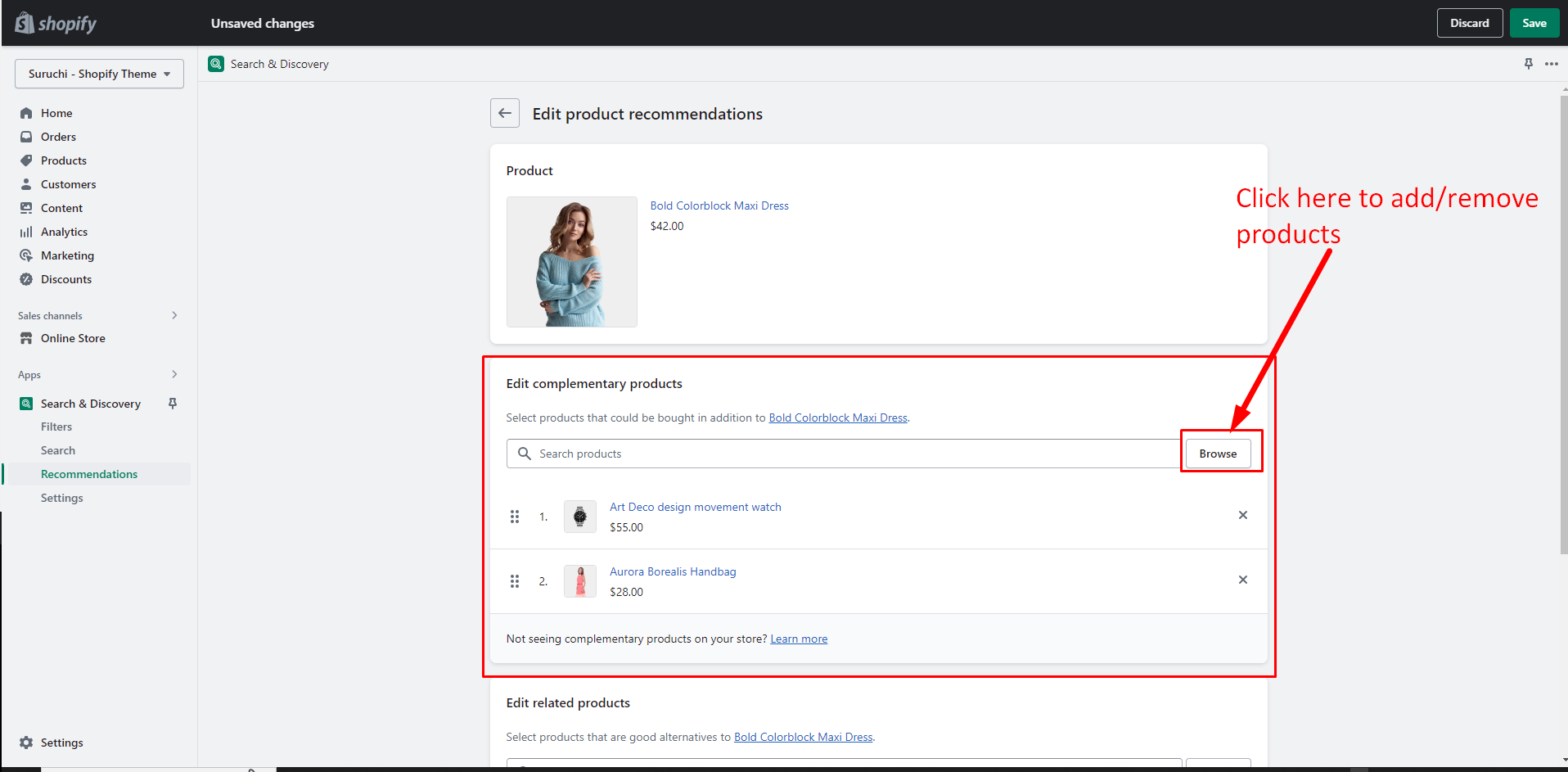
### Go to the specific product

<figure><img src="https://content.gitbook.com/content/7Hg8cYZOt66iWZS4tTz7/blobs/Z2816IcJi1ryU2vDBUqs/recommended-product.png" alt=""><figcaption></figcaption></figure>

### Select products

<figure><img src="https://content.gitbook.com/content/7Hg8cYZOt66iWZS4tTz7/blobs/lWRnlfHAF8PoJhYAFc7M/complement-prdouct-list.png" alt=""><figcaption></figcaption></figure>