> For the complete documentation index, see [llms.txt](https://themihub.gitbook.io/isotech-shopify-theme/llms.txt). Markdown versions of documentation pages are available by appending `.md` to page URLs; this page is available as [Markdown](https://themihub.gitbook.io/isotech-shopify-theme/language-and-countries-regions/how-to-enable-language-of-your-store.md).

# How to enable LANGUAGE of your store?

A guide to enable language for your store

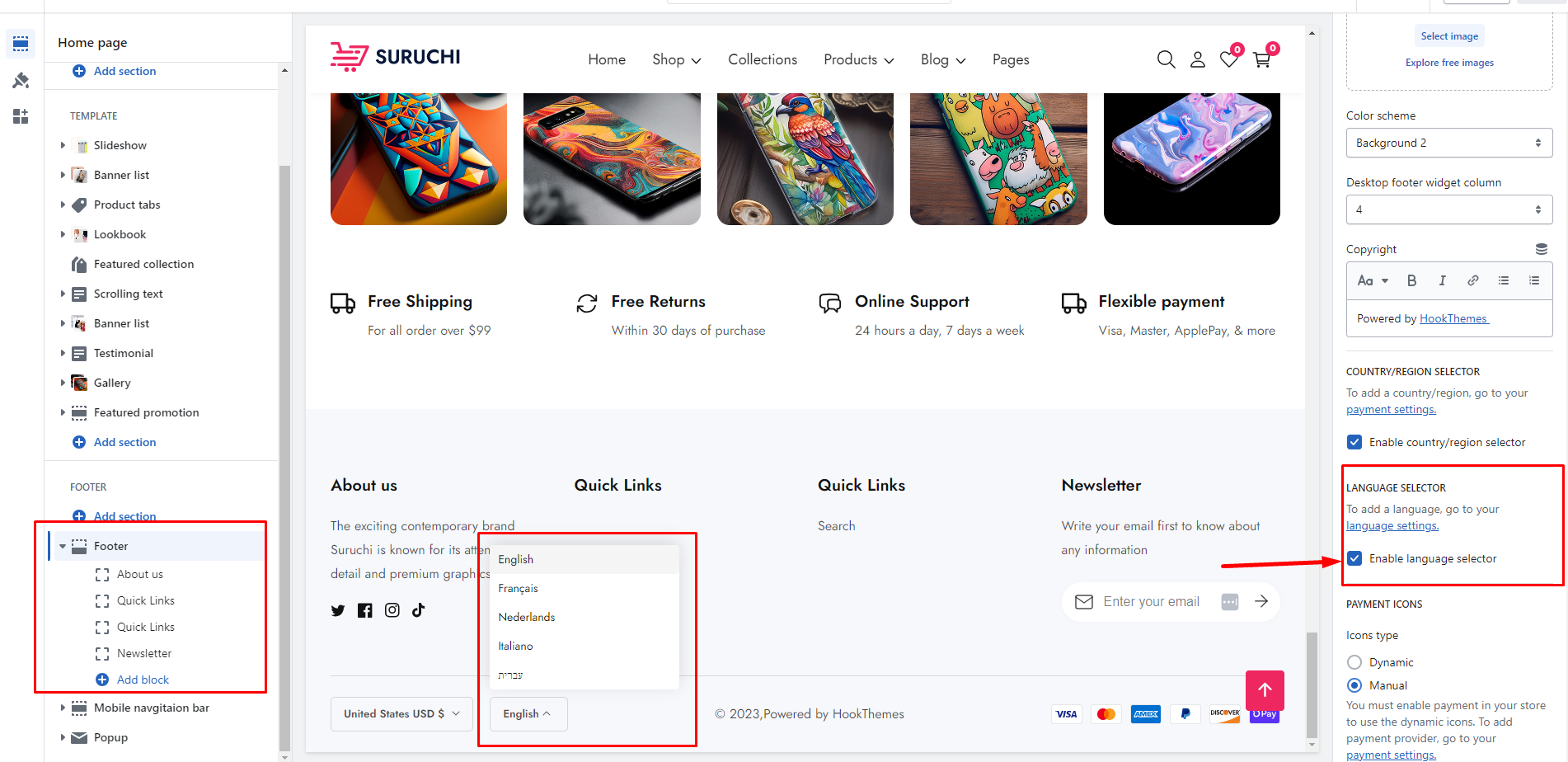
<figure><img src="https://content.gitbook.com/content/7Hg8cYZOt66iWZS4tTz7/blobs/gYlVUvDRRJj4yok8cwho/language.png" alt=""><figcaption></figcaption></figure>

{% hint style="success" %}

* Enable country/region selector
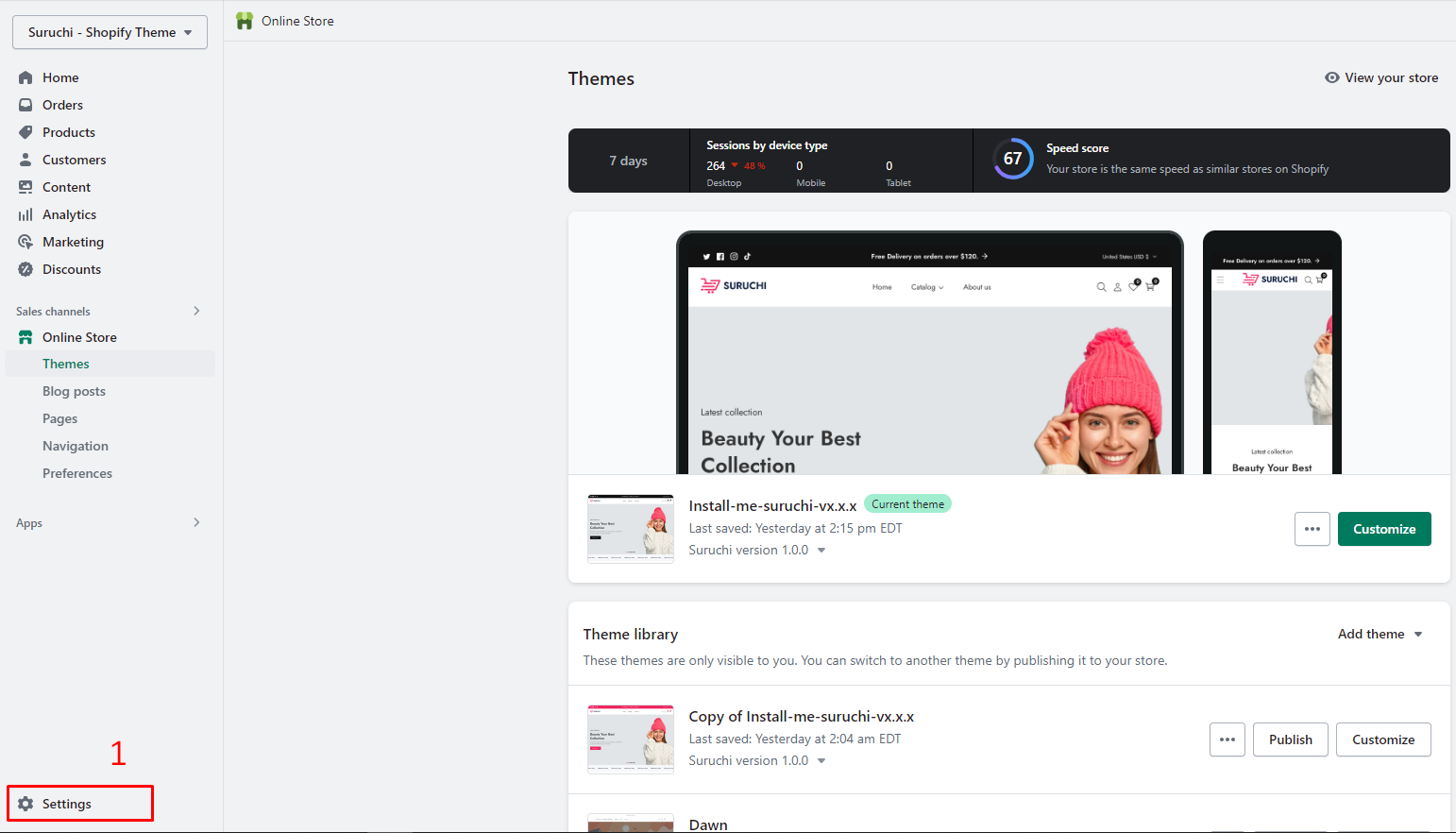
* To Add Languages, go to **Settings** > [**Languages**](https://www.shopify.com/admin/settings/languages)
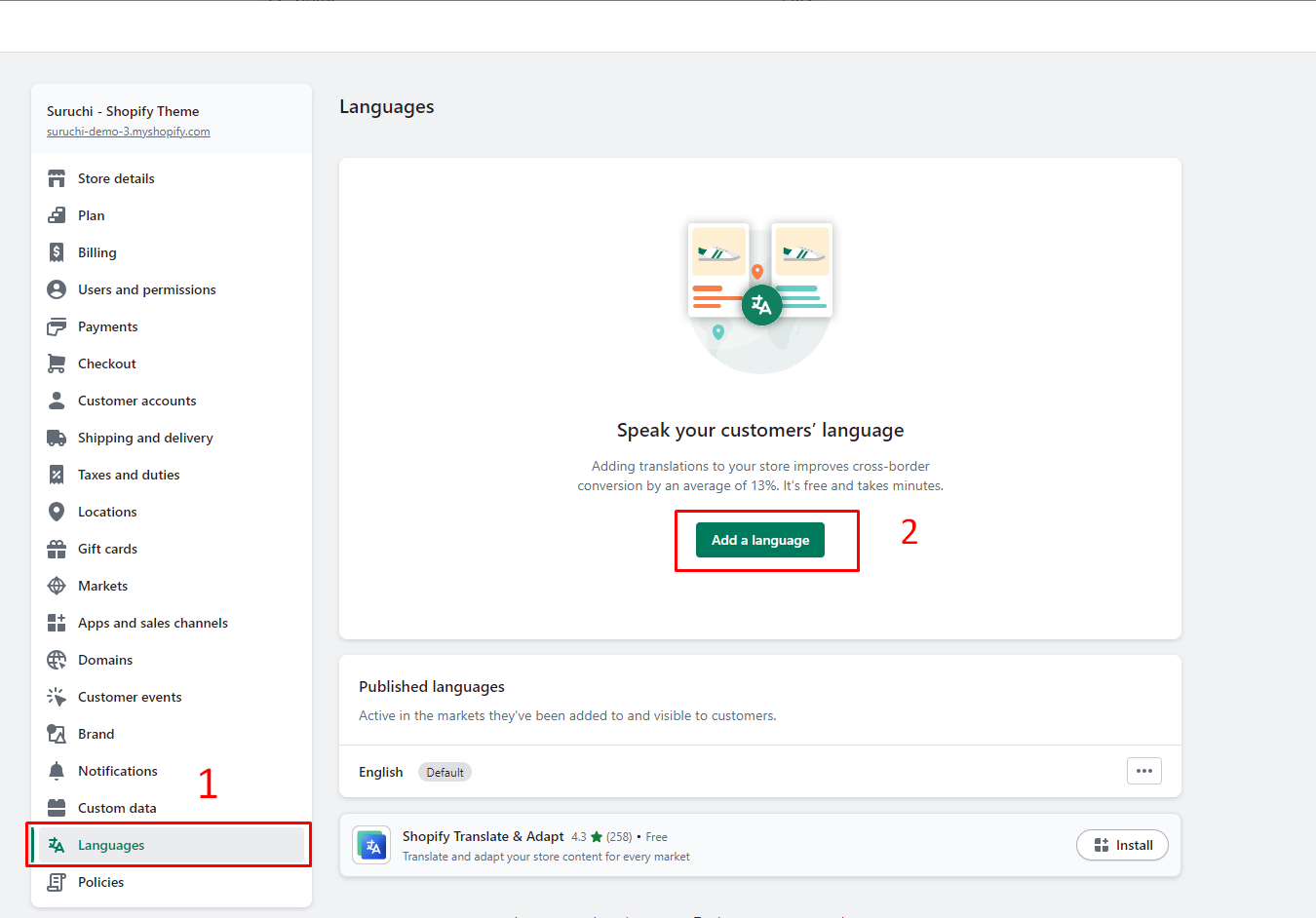
* **Add a language**
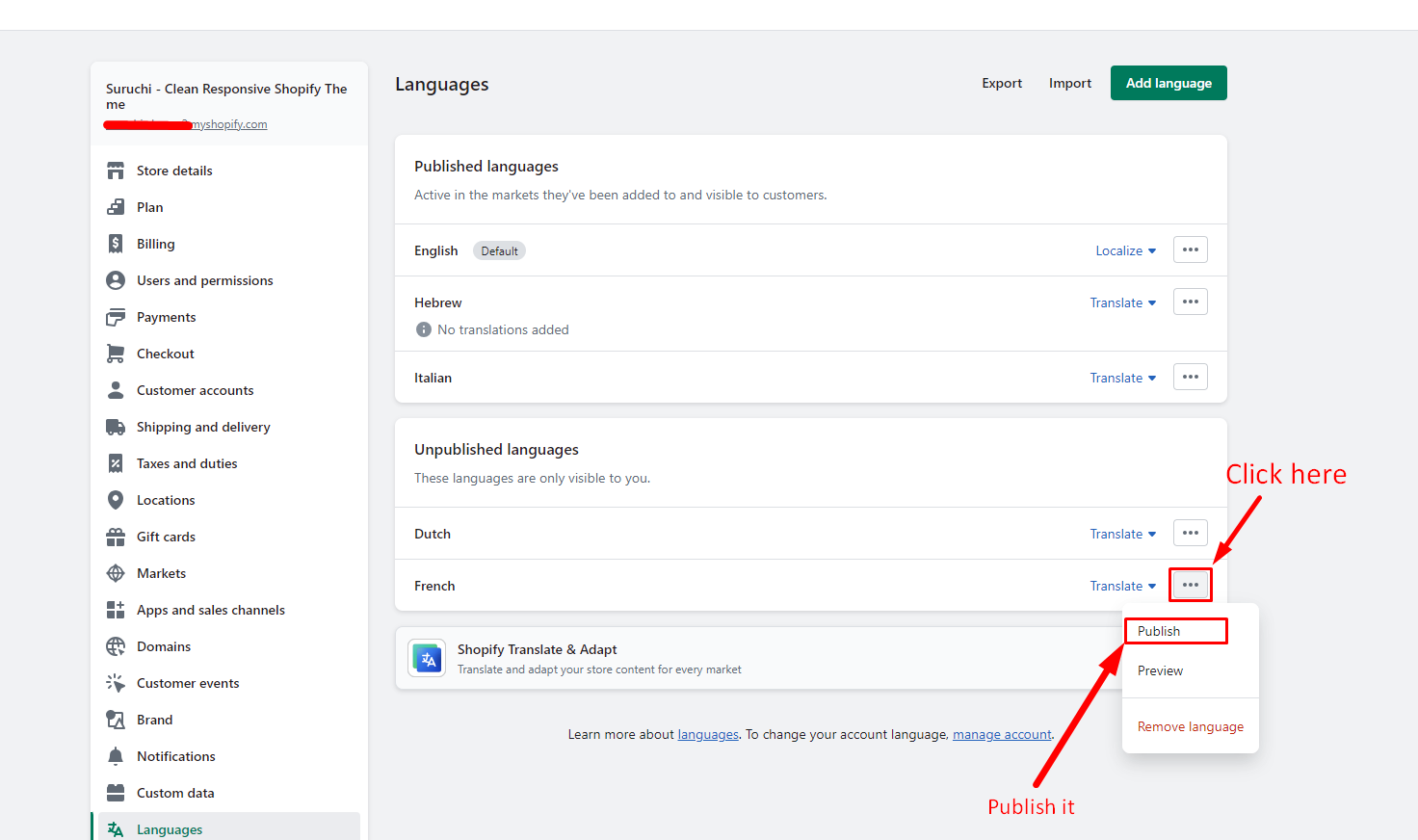
* **Publish** language
* **Save**
  {% endhint %}

## Step 1

<figure><img src="https://content.gitbook.com/content/7Hg8cYZOt66iWZS4tTz7/blobs/JKtpfq9CyYuujw8Gmlxs/settings.png" alt=""><figcaption></figcaption></figure>

## Step 2

<figure><img src="https://content.gitbook.com/content/7Hg8cYZOt66iWZS4tTz7/blobs/R8heus9bxrxljFhGnzjw/add_language.png" alt=""><figcaption></figcaption></figure>

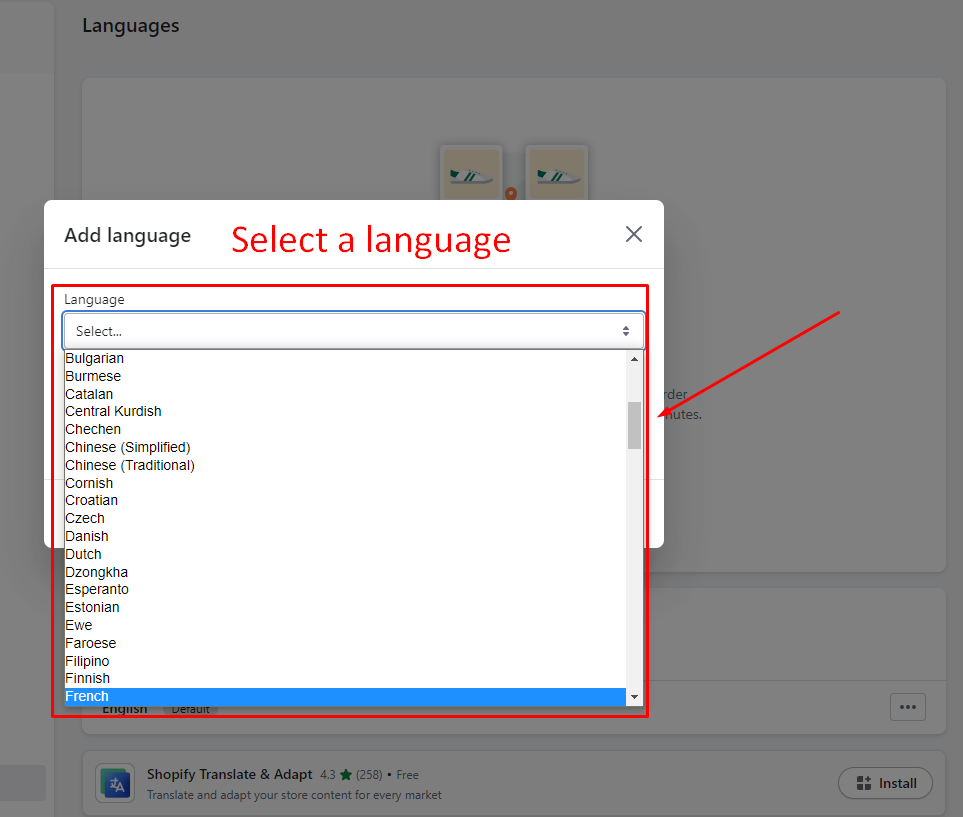
## Step 3 - Select Language

<figure><img src="https://content.gitbook.com/content/7Hg8cYZOt66iWZS4tTz7/blobs/YQngi5LyPMS119S4CIML/languag_select.png" alt=""><figcaption></figcaption></figure>

## Step 4 - Publish language

<figure><img src="https://content.gitbook.com/content/7Hg8cYZOt66iWZS4tTz7/blobs/qmeVVQAt7LhfG7piiJvQ/Publish_lanugage.png" alt=""><figcaption></figcaption></figure>

{% hint style="info" %}
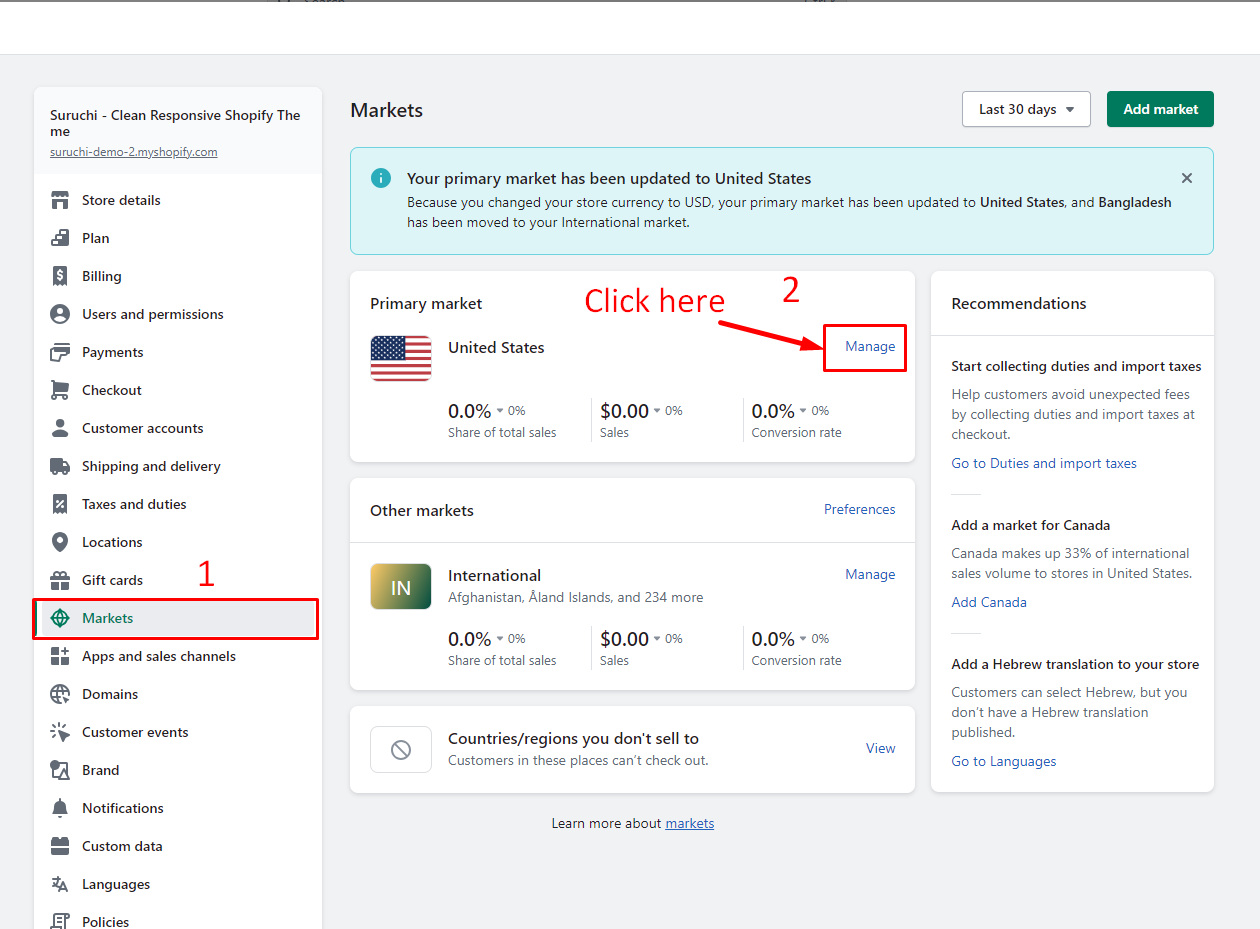
Following the completion of language setup, follow these steps to manage how customers experience your store for a single market only.
{% endhint %}

## Step 5 - Markets

<figure><img src="https://content.gitbook.com/content/7Hg8cYZOt66iWZS4tTz7/blobs/4Ulzkz9j5mgdm5QTu95d/manage_language_2.png" alt=""><figcaption></figcaption></figure>

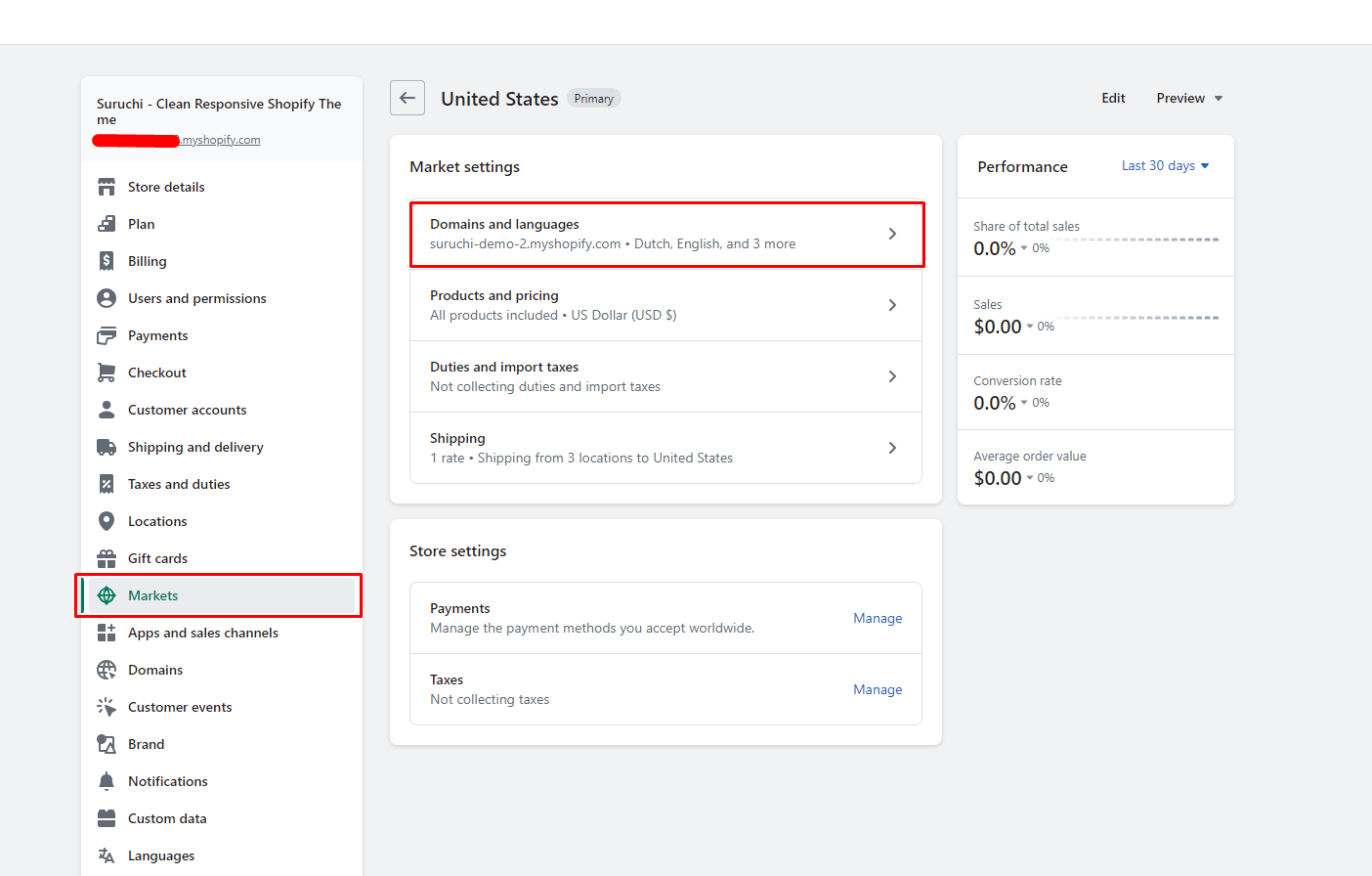
## Step 6 - Markets

<figure><img src="https://content.gitbook.com/content/7Hg8cYZOt66iWZS4tTz7/blobs/jUrFQqSuc0Xc6CEVWPmS/market_domain_language.png" alt=""><figcaption></figcaption></figure>

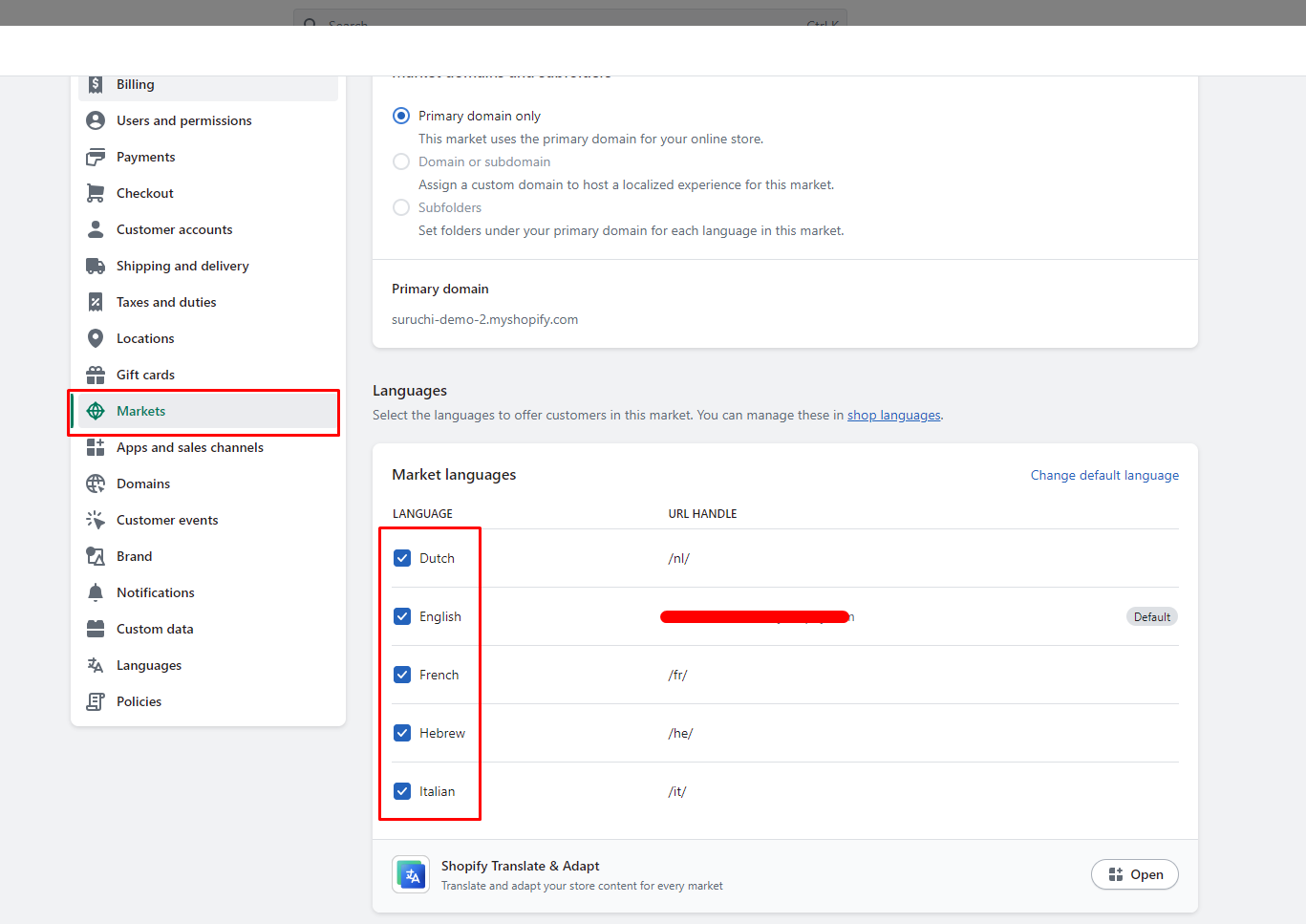
## Step 7 - Markets

{% hint style="info" %}
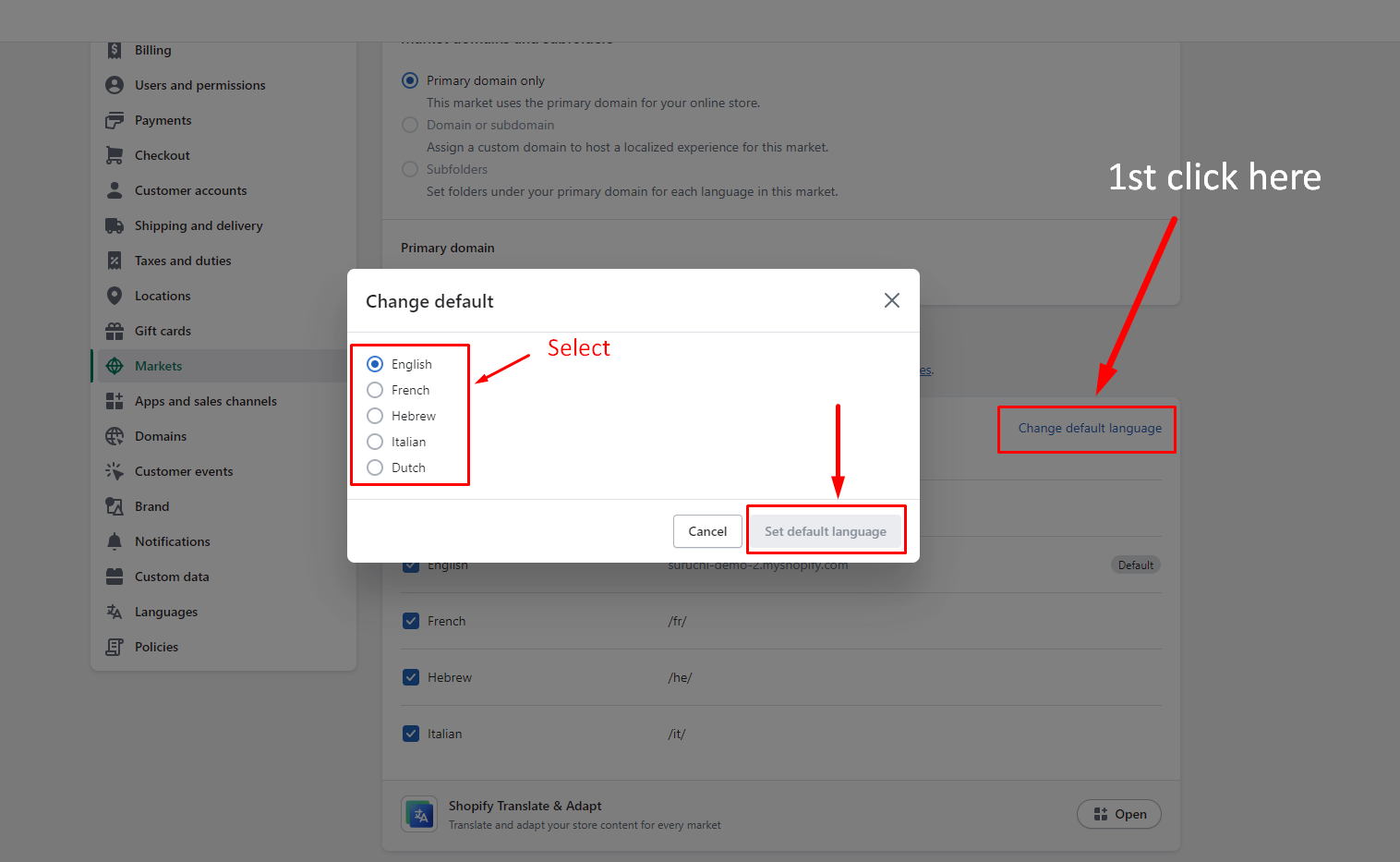
Select the languages you want to be displayed by choosing them from the language dropdown menu on your store to enable multilingualism. Additionally, you can modify the default language.
{% endhint %}

<figure><img src="https://content.gitbook.com/content/7Hg8cYZOt66iWZS4tTz7/blobs/9o4O62bjGbE6VmgpkUDn/multi-language.png" alt=""><figcaption></figcaption></figure>

## Step 7 - Change the default language
<figure><img src="https://content.gitbook.com/content/7Hg8cYZOt66iWZS4tTz7/blobs/1L0C4J5jq4z7lNk9yYQM/default_language.png" alt=""><figcaption></figcaption></figure>