> For the complete documentation index, see [llms.txt](https://themihub.gitbook.io/isotech-shopify-theme/llms.txt). Markdown versions of documentation pages are available by appending `.md` to page URLs; this page is available as [Markdown](https://themihub.gitbook.io/isotech-shopify-theme/theme-sections/how-to-add-a-section.md).
# How to add a section?
A complete guide to customize sections and blocks to your page
## Add a section
{% hint style="success" %}
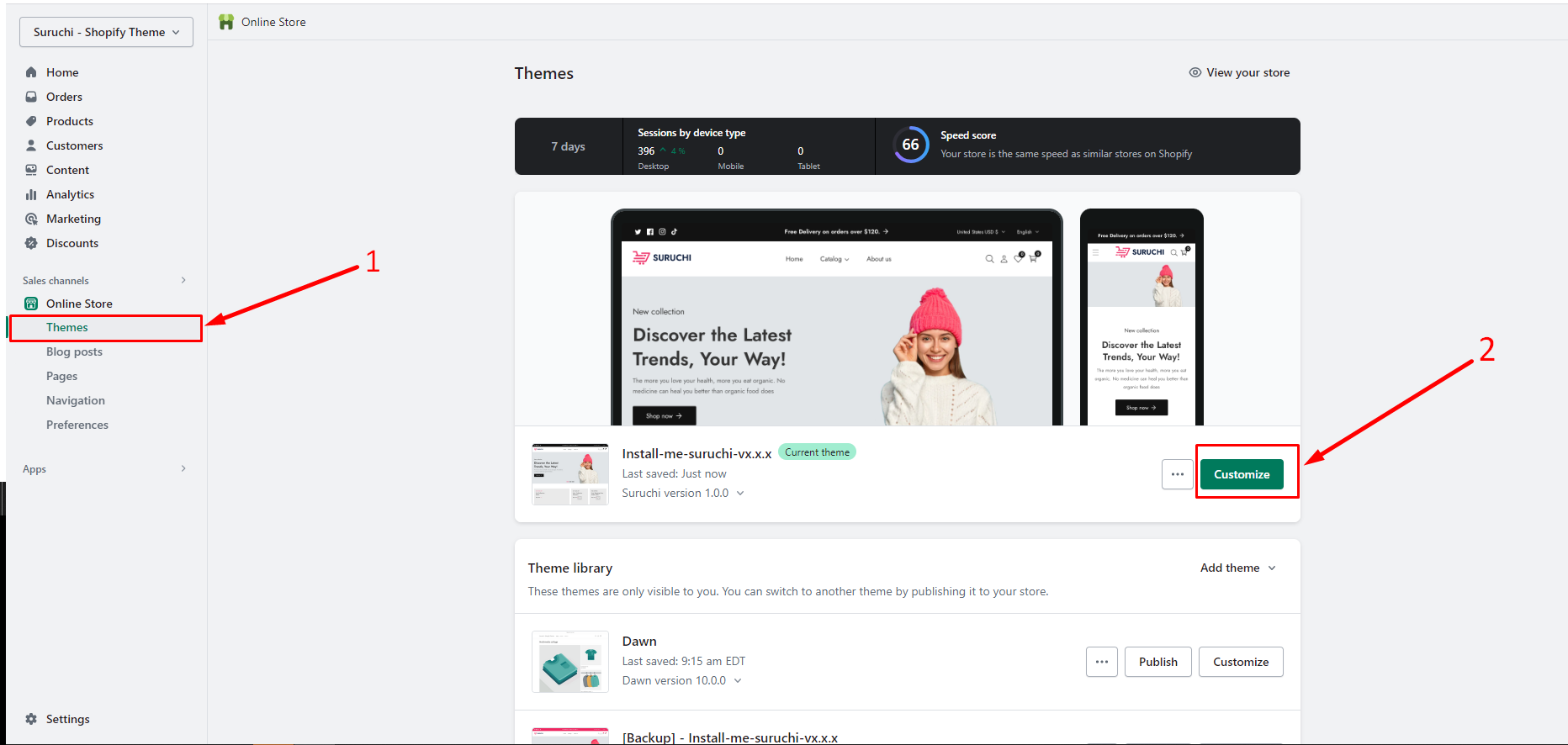
1. From your Shopify admin, go to **Online Store** > **Themes**.
2. Find the theme that you want to edit, and then click **Customize**.
3. Select a template from the drop-down menu.
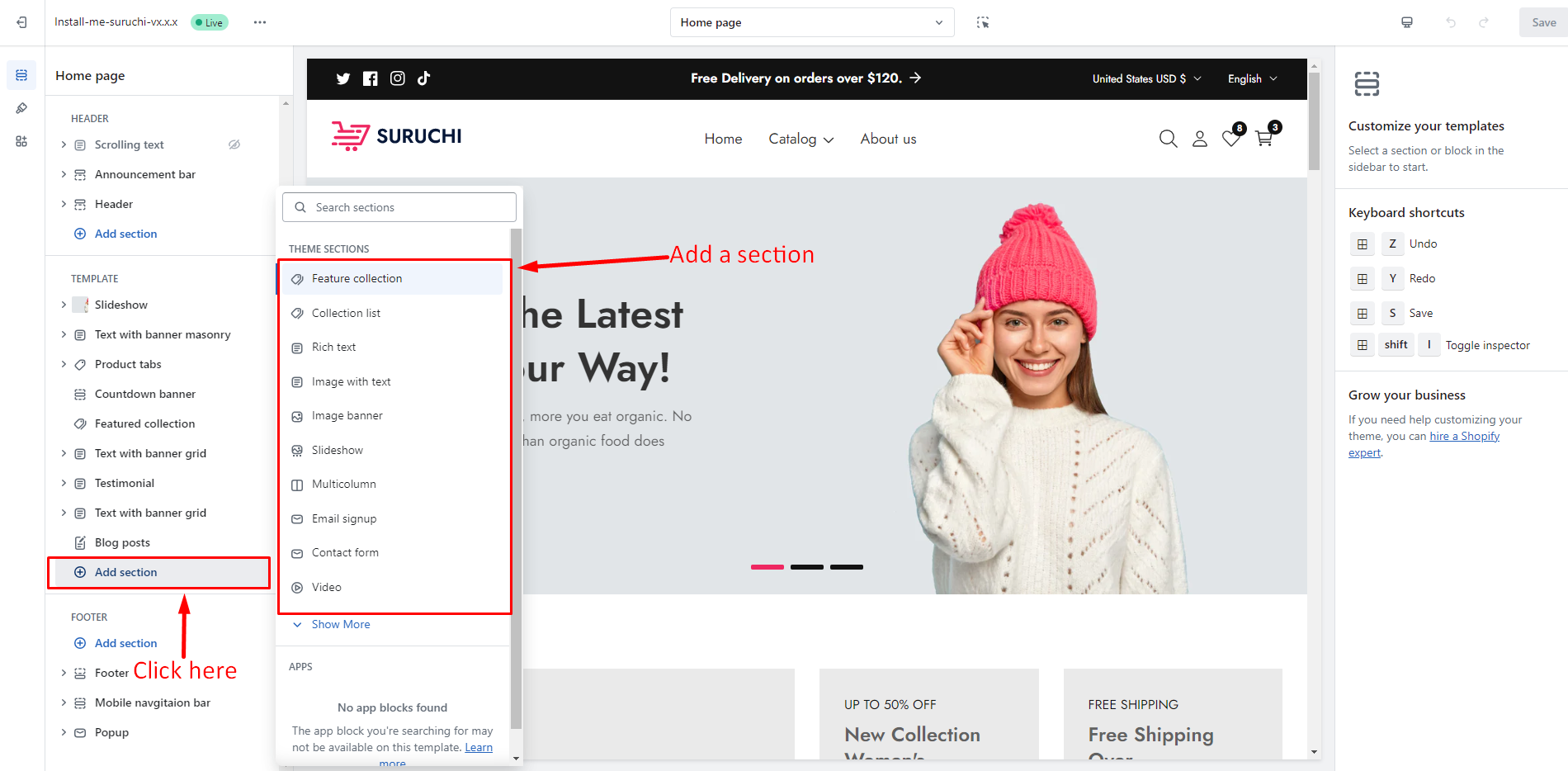
4. Click **+ Add section**, and either select a new section from the list or use the **Search** bar to search for a specific term.
5. Click the new section to edit the blocks within the section.
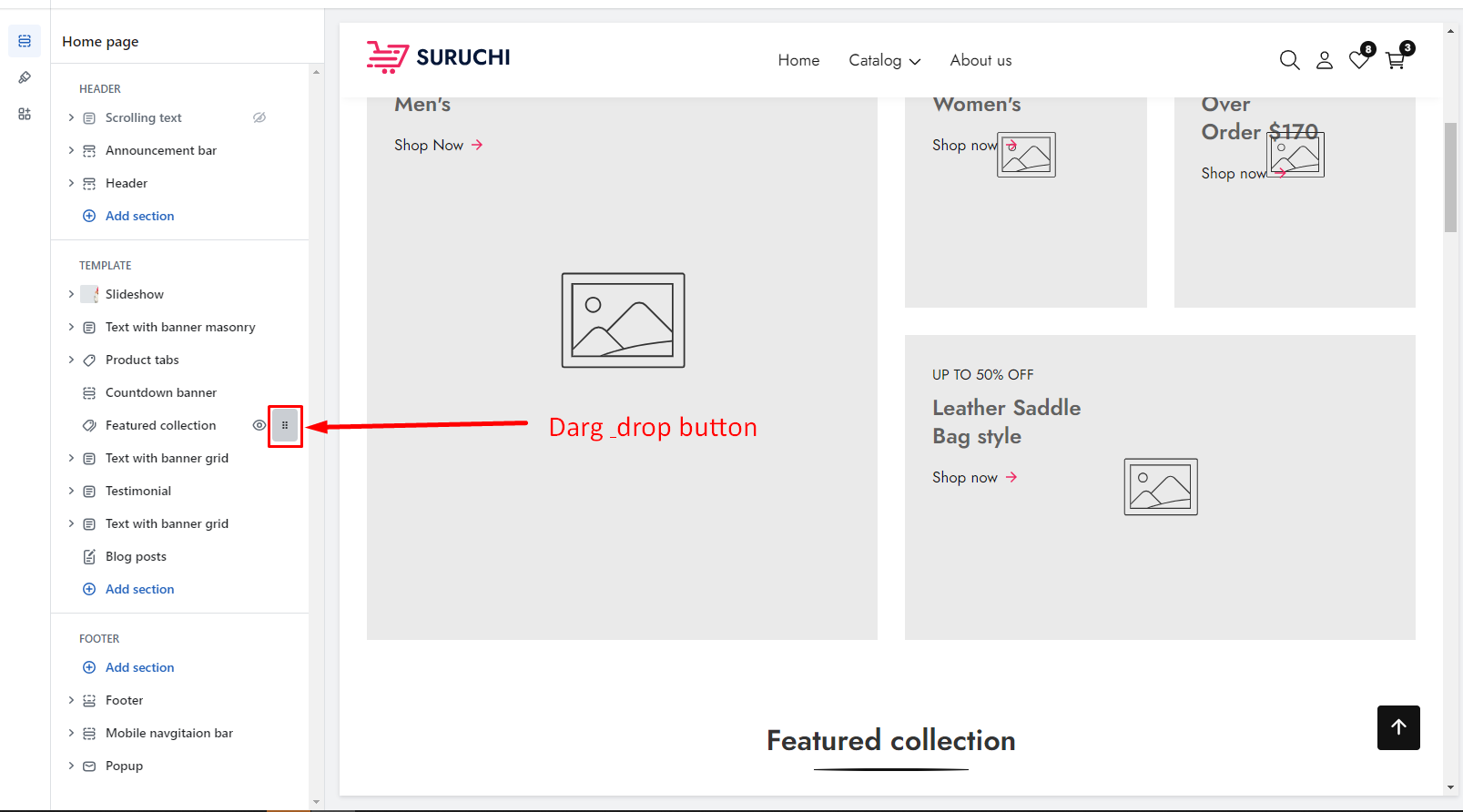
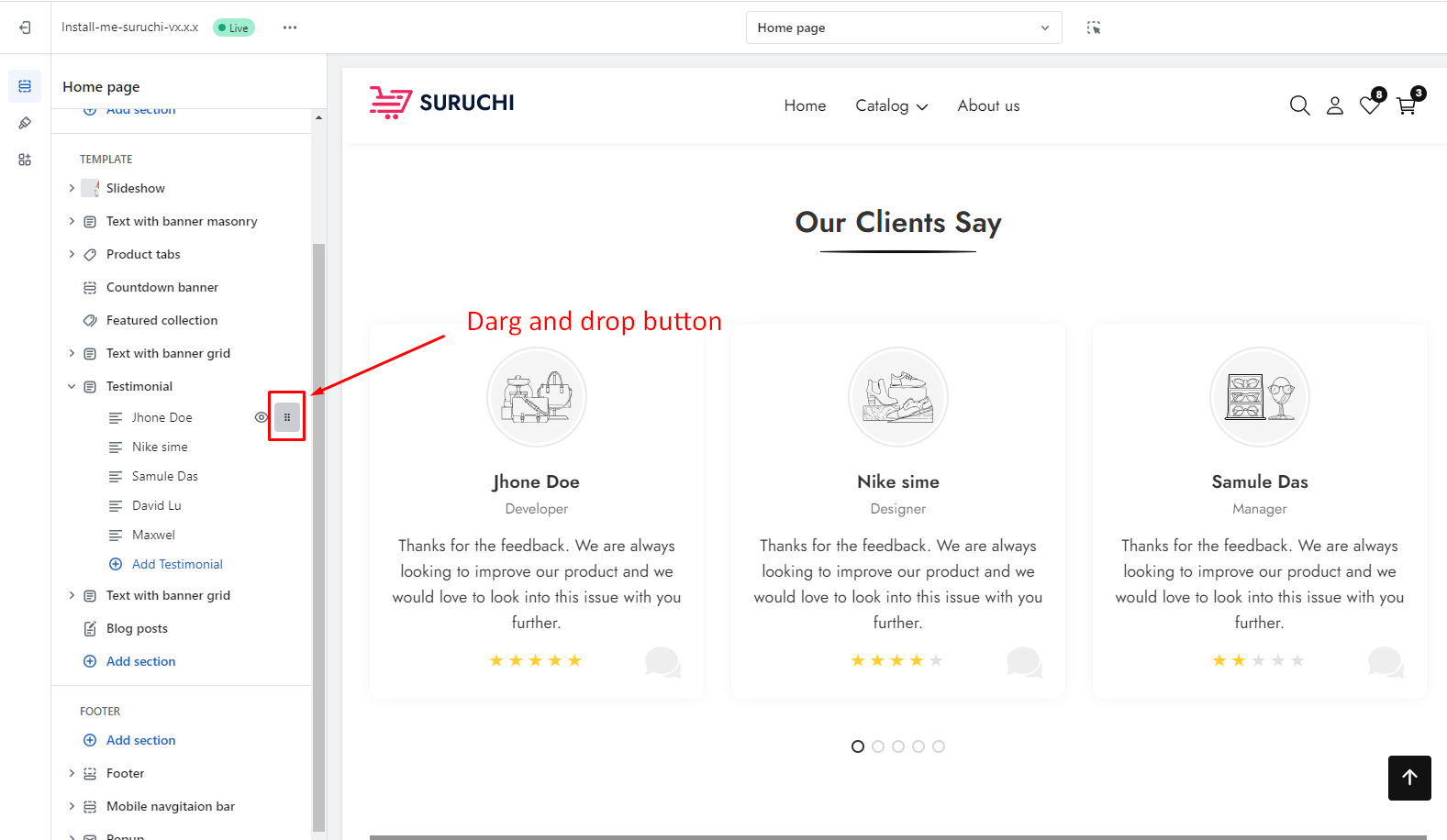
6. Optional: Click and drag the `⋮⋮` icon next to a section to rearrange the sections on your page.
7. Click **Save**.
{% endhint %}
### Step 1 - Go to Customizer
### Step 2 - Add a section
### Section Drag & drop
* Click and drag the `⋮⋮` icon next to a section to rearrange the sections on your page.
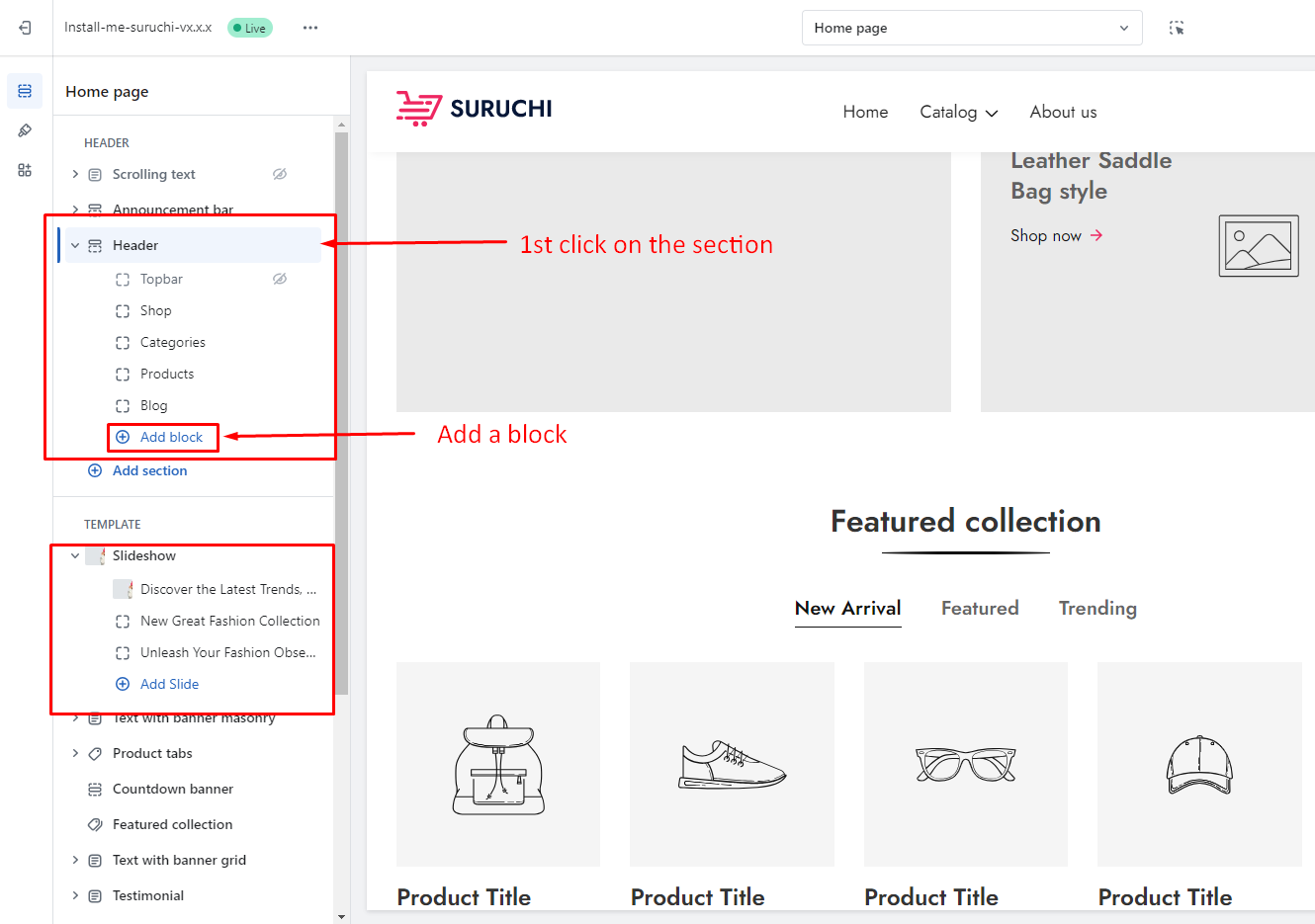
## Add a block
### Step 1
### Block drag & drop
* Click and drag the `⋮⋮` icon next to a block to rearrange the block on your section
## Remove a section or block
{% hint style="success" %}
1. From your Shopify admin, go to **Online Store** > **Themes**.
2. Find the theme that you want to edit, and then click **Customize**.
3. From the dropdown menu, select the template that contains the section that you want to edit.
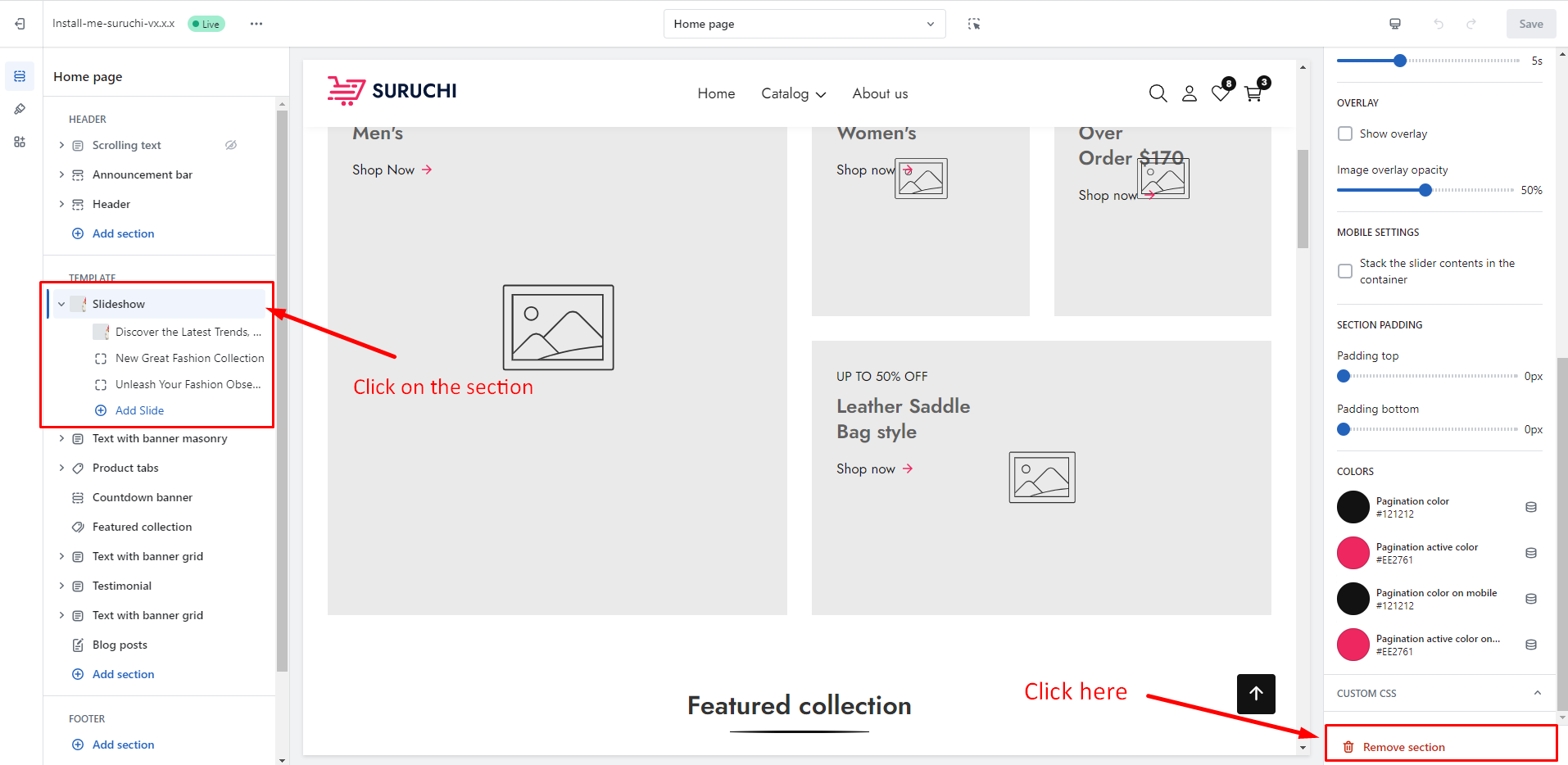
4. Click a section to load the content into the preview window and access the options available to you.
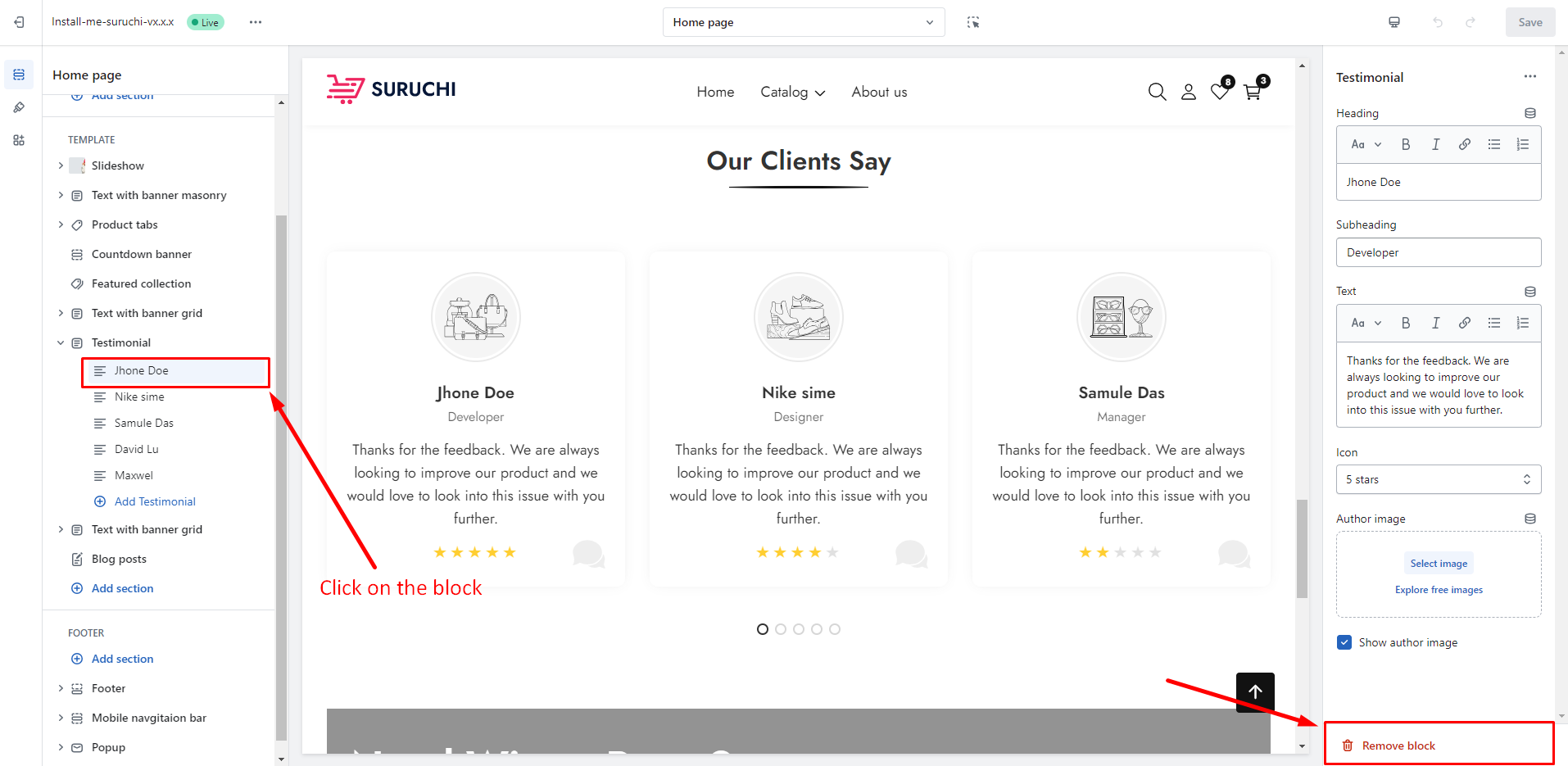
5. Click the eye icon to hide or unhide a section or block.
6. Click **Remove** to delete a block or section.
{% endhint %}
### Remove section
### Remove block
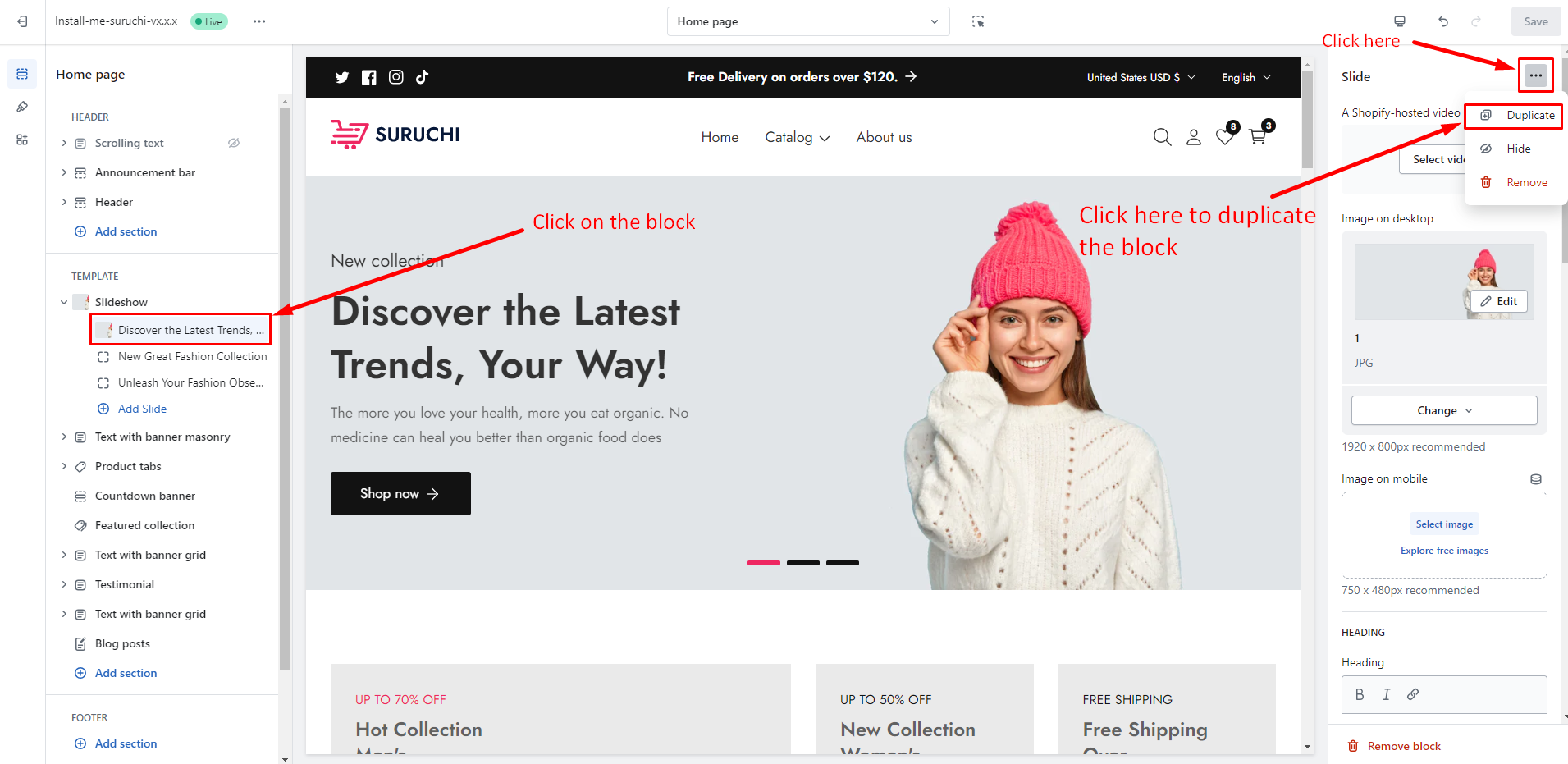
## Duplicate a section or block
{% hint style="success" %}
1. From your Shopify admin, go to **Online Store** > **Themes**.
2. Find the theme that you want to edit, and then click **Customize**.
3. From the dropdown menu, select the template that contains the section or block that you want to duplicate.
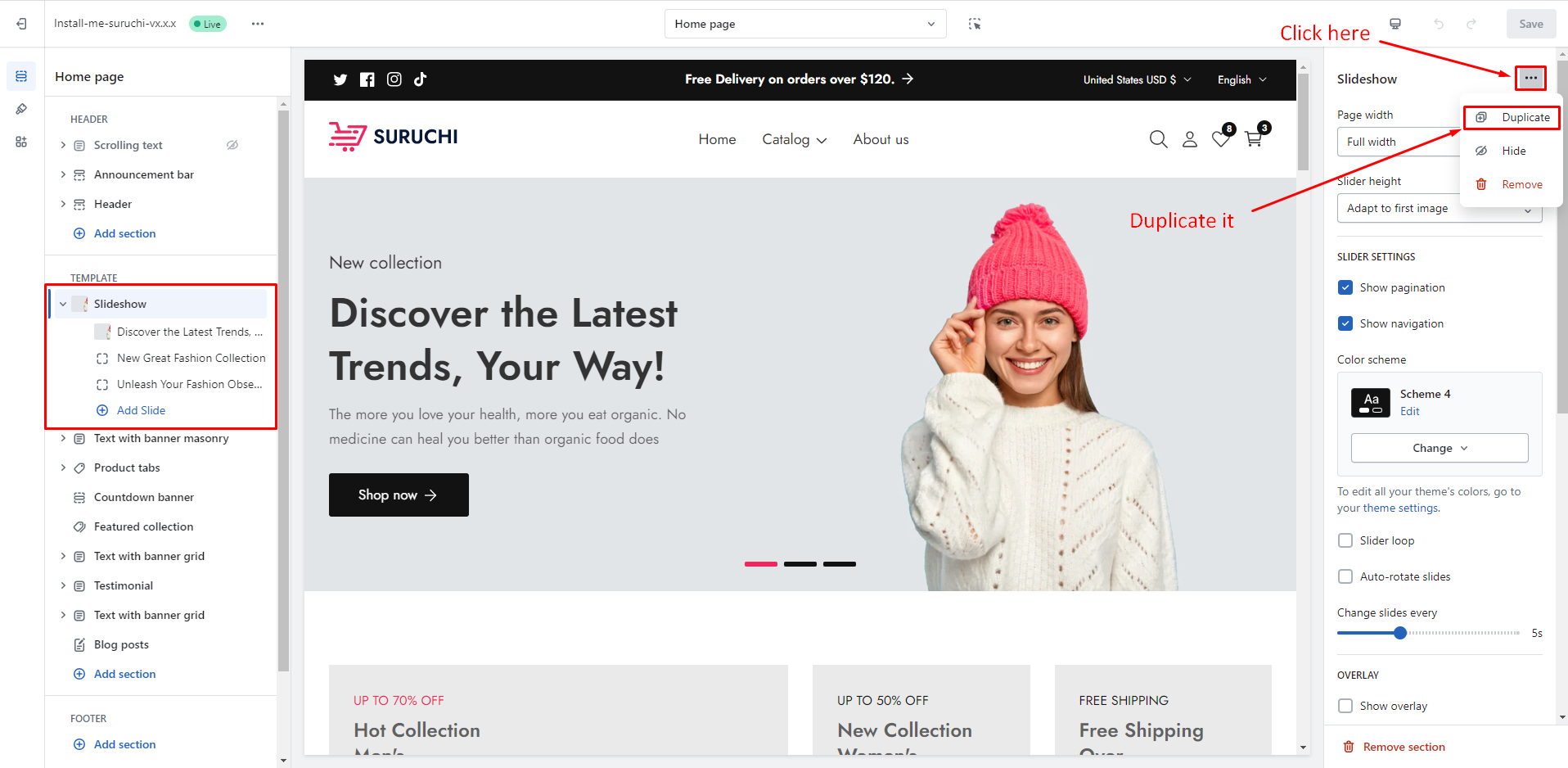
4. Click a section or block that you want to duplicate.
5. Click the `...` button beside the section name in the sidebar and then click **Duplicate**.
6. Click **Save**.
{% endhint %}
### Duplicate section
### Duplicate block